



For VP of Manufacturing

Run Your Factory on Live Data, Not Paper Travelers

Stop managing your plant off a whiteboard and yesterday's batch-entered numbers. Every job, machine, and scrap event flows live - planners get a finite capacity Gantt that respects actual downtime, and operators get touch-native job sheets they will actually use.

Logo 1
Logo 2
Logo 3
Logo 4

Your Reality Today

3 Reasons Your 2 PM Production Report Is Already Wrong

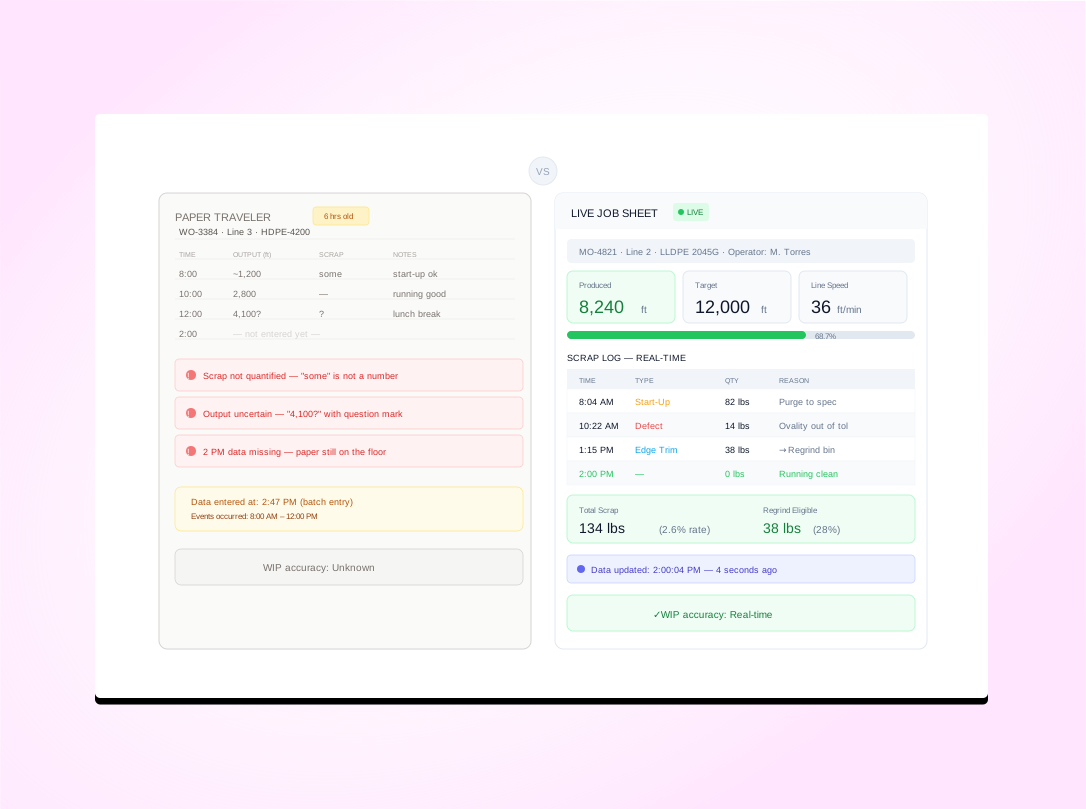
The data you're reviewing right now was recorded on paper 6 hours ago.

Your Shop Floor Is a Black Box After 8 AM

Machine operators won't interact with a desktop-bound ERP to log run times, so they write it on paper travelers and batch-enter at shift end - by the time you see the data, the bottleneck formed 6 hours ago and WIP is fiction. That 2 PM production report reflects a floor that already moved on without you.

Month-End Close Requires 3 Weeks of Excel Reconciliation

Re-Routing a Job Means 3 Workarounds and a Phone Call

Upload an image or video

3 Modules That Replace Your Clipboard, Whiteboard, and Excel

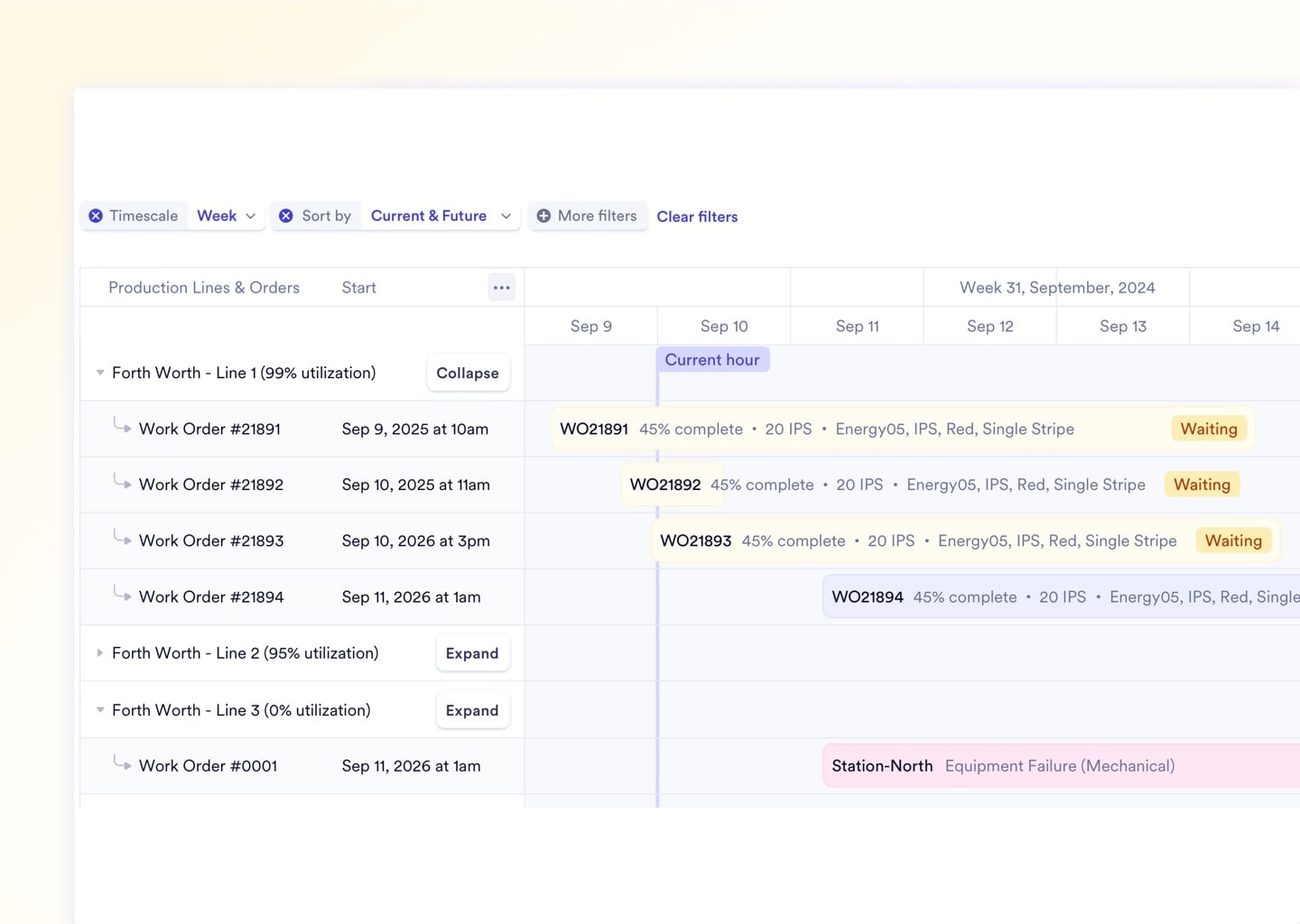
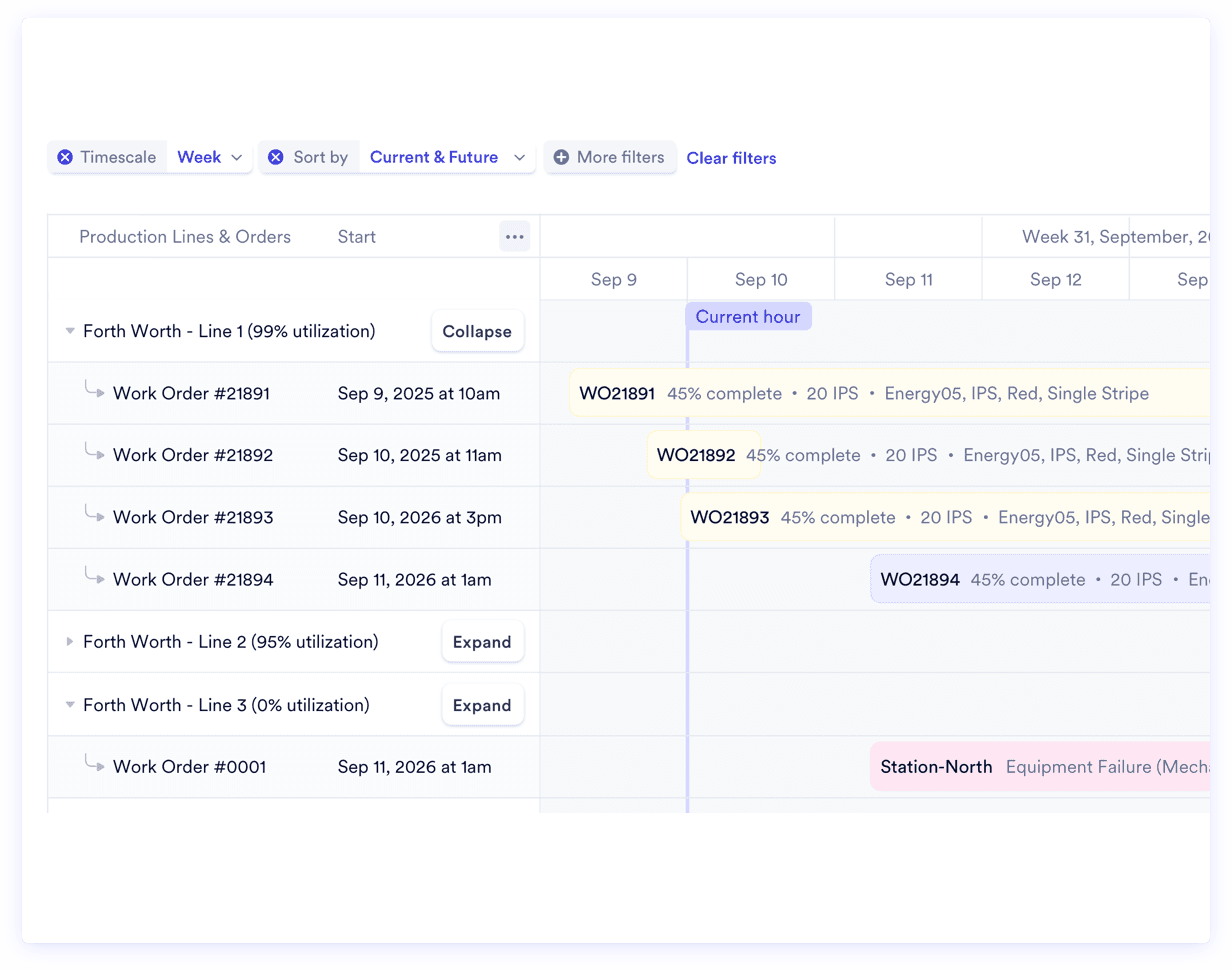
Finite Capacity Scheduling Drag-and-drop your production plan on a Gantt that mathematically enforces machine capacity, shift hours, setup blocks, and changeover penalties. Split massive orders across parallel machines, trigger Reflow to eliminate idle gaps, and re-route around downtime - without corrupting job costing data.

Explore Manufacturing

Embedded Quality at Every Work Center Define machine-specific rejection thresholds that automatically flag warnings the instant scrap exceeds tolerance - no waiting 4 hours for the QA lab to notice. When a part fails, Naologic auto-generates a formal Non-Conformance Report, quarantines the inventory, and routes it to management for same-day resolution.

Explore Quality

Live WIP and Material Visibility Every component consumed at each routing step decrements inventory in real time - not at shift-end batch entry - giving you a live balance of WIP, finished goods, and raw material stock across every facility. Spot a material shortage before it halts a press, not after the machine goes cold.

Explore Inventory

What You Can Commands

8 Execution Capabilities Built for the Plant Floor

Shop Floor Scheduling

Drag-and-drop your entire production plan on a Gantt that mathematically enforces capacity limits, shift hours, setup blocks, and changeover penalties per machine. When a job finishes early, trigger Reflow to compress the schedule and pull subsequent orders forward - keeping every machine running without gaps.

Tablet-Native Job Sheets

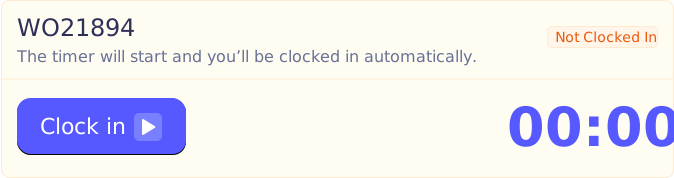
Every operator gets a touch-first job sheet on their tablet with large clock-in/out buttons, swipeable work instructions, and a numeric keypad for logging output quantities and scrap. No desktop required, no paper traveler - just the right data captured at the exact spot where the work happens.

Dynamic Routing Canvas

Build sequential or parallel production flows on a visual node canvas, where each step defines the target work center, required time, and materials consumed at that exact stage. Re-route an active job around a broken machine in seconds - fully in-system, with cost and inventory records intact.

Work Center Command Center

Every machine has a detailed digital profile: hourly burn rate, shift capacity, changeover matrix, minimum batch sizes, and output standards by SKU. The scheduling engine uses this machine-specific data - not fictional averages - to build a schedule the floor can physically execute.

Real-Time Downtime Response

Operators log machine downtime from their tablet with a single tap and a mandatory reason code - Equipment Failure, Changeover, Starvation, Power Loss. The system instantly places a hard maintenance block on the master Gantt, preventing planners from scheduling new jobs onto a machine that cannot run.

Production Report Truth Layer

Every completed job auto-generates a production report: actual output per hour, categorized downtime reasons, exact scrap weight by shift, and final COGS capitalization. Stop estimating what last night's run cost - the data flows directly from operator inputs to your management dashboard.

Shift and Labor Tracking

Employees clock into their master shift on the same tablet they use for job sheets - attendance for HR and micro-job tracking for production, running concurrently in one system. Every scrap log and output metric is permanently tagged to the active shift for instant night-vs-day comparison.

Rework and Scrap Control

When parts fail inspection, generate a formal Rework Order to route defective goods back through the factory - capturing every supplementary labor minute under the Cost of Poor Quality financial bucket. Regrind valuable scrap back into usable raw material inventory with automatic conversion loss accounting.

Platform Deep Dive

From Master Scheduler to Machine Operator - One Unbroken Execution Thread

Most plants run on two disconnected layers: a desktop ERP that planners manipulate in the office, and a paper-based execution layer that operators run on the floor. Naologic collapses this gap - the same digital thread runs from the finite-capacity Gantt to the operator's tablet job sheet, with every time, scrap, and cost event updating live.

Finite capacity scheduling with setup and changeover time
Drag-and-drop re-routing around unplanned downtime
Tablet-native job sheets with real-time clock-in/out
Auto-generated production reports from operator telemetry
Work center quality thresholds with instant scrap alerts
Split manufacturing orders across parallel machines
Add images via component properties

4 Capabilities That Replace Your Paper Travelers and Spreadsheets

Every feature below was built to close the gap between what the schedule says and what the floor actually does. They span three modules - Manufacturing, QMS, and Inventory - because shop floor execution doesn't respect department boundaries.

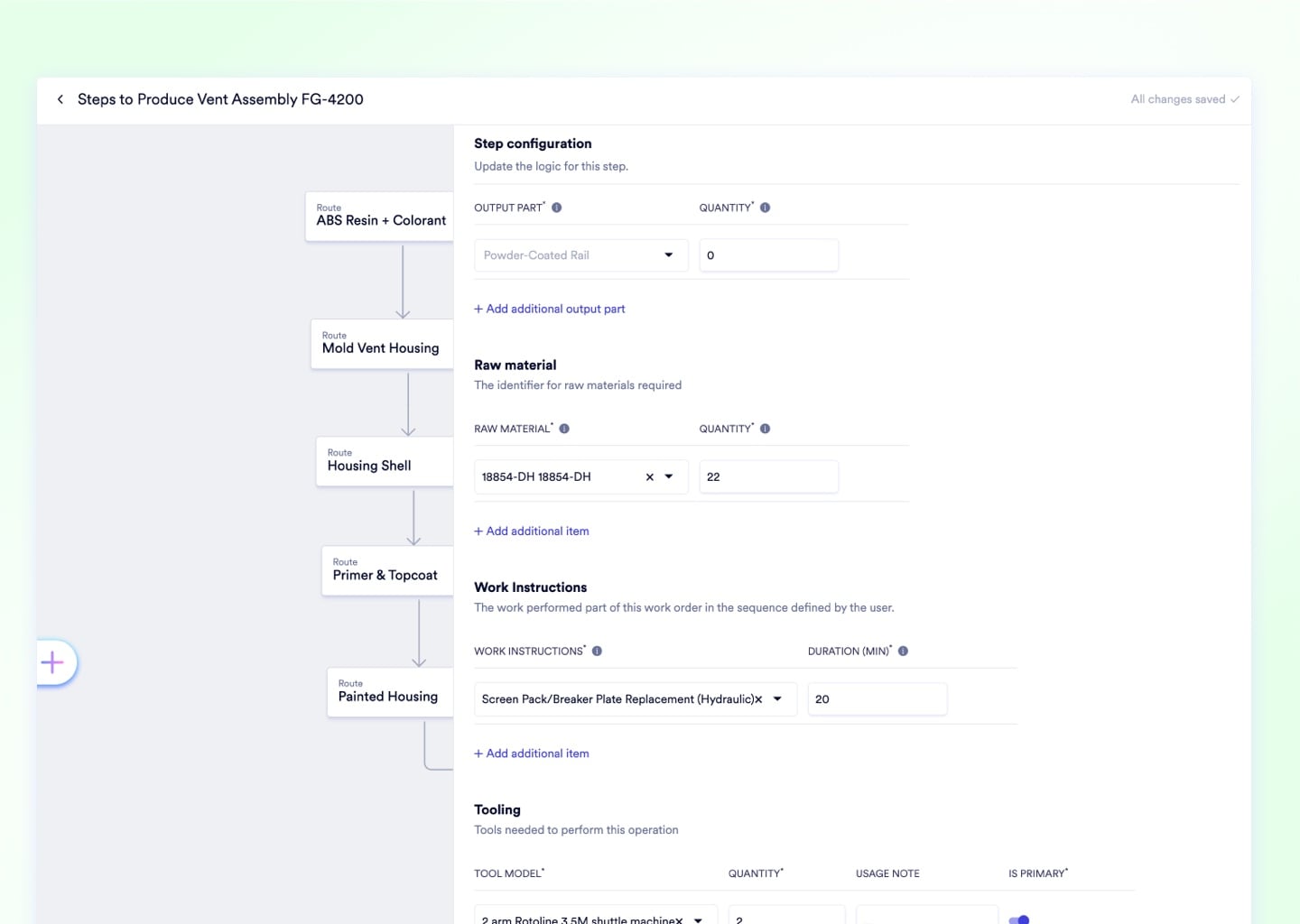
Bill of Materials With Yield Intelligence

Define exact component quantities, consumption strategies (fixed quantity or weight-percentage), and expected yield thresholds per run. If raw material consumed drops below the defined yield floor during a job, the active job sheet flags the operator and requires supervisor sign-off before production can continue.
Upload media

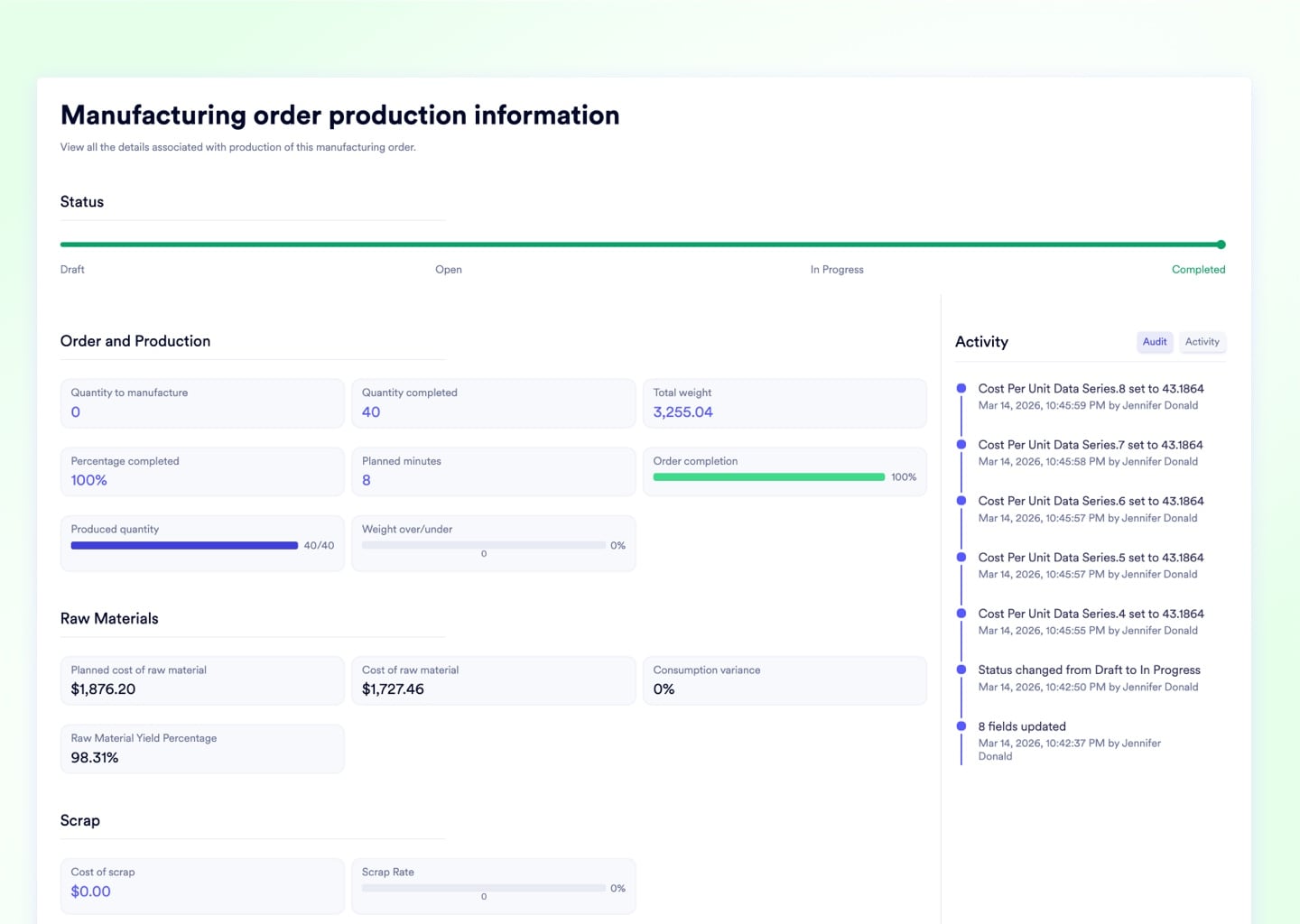
Scrap Regrind Back Into Live Inventory

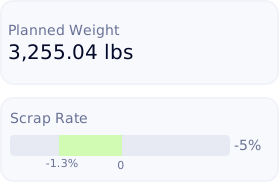
Don't write off valuable material waste as a pure expense. Log scrap quantities by source, define regrind conversion percentages, and the system automatically converts ground-up material back into usable raw stock on your balance sheet - with conversion loss accurately accounted for.
Upload media

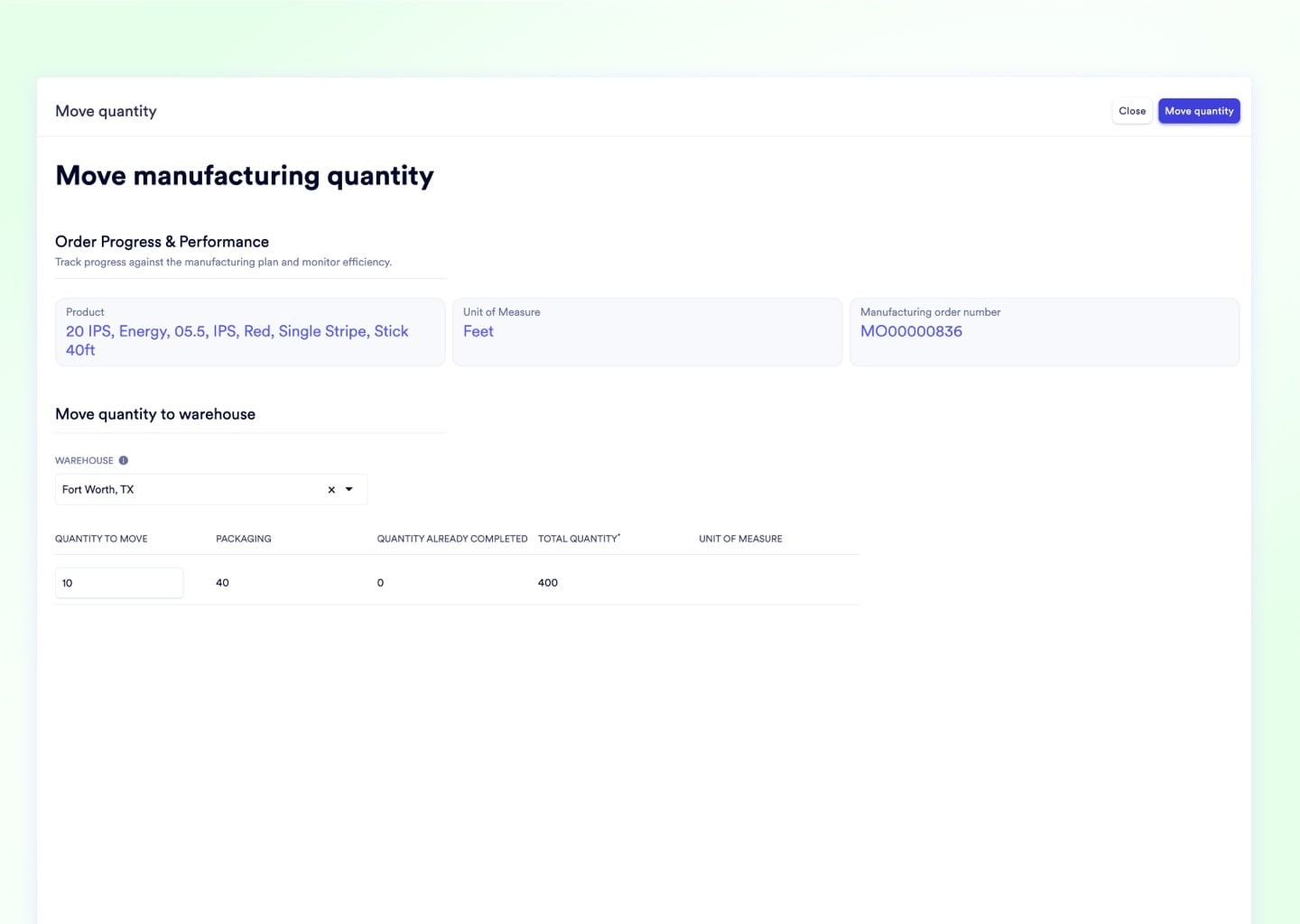
Auto-Split Orders Across Parallel Machines

Fragment a massive Manufacturing Order into child batches and route them concurrently to separate machines or facilities to crush impossible deadlines. The parent order tracks aggregate progress in real time while each child runs and reports independently.
Upload media

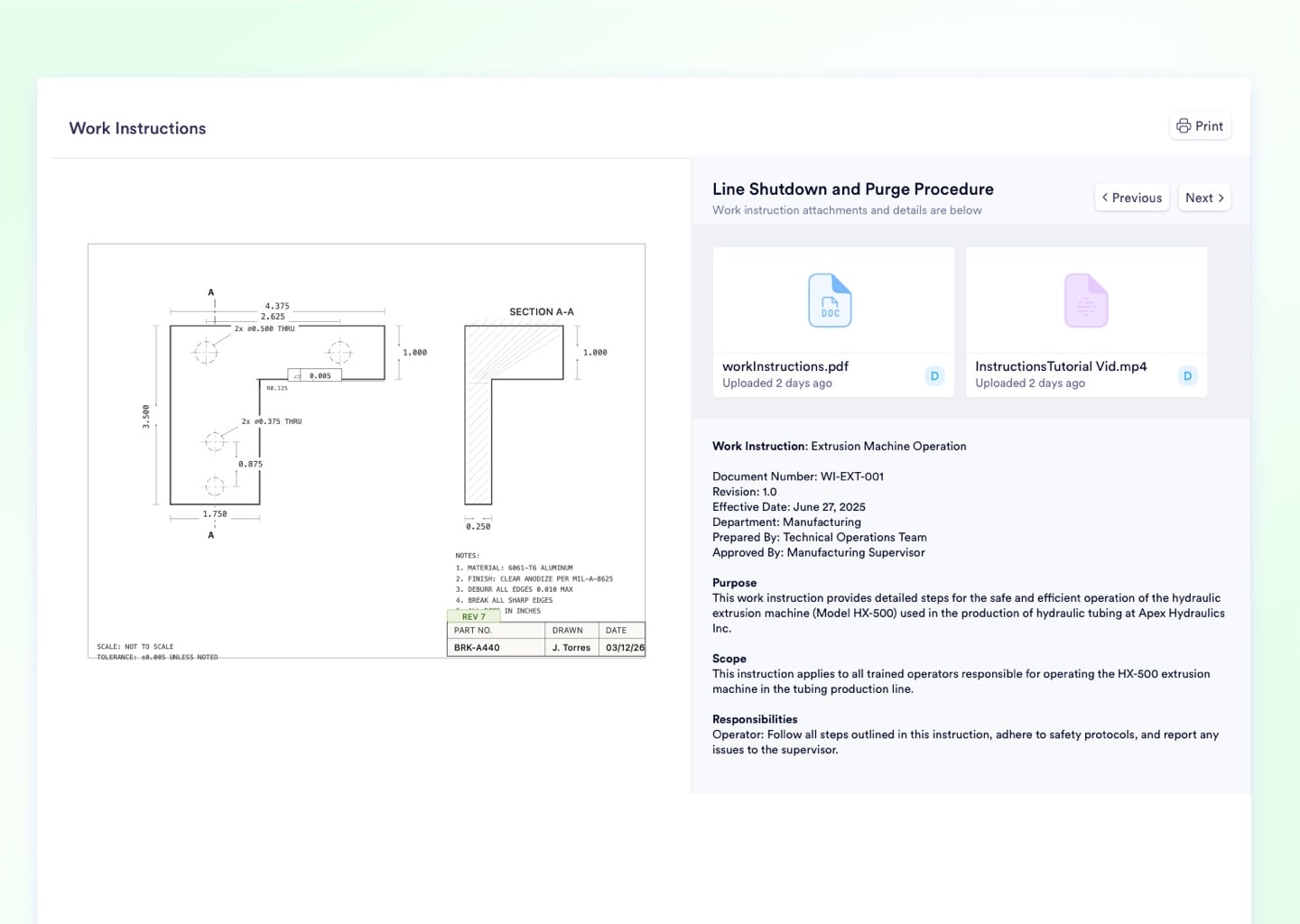
Work Instructions Pinned to Every Job Step

Engineers author SOPs once in the Work Instructions library with rich text, CAD diagrams, and multi-attachment support. When an operator opens any job step on their tablet, the exact current instruction version appears automatically - no searching, no outdated paper binders.
Upload media

Stop Running a Million-Dollar Factory Off Last Week's Data. Naologic replaces the paper-traveler-plus-Excel status quo and eliminates the need for a separate MES or APS bolt-on.

Add image in properties

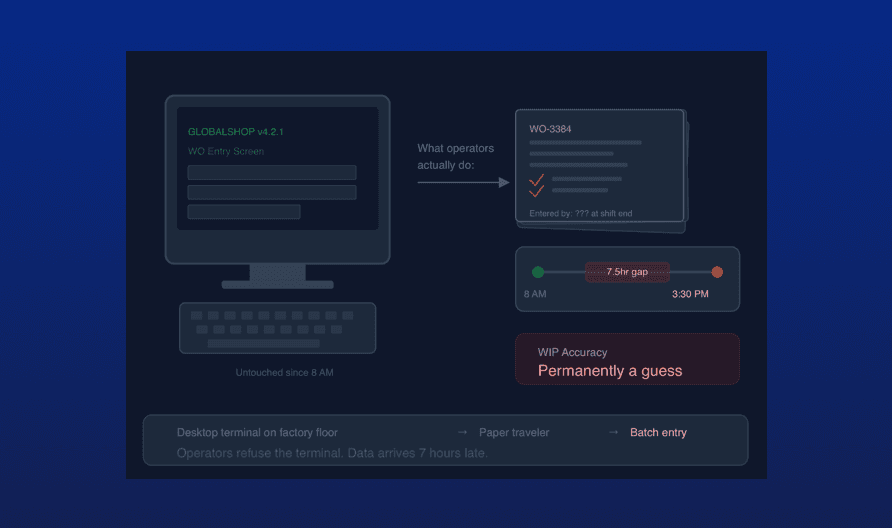
Replacing GlobalShop and DELMIAWorks Legacy on-premise systems built in the 1990s require desktop terminals on the factory floor - operators refuse to use them, data gets batch-entered days later, and WIP is permanently a guess. Naologic runs natively on any tablet, no desktop terminal required.

See the Comparison
Add image in properties

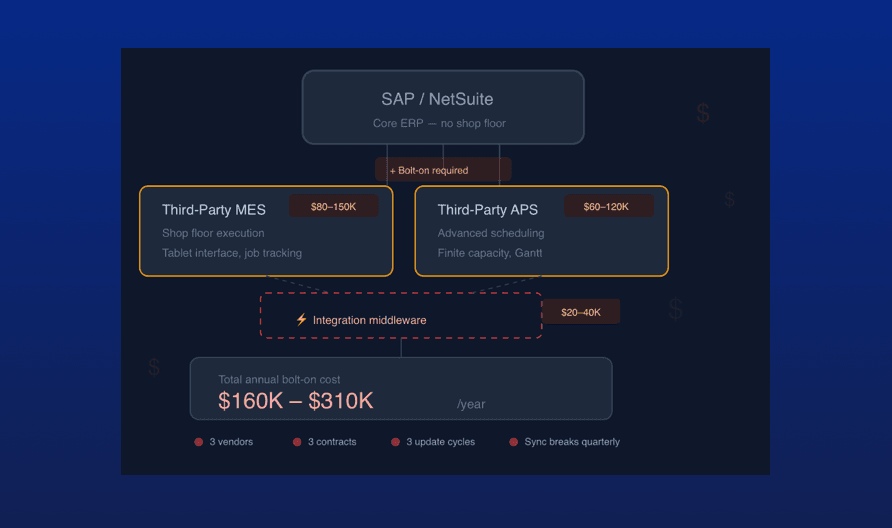
No MES or APS Bolt-On Required SAP and NetSuite users pay six figures for a third-party MES or APS system just to give floor operators a usable tablet interface and generate a realistic finite-capacity schedule. Naologic includes both natively - at no additional module cost.

See All Manufacturing Features
Add image in properties

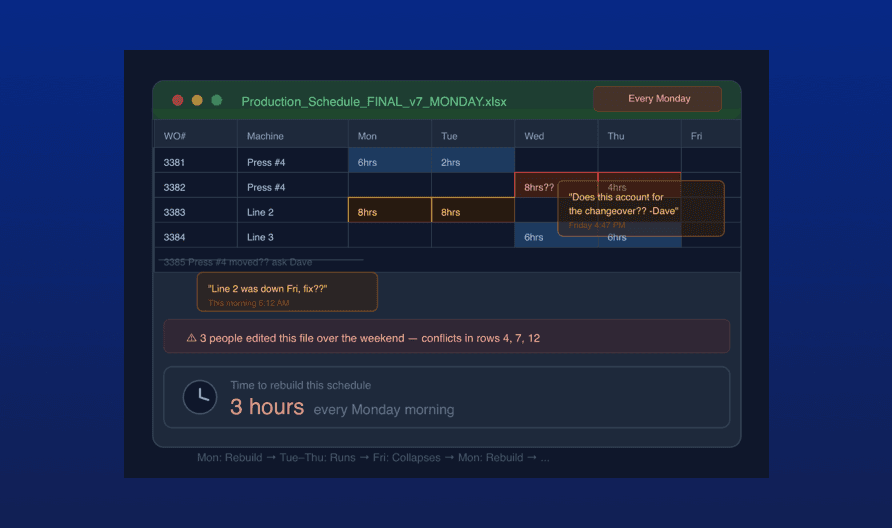
Retiring the Monday Morning Excel Rebuild Your master scheduler shouldn't spend 3 hours rebuilding the production plan in Excel every Monday after the ERP schedule collapses on Friday. The interactive Gantt with Reflow scheduling gives planners a live, executable schedule - not a hopeful fiction.

Book a Demo

From 62% OEE to 78%. From Weekly Recaps to Live Data.

78%

OEE achieved from 62% baseline

-40%

Unplanned downtime hours per month

6 hrs

Weekly scheduling time\neliminated per planner

0

Paper travelers still in use

Common Questions

6 Questions Your Plant Manager Will Ask Before Signing Off

These are the objections your implementation team raises in week one. Direct answers based on how Naologic actually works on the shop floor.

Will my operators actually use this on the shop floor?

The Job Sheets are designed exclusively for tablet use - large touch targets, zero desktop dependency, and a single-screen interface handling clock-in, work instructions, and scrap logging in three taps. The interface is faster for operators than writing on a paper traveler because it was designed for their hands, not a planner's keyboard.

See Job Sheet Features

Can operators log downtime from their tablet, not just supervisors?

Any operator can tap "Log Downtime" from their active Job Sheet, select a mandatory reason code - Equipment Failure, Changeover, Starvation, Power Loss, or Other - and the system instantly blocks the machine on the master Gantt. No phone calls to the planning office, no whiteboard erasures.

Explore Downtime

See Your Shop Floor Before You Commit to an Evaluation. Book a 30-minute demo focused on scheduling, job sheets, and work center configuration - built around your specific production environment.