



Capture Every Labor Dollar From the Factory Floor

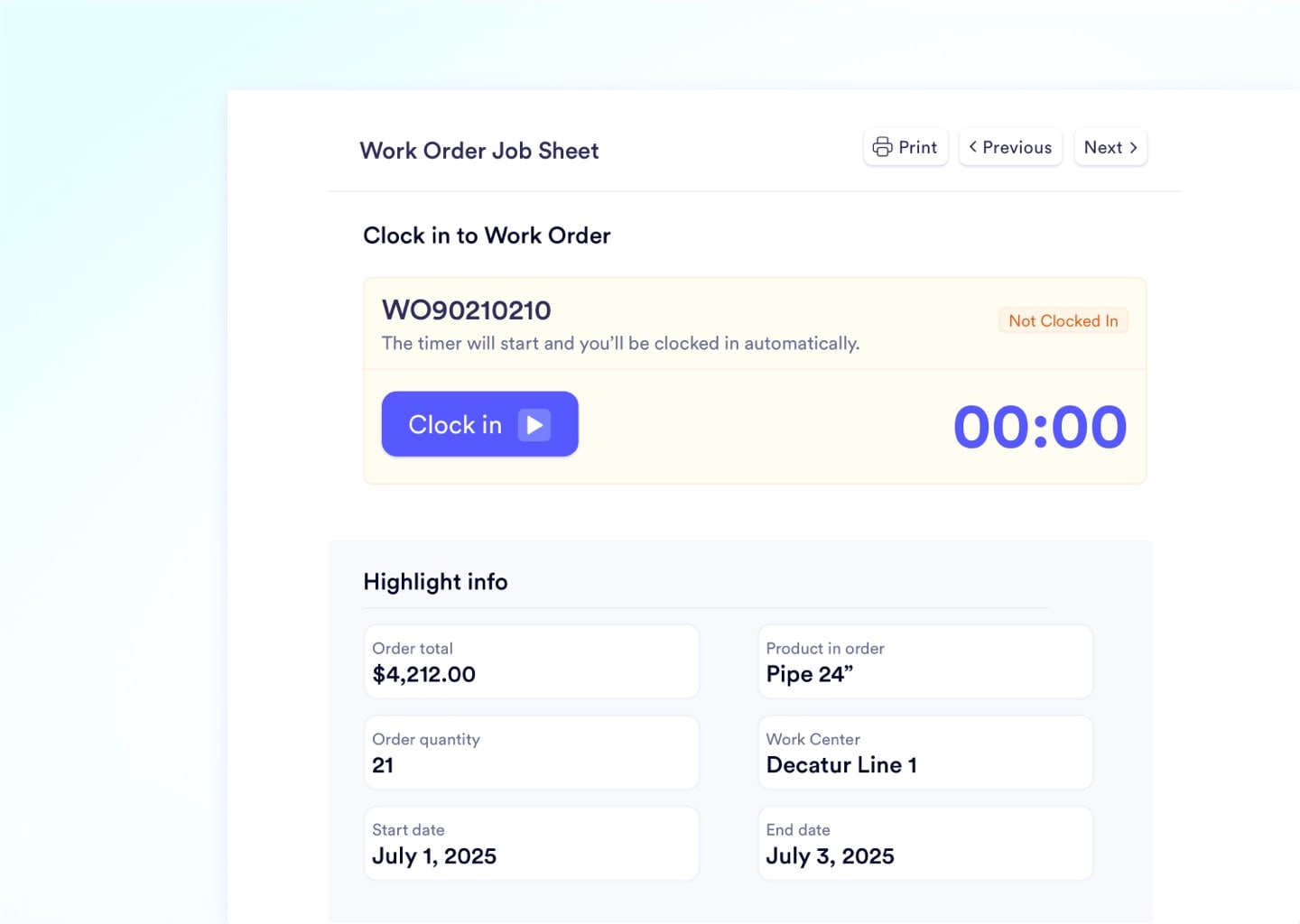
Every dollar of management intelligence depends on one thing: whether the person wearing gloves on the factory floor taps the screen. Naologic's shop floor module is tablet-native from day one, with massive touch targets, one-tap clock-ins, and auto-delivered work instructions that replaced paper travelers at over 100 work centers.

Product screenshot
Logo 1
Logo 2
Logo 3
Logo 4
Shop floor ROI

The Financial Impact of Digitizing Your Shop Floor

Paper timesheets, guessed scrap counts, and dusty binder instructions silently drain six figures from manufacturing margins every year. Replacing them with a digital interface that operators prefer to use produces measurable results within the first production cycle.

100%
digital labor capture - no more guessed timesheets
$0
paper traveler ticket printing and re-printing costs
< 2 min
average operator training time on the tablet interface
15%+
typical labor cost accuracy improvement in month one

Why Your Shop Floor Data Is Wrong Today

Manufacturing software was designed for desktops in air-conditioned offices. The person actually building your product gets a frustrating, miniaturized version of that desktop forced onto a tablet they hate touching.

Desktop Screens on Tiny Tablets

Legacy ERPs cram 47 menu items onto a 10-inch screen, causing misclicks and complete operator resistance. Your data entry error rate skyrockets.

HOME ORDERS INVENTORY PRODUCTION QUALITY FINANCE REPORTS ADMIN SETUP HELP MORE Work Orders Bill of Materials Routings Scheduling Job Costing Scrap Downtime Shifts Labor Active | Planned | Completed | On Hold | Draft | Cancelled | Pending Review | Archived WO# Part Qty WC Status Start End Oper Yield Scrap Act WO-4421BRK-A4401,200CNC-03Active03/1403/16Rivera94.2%5.8%... WO-4422GKT-B112800INJ-07Active03/1403/15Chen91.7%8.3%... WO-4423HSG-C990500PRESS-01Planned03/1503/17Diaz... WO-4424PLT-D2003,400EXT-02On Hold03/1603/19Park... WO-4425VLV-E330640CNC-01Draft... Clock In Clock Out Start Job Pause Job End Job Log Scrap Report Notes Attach... More misclick zone gloved finger 47 menu items, 10 action buttons, 5pt font on a 10" screen

Guessed Labor on Paper Timesheets

Operators scribble '3 hours' at the end of a shift when it was actually 3 hours and 42 minutes. Your job costing is fiction before it hits the spreadsheet.

WEEKLY TIME SHEET JOB START END HOURS WO-4421 7:00 10:00 3h WO-4422 10:00 12:00 2h WO-4423 1:00 3:30 2.5h Total: 7.5 hrs filled out from memory at 3:45 PM Friday vs. Digital time log WO-4421 7:02:14 10:44:31 3h 42m WO-4422 10:48:07 12:23:55 1h 36m WO-4423 13:04:22 15:31:08 2h 27m Actual total: 7h 45m Paper said 7.5h. Actual was 7h 45m. That 15-minute gap costs $6.25 per job, per day. Operators guess at end of shift. The system captures to the second.

Dusty Binders Hold Your SOPs

Revision 4 of a CAD drawing sits in a binder while Revision 7 exists on the engineer's laptop. Operators build to the wrong spec and you eat the scrap cost.

WORK INSTRUCTIONS BRK-A440 Bracket 4.250" REV 4 Printed: 09/14/2024 vs. BRK-A440 Bracket REV 7 4.375" dim changed Version history Rev 7 - Mar 12, 2026 - J. Torres Rev 6 - Feb 28, 2026 - J. Torres Rev 5 - Jan 15, 2026 - M. Silva auto-pushed to 3 tablets on update Operator builds to Rev 4 dimension (4.250"). Customer spec is Rev 7 (4.375"). Entire run is scrap.

Physical Punch-Cards for Attendance

A front-door punch clock feeding into a separate system from your ERP creates a payroll reconciliation nightmare for HR every single pay period.
07:02 MAR 14 2026 SCAN BADGE or insert card TimeMaster 3000 IN 07:02 OUT 15:34 IN 07:05 OUT ??:?? Front door ERP labor module Employee Job Hours Status Rivera, M. WO-4421 3.0 manual Rivera, M. WO-4422 2.0 manual Rivera, M. WO-4423 2.5 manual 7.5h Back office Punch card total: 8h 32m on site ERP labor total: 7.5h logged 1h 2m unaccounted HR reconciliation every pay period
Job Sheets

Built for the Hands That Build Your Products

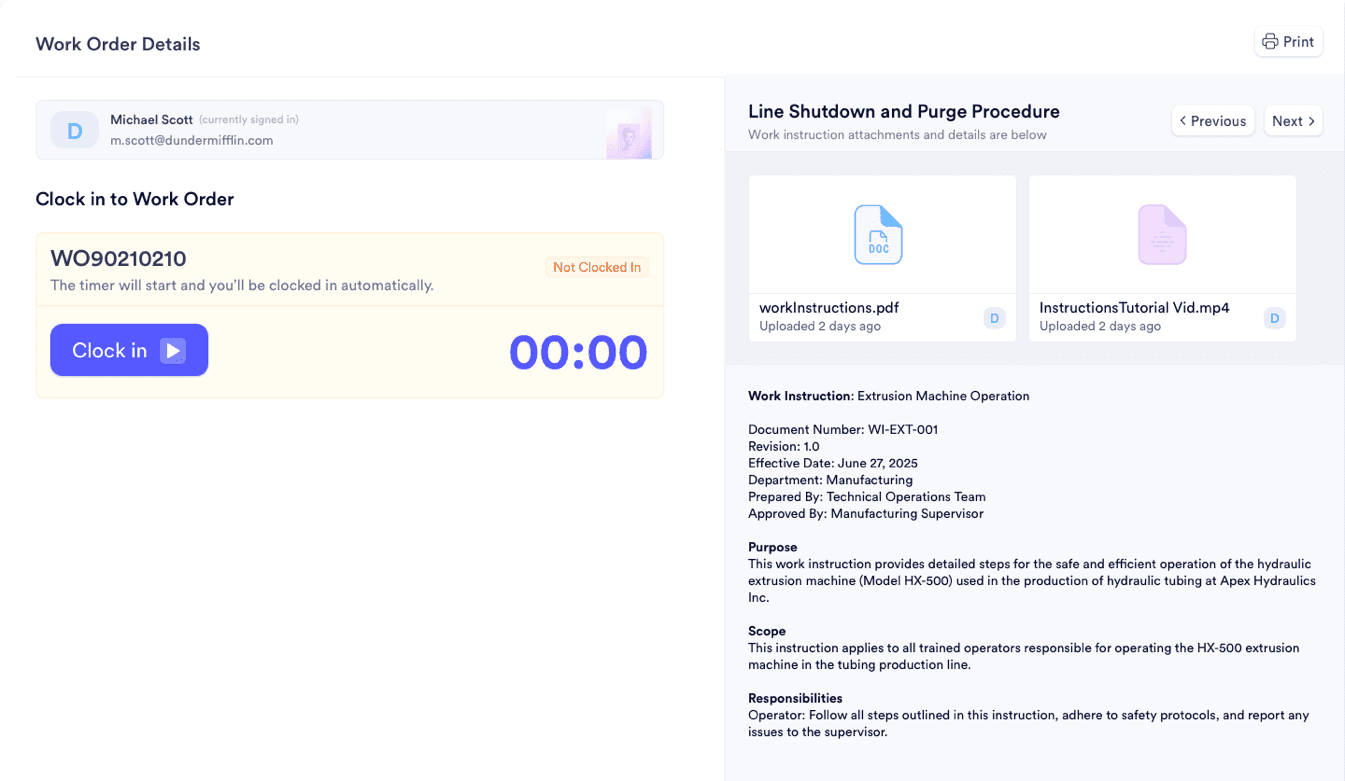
Machine operators wearing gloves on a loud factory floor are not software power-users. Job Sheets are designed exclusively for this reality, with oversized touch targets, one-tap clock-ins, and auto-surfaced work instructions. Operators view their specific queue, select a job, and start logging production data in under 10 seconds without any training manual or IT help desk call.

One-tap Clock In / Clock Out per work order
Auto-delivered CAD files and work instructions
Custom printline display for engraving and stamping
Setup, cleanup, and run time tracked separately
Produced quantity progress bars updated in real-time
Operator toolkit

Everything Your Floor Team Needs on One Screen

Exact Labor Cost Capture

Operators tap 'Start' and 'Stop' per work order. The system records to-the-second timestamps and automatically allocates the financial cost to the job.

  • Clock in/out by work order
  • Automatic hourly rate allocation
  • Setup vs. run vs. cleanup separation
  • Manager override for back-dated corrections

Digital Work Instructions

The correct SOPs and CAD diagrams auto-attach to every work order. When engineering updates a file, the new version pushes to every tablet instantly.

  • Rich text and multi-attachment support
  • Tablet-native swipeable instruction cards
  • Version-controlled and centralized
  • Linked to specific routing steps

Barcode Scanning Built In

Scan raw materials into jobs, generate lot-specific labels, and log every scan event with full employee and device attribution for complete traceability.

  • Full barcode scan history with audit trail
  • Native barcode generator with custom sequencing
  • Scan attribution by employee and device
  • Work center ID embedded in barcode sequences

Inline Quality Checks

Raw material inspections and finished goods inspections are enforced digitally, quarantining suspect inventory until QA formally signs off.

  • Raw material inspections at receiving
  • Finished goods inspections before shipping
  • Configurable quality control points
  • Auto-generated non-conformance reports on failure
Shift management

One System for Shift Attendance and Per-Job Time Tracking

Forcing employees to badge in at the front door with a punch-card, then log into a completely separate system on the factory floor, creates two disconnected time records and a payroll reconciliation nightmare every pay period. Naologic unifies shift-level attendance and job-level time tracking into a single tablet interface, giving HR clean payroll exports and giving production managers granular per-job labor breakdowns simultaneously.

Shift Clock-In on the Tablet

Employees select their predefined shift cohort and tap Clock In directly on their tablet when they arrive. The system tracks overarching attendance for payroll while simultaneously enabling micro-task timers on individual job sheets throughout the day. No separate punch clock, no front-door hardware, no paper timesheets.

Replaces: physical punch-card machines and paper sign-in sheets

Manager Timesheet Console

People forget to clock out on Friday. Authorized managers access the centralized timesheet console to execute back-dated corrections, adjust shift designations, and finalize data for payroll. Every correction is logged with the manager's user ID and timestamp in the audit trail, ensuring total financial accountability.

Replaces: manual payroll spreadsheet corrections and HR email chains

Production scheduling

Command Your Factory From a Visual Timeline

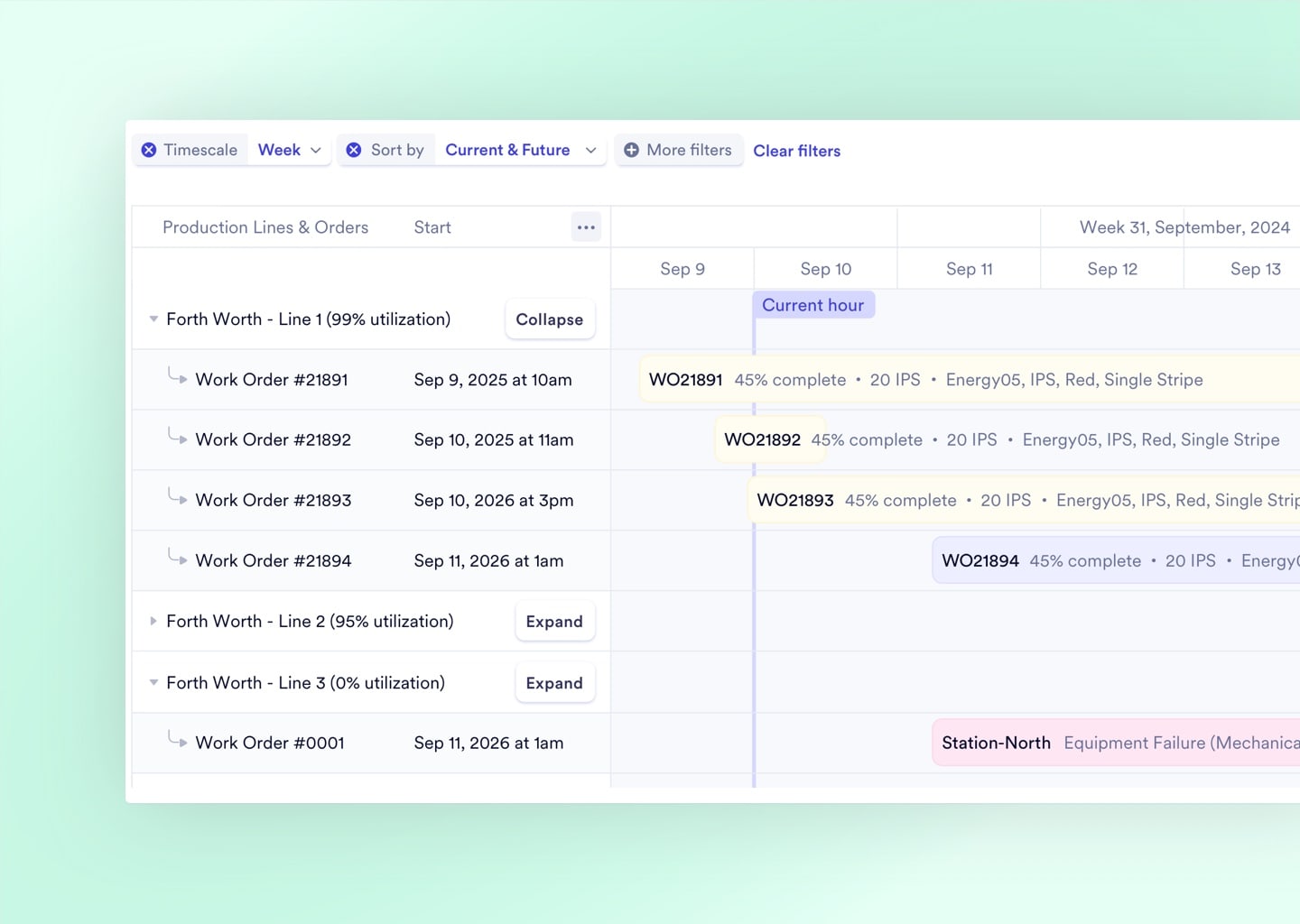
Map every manufacturing order against physical machines on an interactive Gantt, then let the Reflow algorithm compress your timeline when jobs finish early.

80%

Reduction in scheduling time reported by manufacturers switching from manual planning to interactive Gantt timelines

Interactive Gantt by Work Center

View every active and queued manufacturing order mapped against physical machines. Drag and drop jobs to reschedule. Zoom from hourly to quarterly views. Spot overlapping bottlenecks before they cascade.

Algorithmic Reflow Optimization

Real-Time Over/Under Alerts

Lightning-Fast at Enterprise Scale

Interactive production scheduling Gantt chart grouped by work center

Track Every Machine Like a Digital Twin

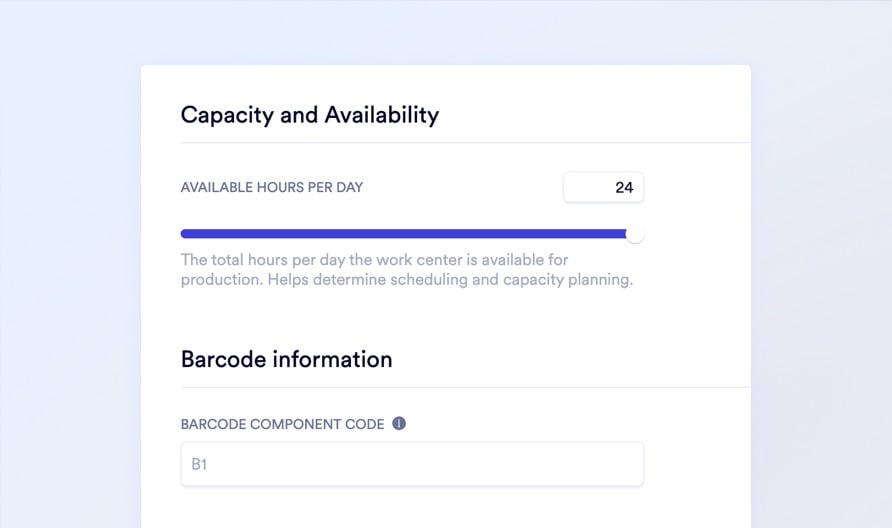
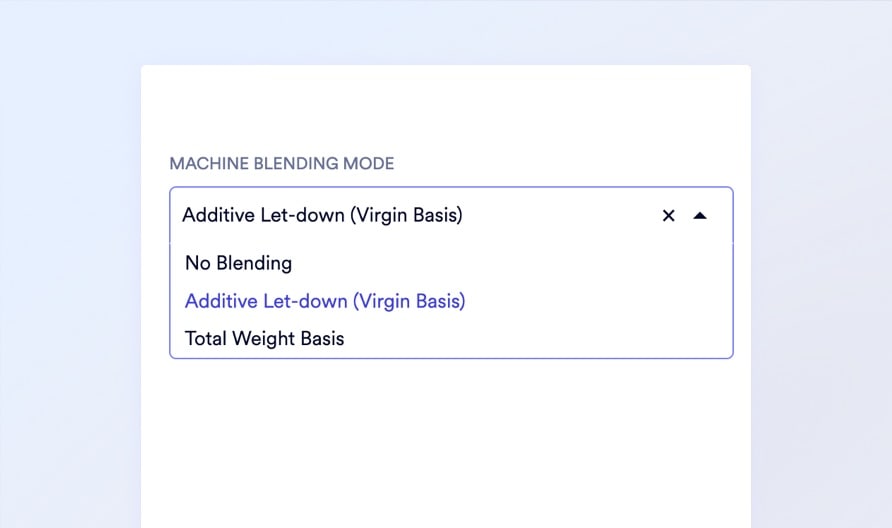
Work Centers are the heart of your factory logic. Each machine gets a detailed digital profile defining its exact hourly operating cost, daily capacity limits, product-specific output speeds, and quality tolerance thresholds. The scheduling engine uses this data to prevent overbooking, calculate accurate job costs, and flag anomalies the second they happen.
Capacity and Availability
Capacity and Availability

Machine Settings
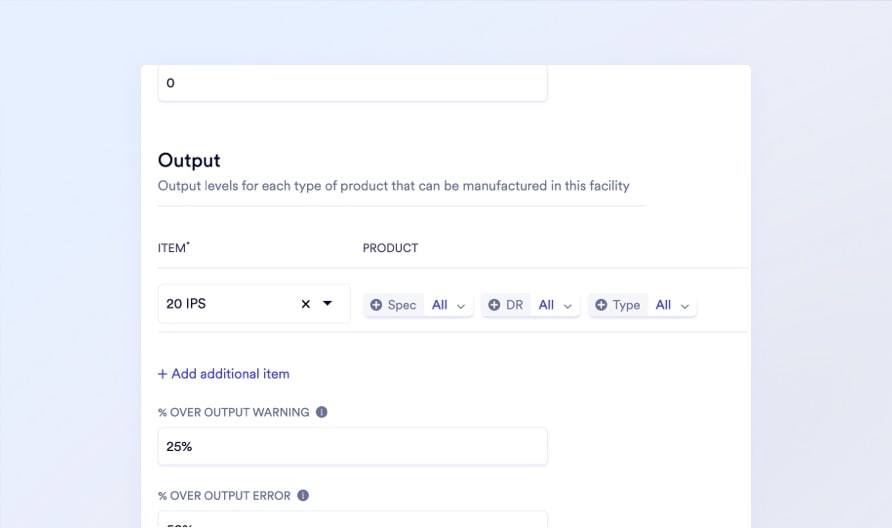
Machine Settings

Output Levels by SKU
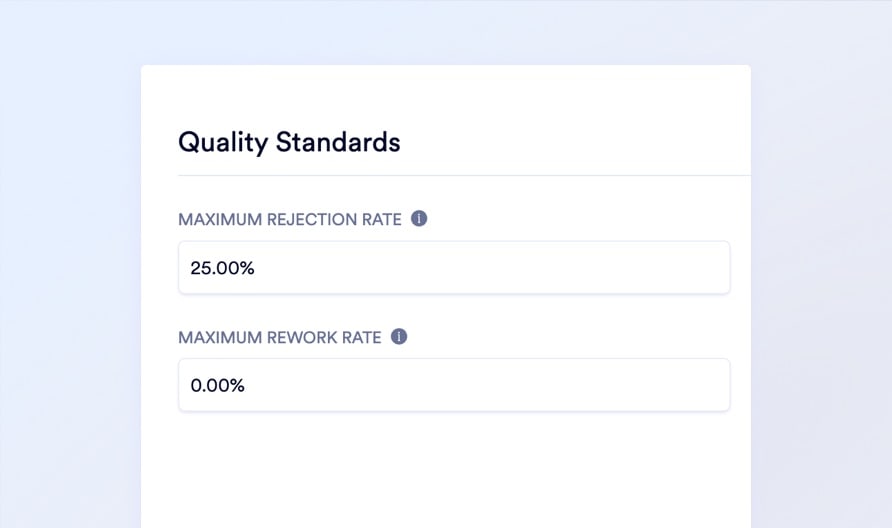
Output Levels by SKU

Quality Standards

Quality Standards

Production intelligence

Every Operator Tap Feeds Scrap, Weight, Lot, and Labor Data to Management

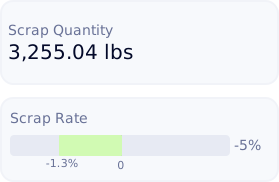
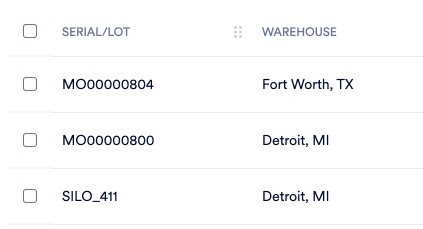
Every tap an operator makes on their tablet feeds a live intelligence layer that transforms raw floor data into management-grade metrics. Produced quantity progress bars update in real-time. Scrap rate percentages calculate as waste is logged. Over/under weight visualizations catch material waste mid-run. And lot numbers permanently link finished goods to the exact operator, machine, and raw materials that produced them.

Explore Manufacturing Module
Produced Quantity Progress
Live Scrap Rate Tracking
Over/Under Weight Alerts
Lot Number Traceability
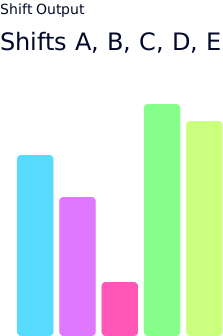
Labor Performance by Shift

Scrap regrind

Convert Scrap Into Reusable Inventory Instead of Writing It Off

In plastics and metal manufacturing, scrap is not trash. It is ground up and reused. But basic ERPs treat scrap as a total write-off, breaking your inventory accuracy and hiding the reclaimed value from your balance sheet. Naologic's Scrap Regrind workflow logs the waste, defines the regrind mix percentage, and converts processed material back into fully traceable raw material inventory automatically.
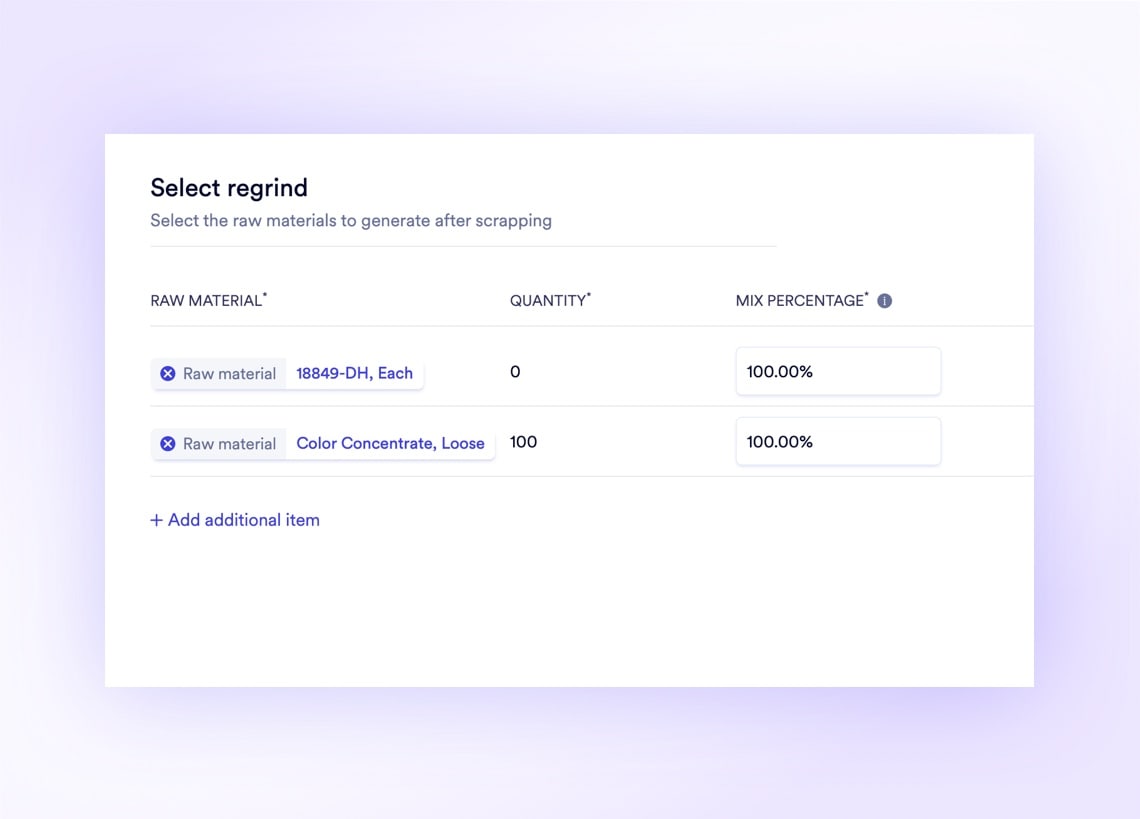
Three Systems Your Operators Hate, Gone in One Deployment

Paper Traveler Tickets Paper job tickets get lost, smudged, and ignored. Digital job sheets deliver the exact instructions, clock-ins, and printlines to the operator's screen automatically.

See Job Sheets

Physical Punch-Card Machines Front-door badge readers create a separate attendance silo. Unified shift management tracks attendance and job-level time from the same tablet.

See Shift Management

Binder-Based SOPs Printed work instructions go stale the moment engineering revises a drawing. Digital instructions push updates to every tablet the instant a file changes.

See Work Instructions

Every Scan, Clock-In, and Quality Check Feeds One Unified System

Most factory floors run on 4-6 disconnected tools: a punch clock at the door, an MES for scheduling, a QMS for inspections, a label printer for barcodes, a paper binder for SOPs, and an ERP for everything else. Naologic collapses that stack into a single platform. Every barcode scan, every clock-in, every quality checkpoint, and every production log flows into one unified database, giving management a single source of truth.

Punch Clock
Paper Travelers
SOP Binders
MES Software
QMS Platform
Punch Clock
Paper Travelers
SOP Binders
MES Software
QMS Platform
Label Printer
Paper Timesheets
Excel Scheduler
Barcode Scanner App
Whiteboard Planner
Label Printer
Paper Timesheets
Excel Scheduler
Barcode Scanner App
Whiteboard Planner
Punch Cards
Scrap Log Book
Job Ticket Printer
Badge Reader
Inspection Forms
Shift Sign-In Sheet
Punch Cards
Scrap Log Book
Job Ticket Printer
Badge Reader
Inspection Forms
Shift Sign-In Sheet
Downtime Log
Production Reports
Work Order Folders
Calibration Tracker
NCR Binder
Downtime Log
Production Reports
Work Order Folders
Calibration Tracker
NCR Binder
Lot Tracking Sheets
Payroll Spreadsheet
Machine Log Book
Quality Checklist
Lot Tracking Sheets
Payroll Spreadsheet
Machine Log Book
Quality Checklist

Shop floor comparison

Naologic vs. the Status Quo

Most manufacturers still run their shop floors on a patchwork of paper tickets, shared desktop terminals, and legacy ERP screens that operators refuse to touch. Here is exactly what changes when you deploy a tablet-native system purpose-built for the factory floor.


Shop Floor Interface
Tablet-native with large touch targets
One-tap clock in/out per work order
Auto-delivered work instructions and CAD files
Custom printline display on job sheet
Time and Labor Tracking
To-the-second labor cost allocation by job
Setup vs. run vs. cleanup time separation
Unified shift attendance + job tracking
Manager timesheet corrections with audit trail
Production Scheduling
Interactive drag-and-drop Gantt by work center
Algorithmic reflow to eliminate idle gaps
Real-time over/under performance alerts
Handles 1000+ concurrent orders without lag
Quality and Traceability
Inline raw material and finished goods inspections
Configurable quality control points
Barcode scan history with employee attribution
Lot number attribution per manufacturing order
Scrap Management
Real-time scrap rate calculation on active orders
Scrap regrind conversion back to raw material inventory
Intelligent over/under weight visualizations

The Hidden Cost of Paper on Your Factory Floor

A 200-employee manufacturer running paper traveler tickets, handwritten timesheets, and printed SOPs loses an estimated $85,000-$150,000 annually to inaccurate labor costing, preventable scrap from outdated instructions, and administrative overhead reconciling disconnected time records. This guide breaks down the five highest-cost failure modes of paper-based shop floor management and calculates the exact ROI of digitizing each one.

ROI Guide5 Ways Paper Destroys Manufacturing Margins

Overhaul Your Shop Floor. Watch a 12-minute walkthrough of the complete shop floor experience, from shift clock-in through job execution, quality inspection, and production reporting. No slides, just the real product.

Book Your Demo

Calculate Your Floor's ROI Input your headcount, current scrap rate, and average labor cost per hour. Our calculator estimates the exact annual savings from digitizing your shop floor in under 60 seconds."

Try the TCO Calculator