



Decouple Cash Collection from Revenue Realization

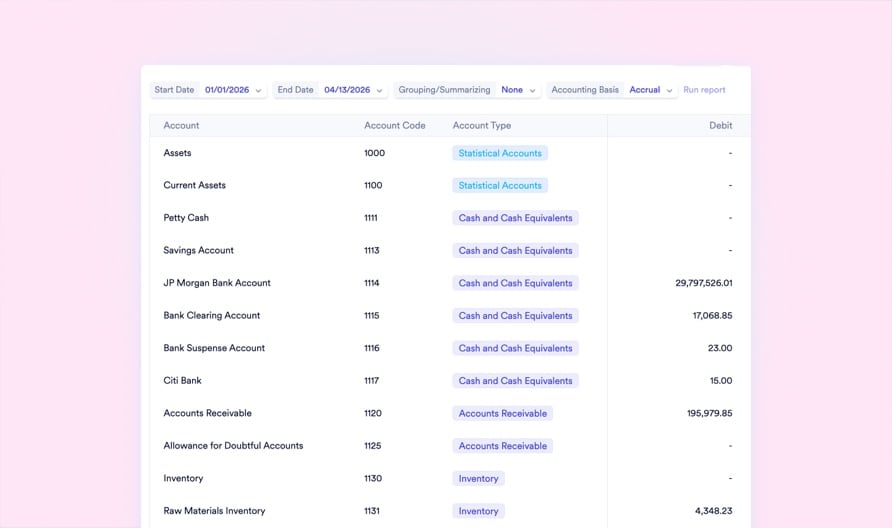
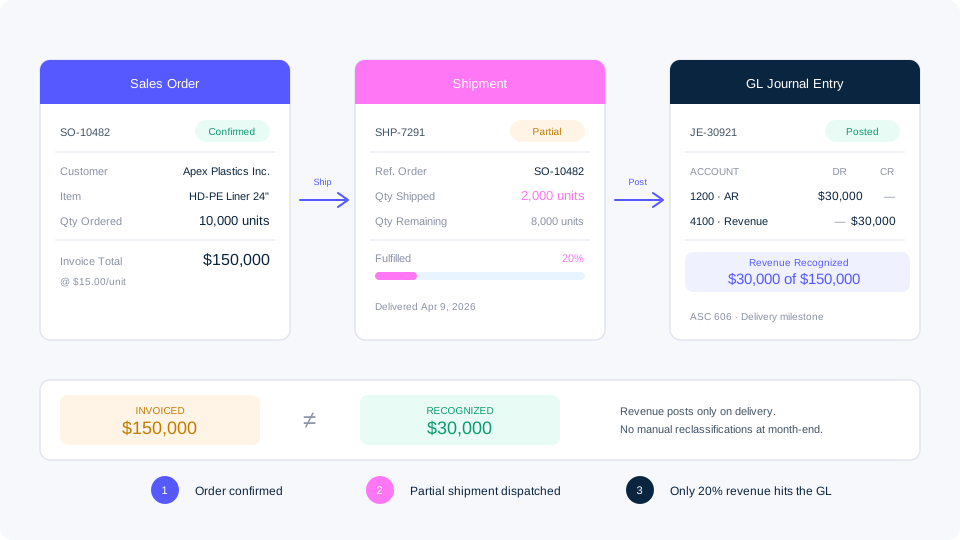
Your factory ships 2,000 of 10,000 ordered units. Your ERP posts the full invoice to revenue. Your auditor flags a material misstatement. Naologic separates invoicing from revenue recognition at the system level, aligning every dollar with ASC 606 delivery milestones and IFRS 15 performance obligations automatically.

Add an image or video
Logo 1
Logo 2
Logo 3
Logo 4
The compliance gap

Revenue Misstatements Are a Corporate Liability

Most mid-market manufacturers still track deferred revenue in offline spreadsheets. The result is late filings, failed audits, and restatements that cost more than the ERP itself.

$1.2M+
average total cost of a financial restatement for mid-market companies, including audit fees, legal exposure, and lost investor confidence
67%
of manufacturers still track deferred revenue schedules in offline Excel workbooks disconnected from the general ledger.
14 days
average delay in month-end close for companies that manually reconcile revenue recognition against shipping records.
3x
higher audit finding rate for organizations relying on manual deferral calculations versus automated recognition engines.
Revenue recognition risks

Four Ways Manufacturers Misrecognize Revenue

Premature Full-Invoice Recognition

Your warehouse ships 2,000 of 10,000 ordered units, but the ERP posts the full invoice amount to revenue immediately. Your P&L overstates earnings by 80%.

  • Inflated quarterly earnings trigger restatements
  • Auditors flag ASC 606 Step 5 violations
  • No link between shipment quantities and GL postings
  • Revenue recognized before performance obligations met

Fragile Excel Deferral Schedules

A 36-month warranty amortization lives in a spreadsheet one accidental row deletion away from corrupting your entire deferred revenue balance.

  • No version control or change audit trail
  • Formula errors compound silently across periods
  • Disconnected from the general ledger
  • Impossible to audit during external reviews

Blind Milestone Billing

Your ERP generates invoices on arbitrary schedules because it cannot see shop floor completion percentages or goods receipt confirmations.

  • Percentage-of-completion calculated manually
  • Billing disconnected from manufacturing progress
  • No real-time fulfillment visibility on orders
  • Revenue timing depends on guesswork

Uncontrolled Period Boundaries

Without enforced fiscal period locks, backdated journal entries corrupt already-closed months and destroy period-over-period comparability.

  • Closed periods accept backdated entries
  • Year-end retained earnings calculated manually
  • No systemic validation before posting
  • Comparative reporting becomes unreliable
Invoicing policies

Control Exactly When Revenue Hits Your Ledger

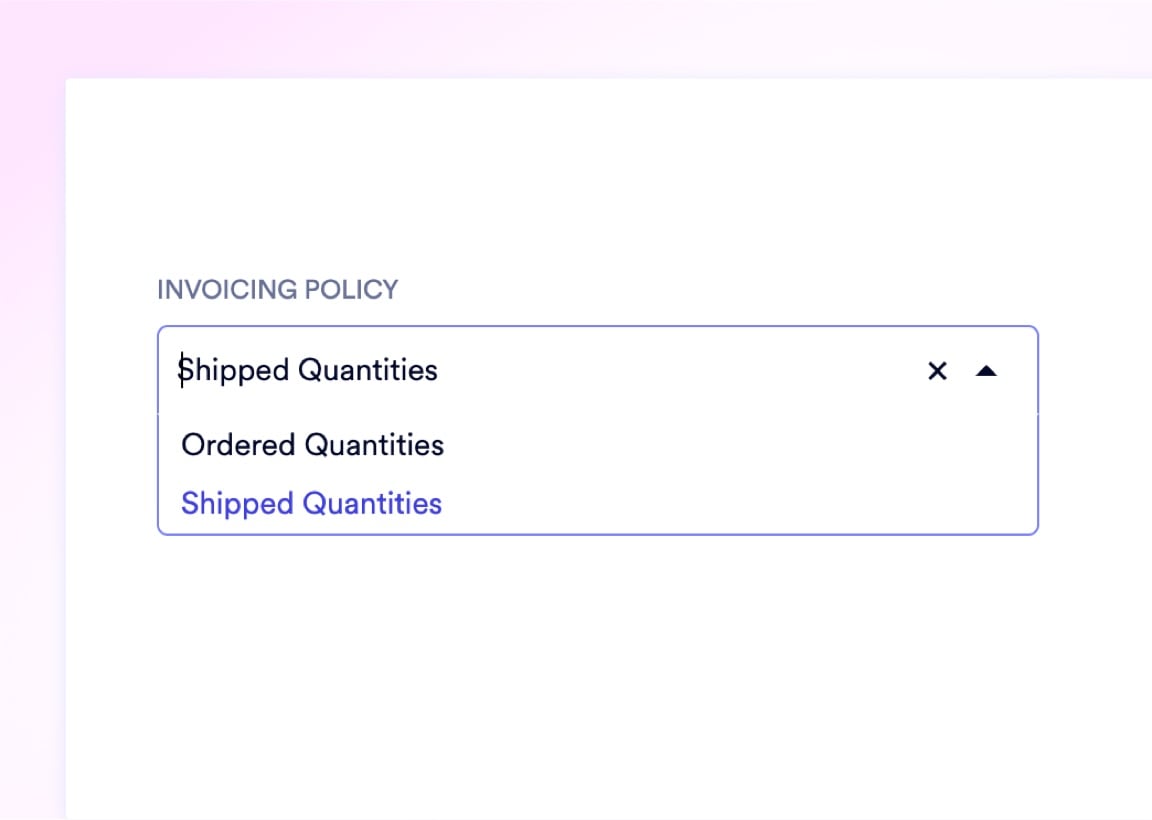
Naologic decouples invoicing from revenue at the system level. Set a global invoicing policy to bill on ordered quantities or delivered quantities, then override per Sales Order for complex contracts. When your warehouse ships 2,000 of 10,000 units, only 20% of revenue posts to the GL. The remaining 80% stays in deferred revenue until the next shipment confirms delivery.

Global default: bill on ordered or delivered quantities
Per-order invoicing policy overrides
Partial shipment triggers proportional revenue posting
Sales GL attribution splits by revenue stream
Deferred revenue balance updates automatically
Credit notes reverse recognized amounts instantly
Add images via component properties
Audit trail

Every Revenue Entry Traces to a Source Document

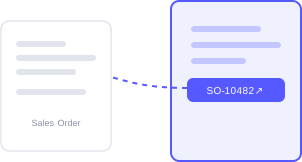
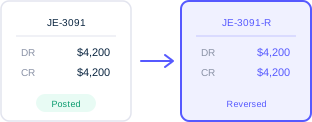
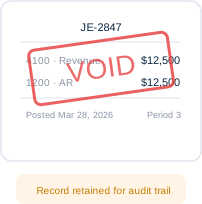
Auditors don't want summaries. They want the source. Every automated journal entry in Naologic carries a clickable hyperlink to the originating Sales Order, shipment record, or credit memo. When your auditor questions a $47,000 revenue entry, click the reference to open the exact goods receipt that triggered it. Reversals and voids preserve the full document chain without destroying the original record.

Book Your Demo
Source Document Tracing
Journal Entry Reversals
Journal Entry Voiding
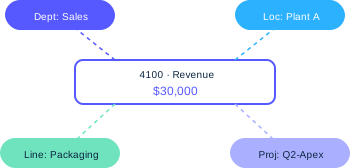
Multi-Dimensional Journal Items
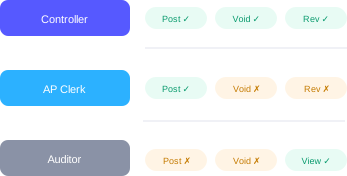
Custom Posting Permissions
Multi-currency revenue

Recognize Revenue Across Currencies Without Period Distortion

Daily exchange rate fluctuations destroy period-over-period comparability when revenue recognition spans multiple months. Naologic gives your finance team two modes: lock in static, manual FX rates for the duration of a fiscal period to ensure reporting consistency, or toggle automated exchange rate updates via Currency Layer for real-time global market precision. You control exactly when currency revaluation hits your books.

Static Rates for Period Consistency

Lock exchange rates manually at the start of each fiscal period. All revenue recognized during that quarter uses the same conversion factor, eliminating daily volatility from your Income Statement and ensuring clean period comparisons for your board.

Ideal for quarterly reporting cycles

Automated Rates via Currency Layer

Toggle on live, API-driven FX rate updates for real-time accuracy. Naologic pulls current market rates automatically so your international invoices reflect true economic value at the moment of recognition.

Updated continuously from global markets

Period controls

Close the Books With Confidence

Enforce strict period boundaries that protect your ledger.

2 days

average time to close the books when fiscal periods auto-reject invalid postings

Custom Fiscal Years and Periods

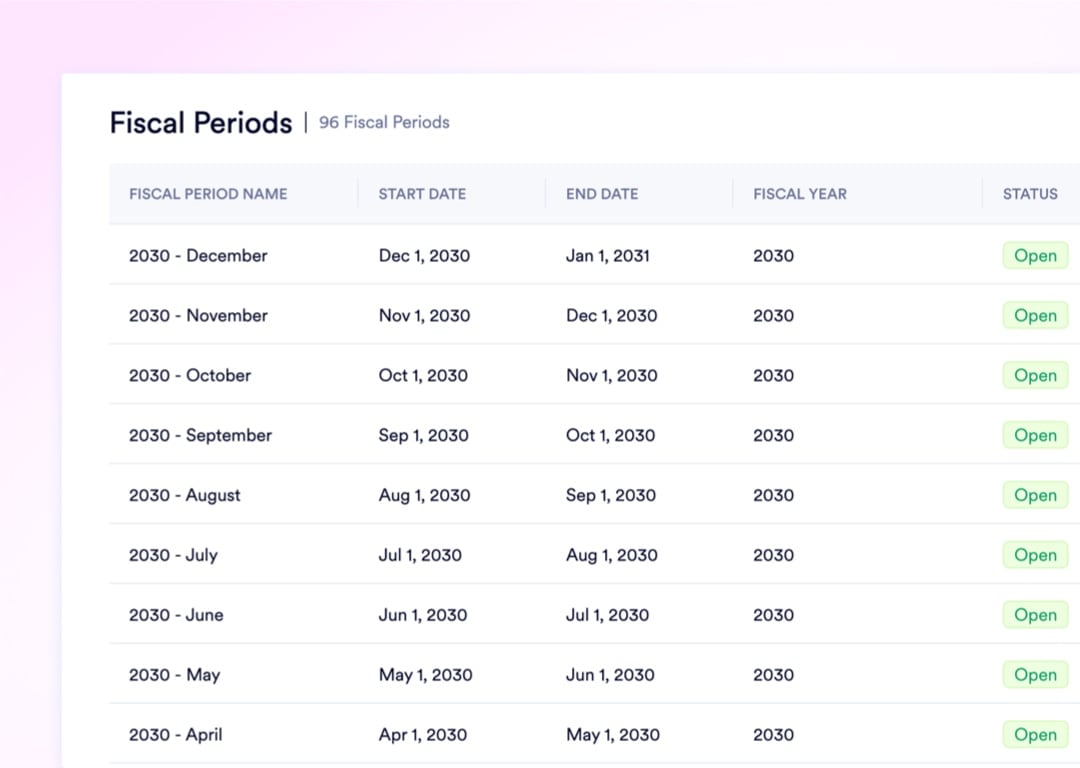
Build fiscal years that match your corporate tax calendar. If your year starts in July, configure that once. Naologic auto-generates periods and rolls over retained earnings on your schedule, not the calendar's.

One-Click Close the Books

Automated Year-End Earnings Sweep

Journal Templates for Recurring Entries

Upload an image or video

Financial Statements That Answer Questions, Not Generate Them

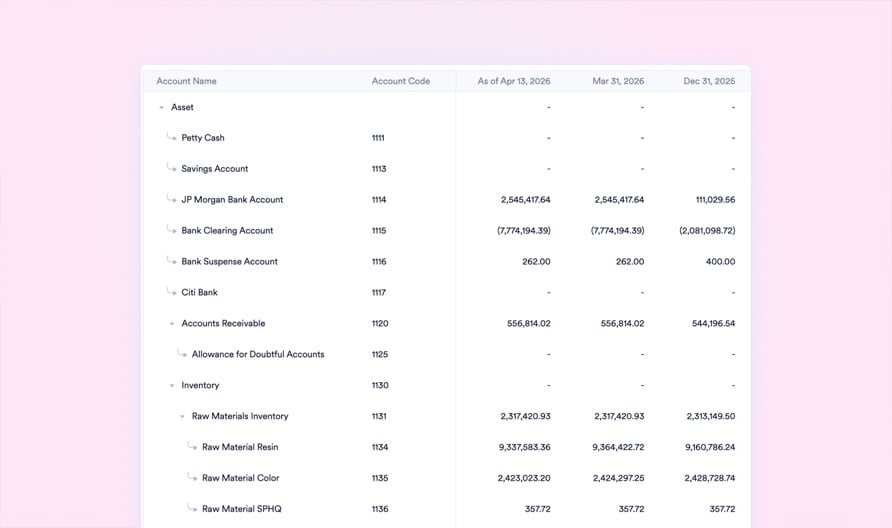
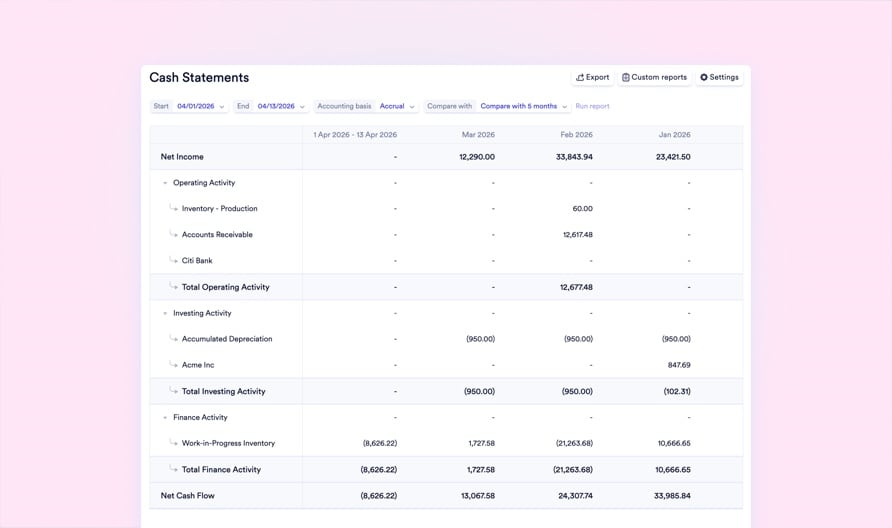
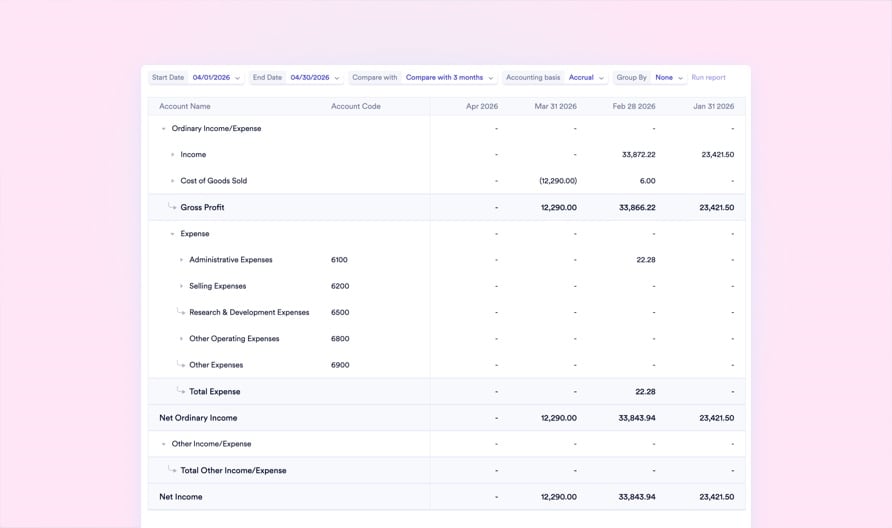
Static PDF reports create more follow-up questions than they answer. Every financial statement in Naologic is interactive. Compare periods, toggle between cash and accrual basis, and click any line item to instantly drill down into the underlying GL transactions. Save your preferred configurations as permanent templates to regenerate flawless reports in one click next month.
No image

Income Statement

No image

Balance Sheet

No image

Cash Flow Statement

No image

Trial Balance

Blanket contracts

Recognize Revenue Progressively Across Multi-Year Commitments

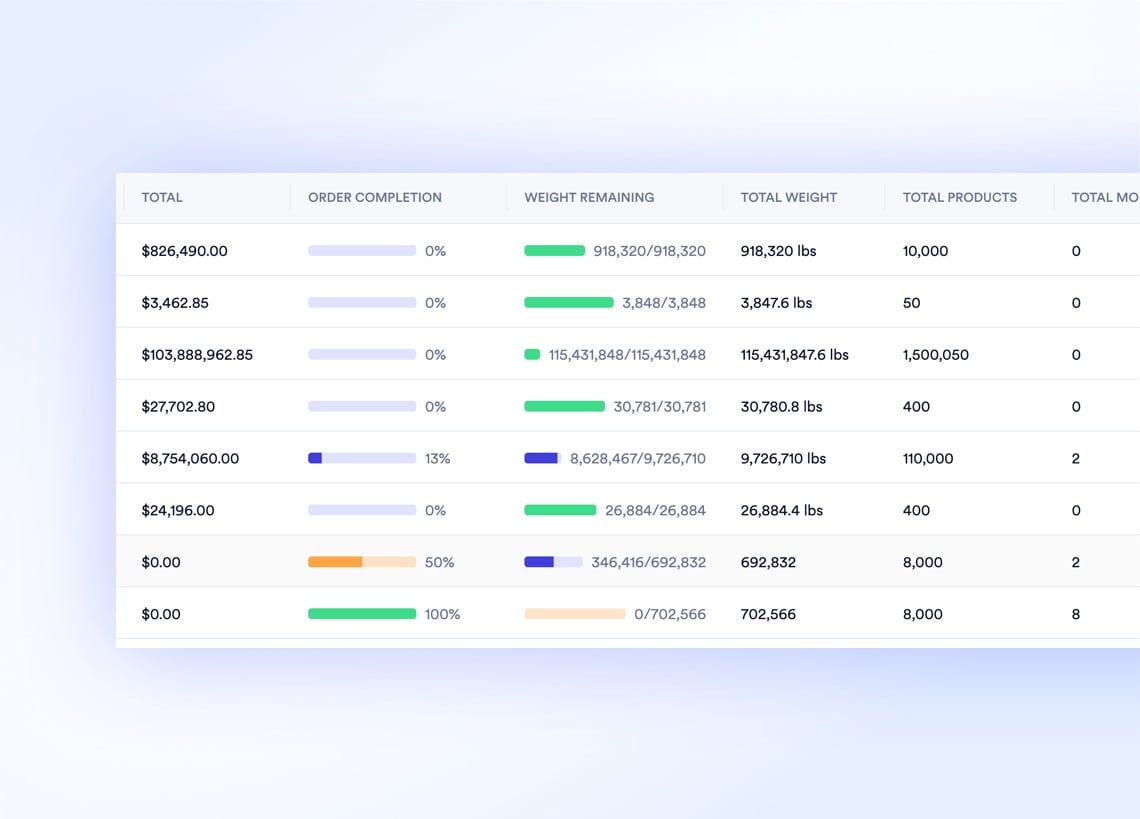
A 100,000-unit annual contract shouldn't force your finance team to track the remaining balance on a spreadsheet. Build Blanket Sales Orders for your largest clients. Establish the master commitment upfront, and Naologic automatically deducts the fulfilled quantity as you ship smaller child orders throughout the year. Real-time fulfillment dashboards show exactly how much revenue has been recognized and how much remains deferred against the master agreement.
Drop image here

Calculate Sales Tax Accurately Across Every Jurisdiction

Tax Nexus Mapping Define exact geographic tax obligations by country, state, or ZIP code. Set strict effective dates so you collect tax only when and where you are legally required, eliminating over-collection and audit exposure.

Learn more

Bundled Tax Groups Consolidate State, County, and City taxes into a single group. Apply it once per order and Naologic calculates and distributes all underlying sub-taxes automatically, handling compound rules and threshold logic.

Learn more

Native Avalara Integration Activate Avalara to fetch pinpoint-accurate sales tax rates across 10,000+ US jurisdictions in real time. Rates update weekly with zero manual effort, ensuring complete compliance down to the street address.

Learn more

Reconcile Bank Deposits Against Recognized Revenue in Minutes

Connect your bank accounts securely via Plaid and stop downloading CSV files every morning. Naologic pulls live transactions automatically, then uses AI-powered matching to pair incoming deposits against open invoices by amount, date, and memo text. When a wire arrives at $985 instead of $1,000 due to a bank fee, post the adjustment directly inside the reconciliation screen without leaving your workflow. One-click unreconcile safely reverses mistakes.

naologic
Discover Bank
Capital One
Baxter Credit Union
First Commonwealth Bank
Citadel Federal CU
Robins Financial CU
Community Bank
Boeing ECU
Academy Bank
US Bank
Spokane FCU
Regions Bank
KeyBank
Arvest Bank
American Express
Woodforest Bank
PNC Bank
Utah Community CU
Navy Federal CU
TD Bank
Discover Bank
Capital One
Baxter Credit Union
First Commonwealth Bank
Citadel Federal CU
Robins Financial CU
Community Bank
Boeing ECU
Academy Bank
US Bank
Spokane FCU
Regions Bank
KeyBank
Arvest Bank
American Express
Woodforest Bank
PNC Bank
Utah Community CU
Navy Federal CU
TD Bank
First Commonwealth Bank
Citadel Federal CU
Golden 1 Credit Union
Woodforest National Bank
Teachers CU
Huntington Bank
Fifth Third Bank
BECU
Ally Bank
BMO Harris
M&T Bank
USAA
Simmons Bank
First Hawaiian Bank
Eastman CU
Alpine Bank
Empower CU
Synchrony Bank
Discover Bank
First Commonwealth Bank
Citadel Federal CU
Golden 1 Credit Union
Woodforest National Bank
Teachers CU
Huntington Bank
Fifth Third Bank
BECU
Ally Bank
BMO Harris
M&T Bank
USAA
Simmons Bank
First Hawaiian Bank
Eastman CU
Alpine Bank
Empower CU
Synchrony Bank
Discover Bank
VyStar Credit Union
Simmons Bank
T Bank
Bank of Hawaii
Patelco Credit Union
Hills Bank & Trust
Mountain America CU
Fidelity Investments
Old National Bank
First Tech FCU
Capital One
Citibank
Charles Schwab
Vanguard
HomeStreet Bank
Pacific Premier
Lake Michigan CU
Wells Fargo
Chase
Citizens Bank
VyStar Credit Union
Simmons Bank
T Bank
Bank of Hawaii
Patelco Credit Union
Hills Bank & Trust
Mountain America CU
Fidelity Investments
Old National Bank
First Tech FCU
Capital One
Citibank
Charles Schwab
Vanguard
HomeStreet Bank
Pacific Premier
Lake Michigan CU
Wells Fargo
Chase
Citizens Bank
Goldman Sachs
Horizon Bank
State Employees CU
Truist
SoFi
Marcus
E*TRADE
Comerica
Glacier Bank
Columbia Bank
Randolph Brooks FCU
Fairwinds Credit Union
Navy Federal CU
TD Bank
Teachers CU
Huntington Bank
Fifth Third Bank
BECU
Ally Bank
BMO Harris
Goldman Sachs
Horizon Bank
State Employees CU
Truist
SoFi
Marcus
E*TRADE
Comerica
Glacier Bank
Columbia Bank
Randolph Brooks FCU
Fairwinds Credit Union
Navy Federal CU
TD Bank
Teachers CU
Huntington Bank
Fifth Third Bank
BECU
Ally Bank
BMO Harris
ESL Federal Credit Union
Wells Fargo
Huntington Bank
Bank of the West
First United Bank
Boeing ECU
Academy Bank
US Bank
Spokane FCU
Regions Bank
KeyBank
Arvest Bank
American Express
Woodforest Bank
PNC Bank
Utah Community CU
Navy Federal CU
TD Bank
Discover Bank
Capital One
ESL Federal Credit Union
Wells Fargo
Huntington Bank
Bank of the West
First United Bank
Boeing ECU
Academy Bank
US Bank
Spokane FCU
Regions Bank
KeyBank
Arvest Bank
American Express
Woodforest Bank
PNC Bank
Utah Community CU
Navy Federal CU
TD Bank
Discover Bank
Capital One

See Revenue Recognition in Action Walk through a live scenario: partial shipment, deferred revenue posting, period close, and auditor-ready GL drill-down. See exactly how Naologic decouples cash collection from revenue realization.

Book Your Demo

Explore the Full Finance Suite Revenue recognition is one piece. Explore accounts payable, fixed asset depreciation, bank reconciliation, and multi-entity consolidation across the complete Naologic finance platform.

See All Finance Features

How Naologic compares

Revenue Recognition That Actually Recognizes Revenue

QuickBooks handles basic invoicing. It does not handle ASC 606 deferral schedules, partial shipment recognition, or multi-year contract amortization. That gap gets filled by Excel spreadsheets that no auditor trusts and no controller wants to maintain. Naologic closes the gap at the system level.


Invoicing & Billing Controls
Configurable invoicing policies (ordered vs. delivered)
Per-order invoicing policy overrides
Partial shipment proportional billing
One-click credit note issuance from invoices
Revenue Recognition & Deferral
System-level decoupling of cash and revenue
Automated deferred revenue schedules
Blanket order progressive recognition
Sales GL attribution by revenue stream
Period Controls & Compliance
Custom fiscal years with auto-generated periods
One-click period close with validation
Automated year-end retained earnings sweep
Journal entry reversal and void with audit trail
Financial Reporting
Interactive drill-down Income Statement
Saved report templates with one-click generation
Cash vs. accrual basis toggle
Consolidated GL balances by account
Reconciliation & Cash Matching
Plaid-linked automated bank feeds
AI-powered transaction matching
In-line bank fee adjustments during reconciliation
One-click unreconcile with automatic reversal
Tax Compliance
Tax nexus mapping by geography and effective date
Compound tax groups with threshold logic
Native Avalara integration (10,000+ jurisdictions)
Per-order tax engine override (Avalara vs. manual)

Your ASC 606 Compliance Checklist for Manufacturers

ASC 606 introduced a five-step revenue recognition model that most manufacturing ERPs were never designed to handle. This guide maps each step - from contract identification through revenue allocation and realization - to specific Naologic features.

Controller's Guide5 Sources of AP Cash Leakage in Manufacturing - And How to Close Them

See it live

30 Minutes to Audit-Ready Revenue Recognition

Walk through your exact scenario with a Naologic finance specialist. Bring your messiest contract - the multi-year blanket order, the partial shipment backlog, the 36-month warranty deferral tracked in Excel. We will map it to automated invoicing policies, proportional GL postings, and locked fiscal periods in a live environment. No slides, no pitch deck, just your data flowing through the system.

Book Your Demo