
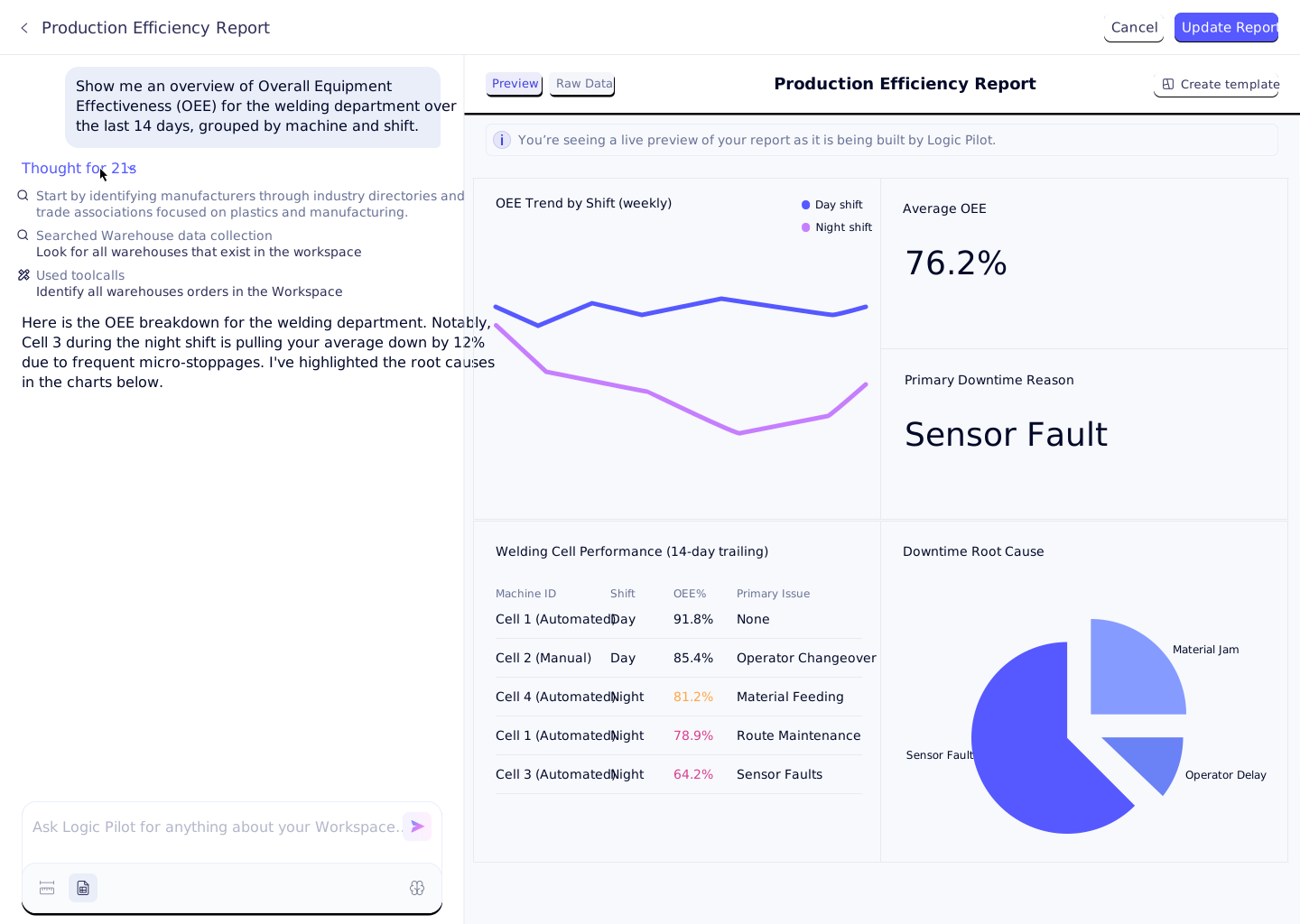




Reporting & Analytics

Ask Your Factory and Operations. Anything.

Query your entire operation in plain English. Build live dashboards, automate production reports, and push AI-synthesized KPIs directly to leadership - no SQL, no BI consultant, no Friday afternoon CSV exports.

Logo 1
Logo 2
Logo 3
Logo 4
The Cost of Legacy Reporting

Your factory runs faster than your reports

When plant managers wait days for formatted data, floor decisions happen on gut instinct rather than real numbers. Exporting CSVs, formatting pivot tables, and mailing static PDFs creates a systemic lag between operational reality and leadership visibility. Naologic eliminates the delay by connecting raw floor telemetry directly to live, self-serve dashboards every manager can build and query without IT. The result is a leadership team that acts on this week's scrap rate - not last week's spreadsheet.
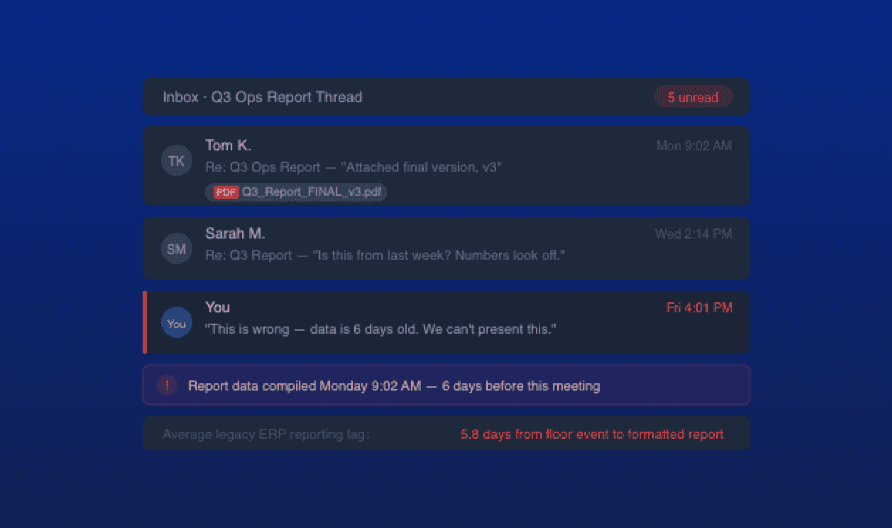
3+ days
average lag between a floor event and a formatted management report in legacy ERP environments
$40K+
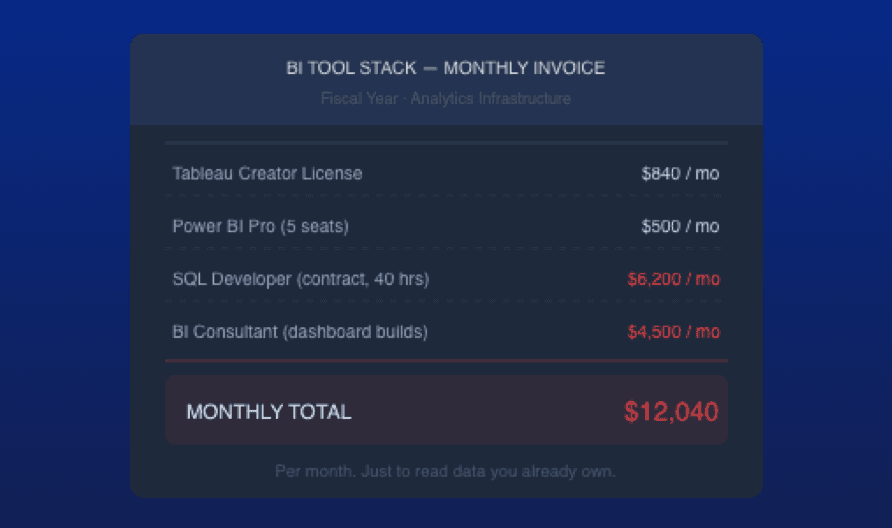
annual BI consultant and licensing cost for mid-market manufacturers bolting Tableau or Power BI onto SAP or NetSuite
80%
of manufacturing insights that never leave the database because the reporting interface requires SQL or specialized configuration
0 SQL
lines of code required to build a fully custom, live-updating executive dashboard inside Naologic

Three ways rigid reporting is costing you. CSV exports, locked BI tools, and silent factory floors have no place in a modern operation.

Add image in properties

Friday, 4pm. Your report is already wrong. By the time your team formats the week's data, the floor has moved on. Decisions made on stale PDFs are decisions made blind.

How live data works
Add image in properties

Your BI dashboard costs more than your machine. Tableau and Power BI integrations require SQL developers and consultant hours - just to visualize what your ERP already knows. You are paying twice for the same data.

See self-serve analytics
Add image in properties

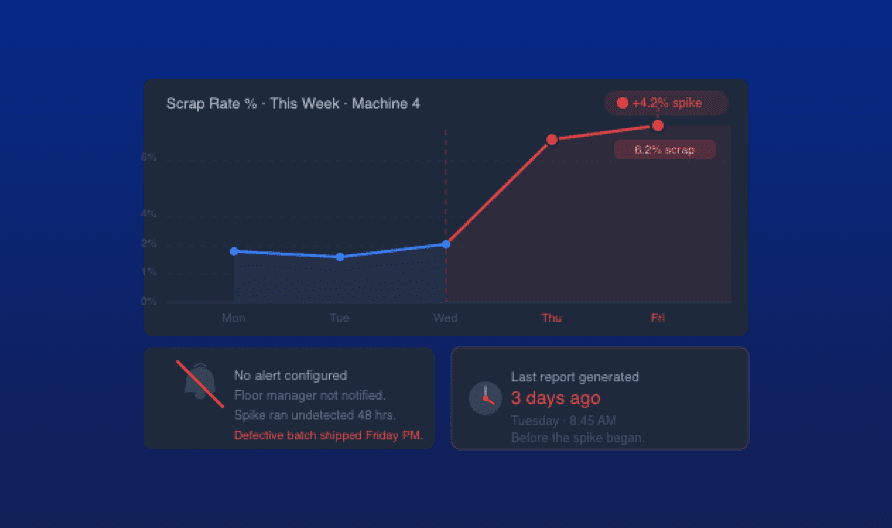
Your scrap rate spiked. Nobody knows yet. Critical quality events sit buried in the database until someone runs the report. By then, you have shipped the defective batch and opened an NCR you could have closed last Tuesday.

See proactive reporting
Add an image or video

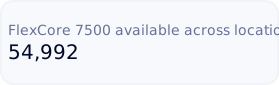
Ask your data anything. Get a live dashboard back. Your full corporate data lake, queryable in plain English.

Explore the Report Builder

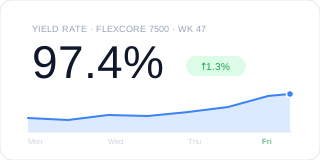
100+ visualization types from one interface. No Tableau license, no SQL developer, no BI consultant.

See all visualization types

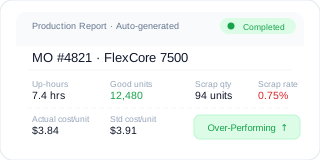
Production reports auto-generate the moment an MO closes. Zero manual operator input, zero data gaps.

See production reporting

Any user builds a live dashboard in under 5 minutes

Naologic replaces your BI tool stack with a single, AI-powered analytics engine that every manager, analyst, and plant director can use immediately. No training required, no developer ticket to file, no third-party integration to configure or maintain. The data is already in the system - the interface finally gets out of the way.

Natural Language Report Builder

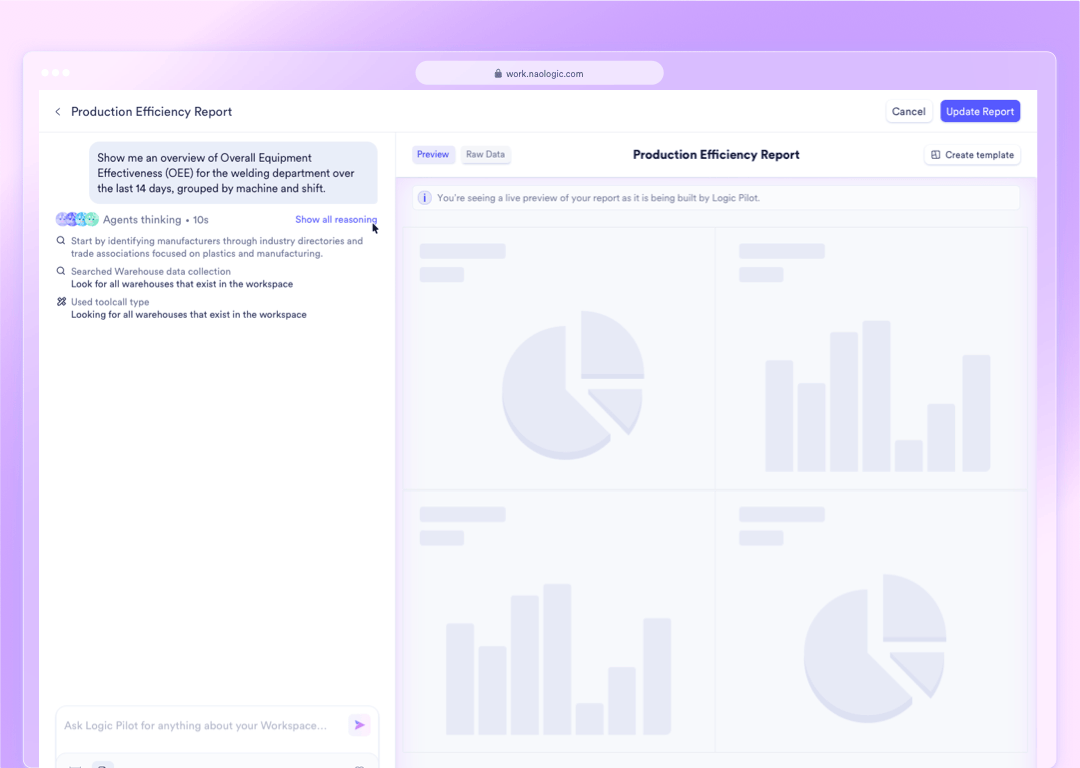
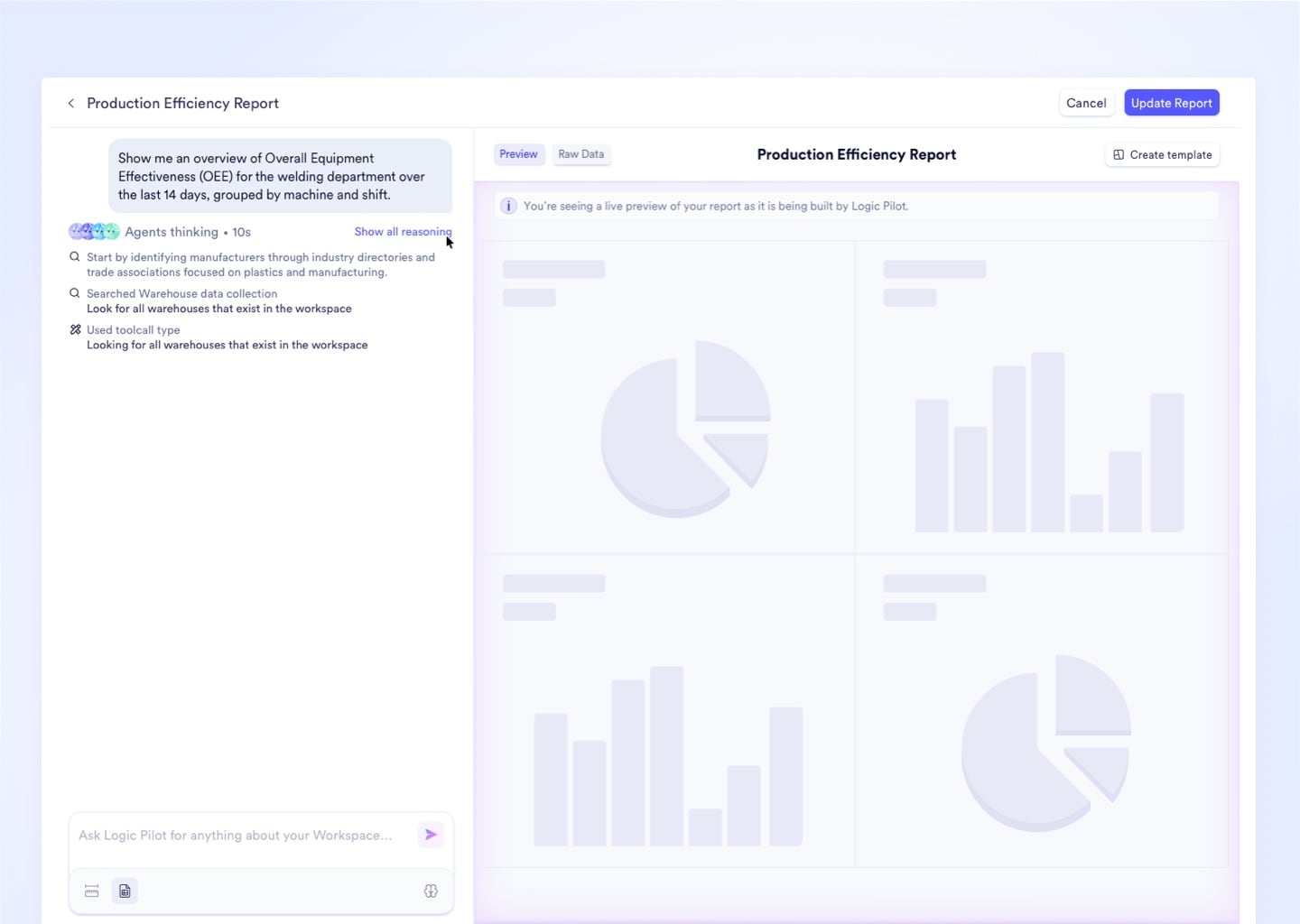
Type a plain-English question - "Top 5 materials by scrap cost last quarter?" - and Naologic instantly builds the exact visualization, queryable against your full data lake with zero SQL required.
Upload media

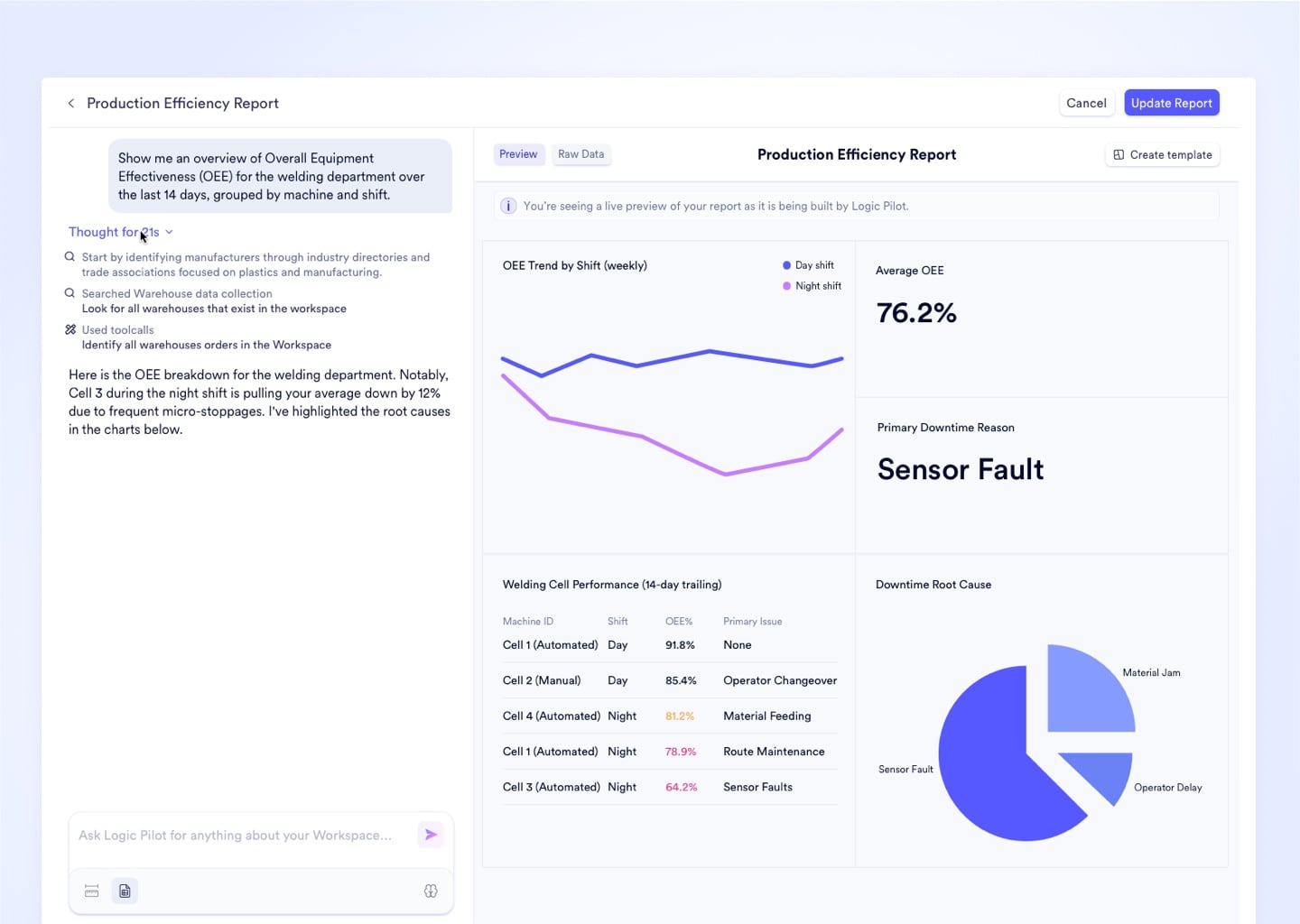
Over 100 Visualization Types

Standard bar charts cannot convey machine utilization patterns. Access heat maps, scatter plots, Sankey diagrams, and radar charts to represent your exact manufacturing metrics accurately.
Upload media

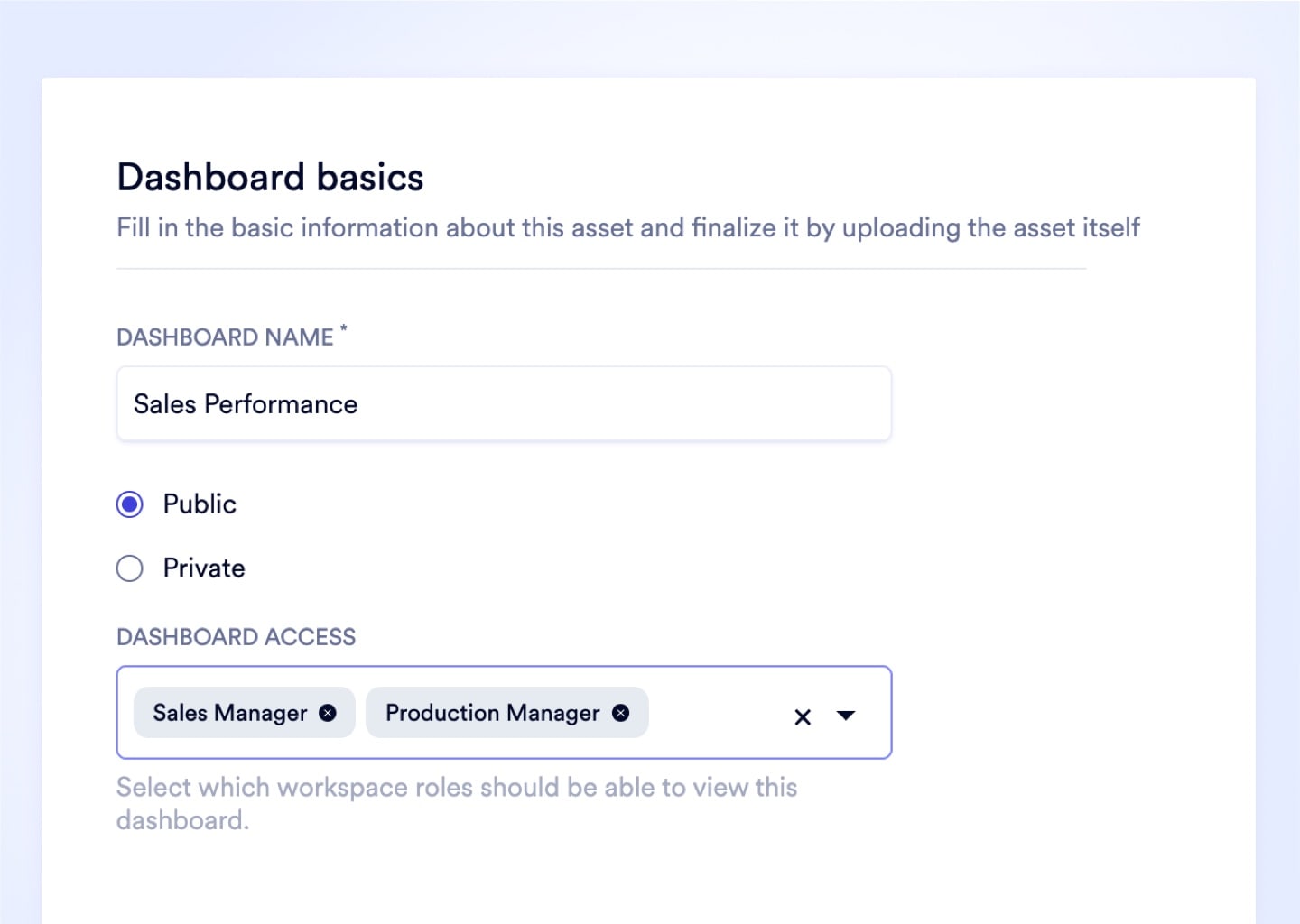
Private and Public Dashboards

Sensitive margin data stays in a Private Dashboard for exec eyes only. Floor KPIs publish to a Public Dashboard by role - every work center sees exactly what it needs to hit targets.
Upload media

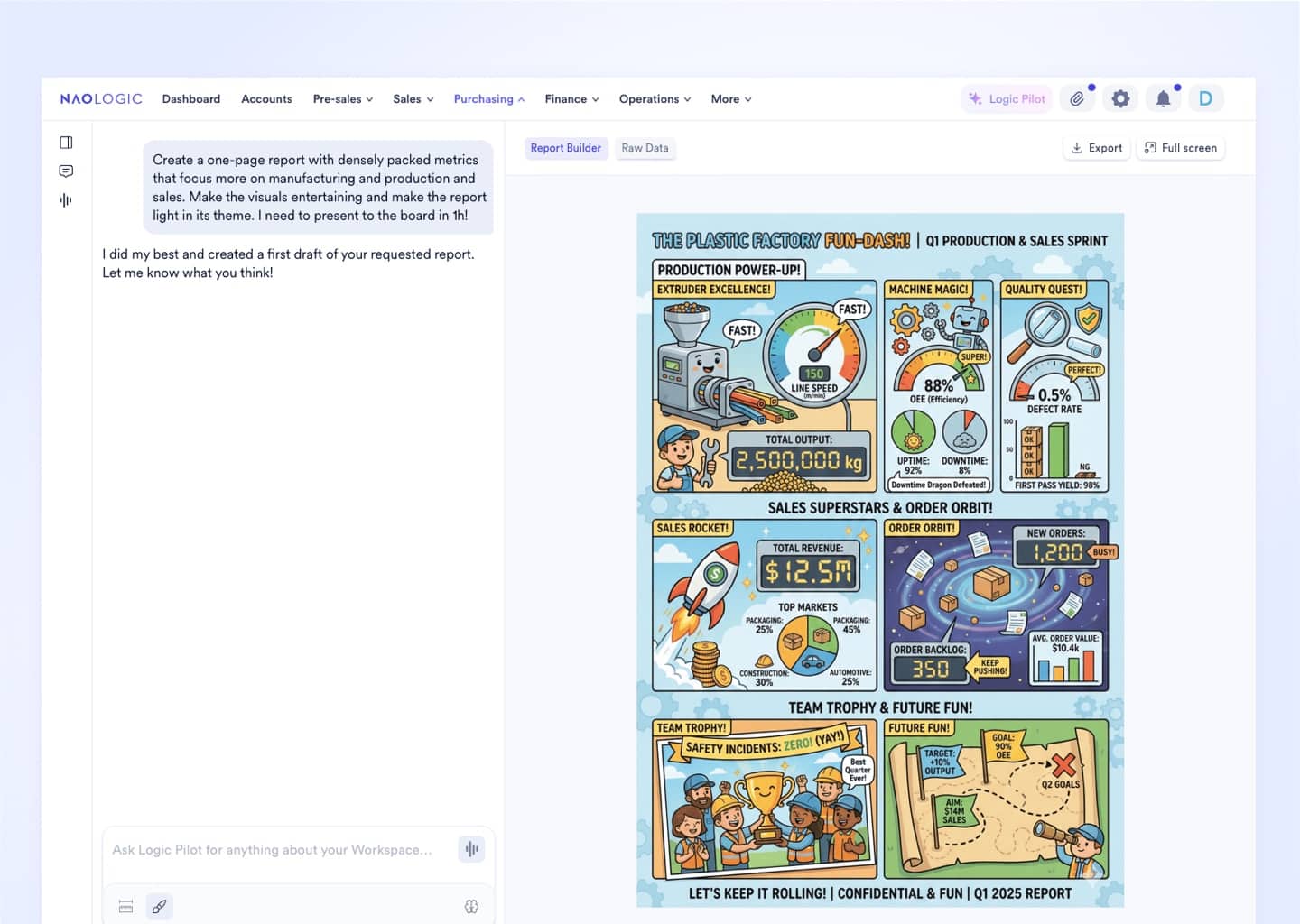
Visual Report Mode

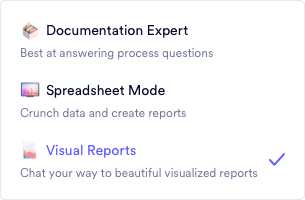
Switch to Visual Report mode before your next board meeting. The AI reformats dense workspace data into board-ready graphics - no PowerPoint session, no analyst hours burned.
Upload media
No SQL. No BI tool. No waiting.

Democratize your entire data lake

Naologic's Natural Language Report Builder gives every manager in your operation direct access to every data point in the system - from pending purchase orders to finished goods yield rates. Ask a question in plain English. The AI crunches the query against millions of rows and returns the exact visualization you need in seconds. Pin it to a live dashboard, schedule a Monday morning delivery to the leadership team, or export it for the board deck. Zero coding required. Zero IT dependency. No expensive SQL developer standing between your question and the answer.

Query across finance, production, and inventory at once
Pin results directly to a live, auto-updating dashboard
Schedule AI-generated reports by email or SMS
Role-based access controls on every dashboard
Zero SQL developer or BI consultant required

Naologic reporting, by the numbers

From data-starved to data-driven - in days, not quarters

Manufacturers on Naologic replace static CSV exports and expensive third-party BI licenses with a single, native analytics engine that delivers leadership intelligence in real time. Every module feeds the same data lake - queryable by anyone, on demand, without developer support.

100+

Distinct visualization types available natively in the Report Builder - from standard line charts to geographic heat maps and Sankey diagrams

0 SQL

Lines of code required to build a fully custom, live-updating executive dashboard using the Natural Language Report Builder

1-click

Report regeneration with Custom Report Templates - rebuild any complex, multi-filter analysis instantly against the latest live data

Auto

Production reports generated for every completed Manufacturing Order - aggregating actual times, costs, and scrap with no manual operator input

Production reporting

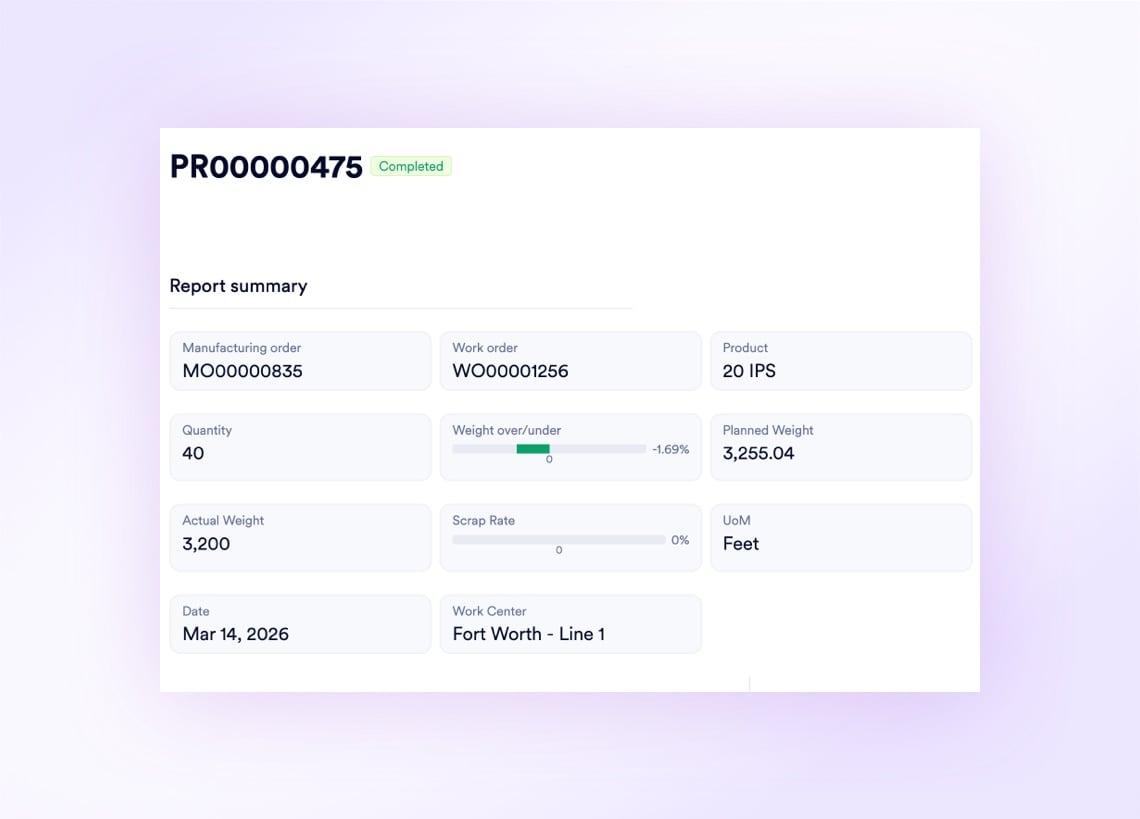
Every closed MO generates a flawless production report - automatically

Every completed Manufacturing Order auto-generates an immutable Production Report aggregating actual up-hours, scrap rate, downtime categories, and shift attribution from raw Job Sheet data - no operator estimates, no manual compilation. Color-coded performance labels tag Over-Performing, Standard, and Underperforming runs instantly, so a floor director scrolling 500 historical reports spots the red entries without opening a single row.
Drop image here

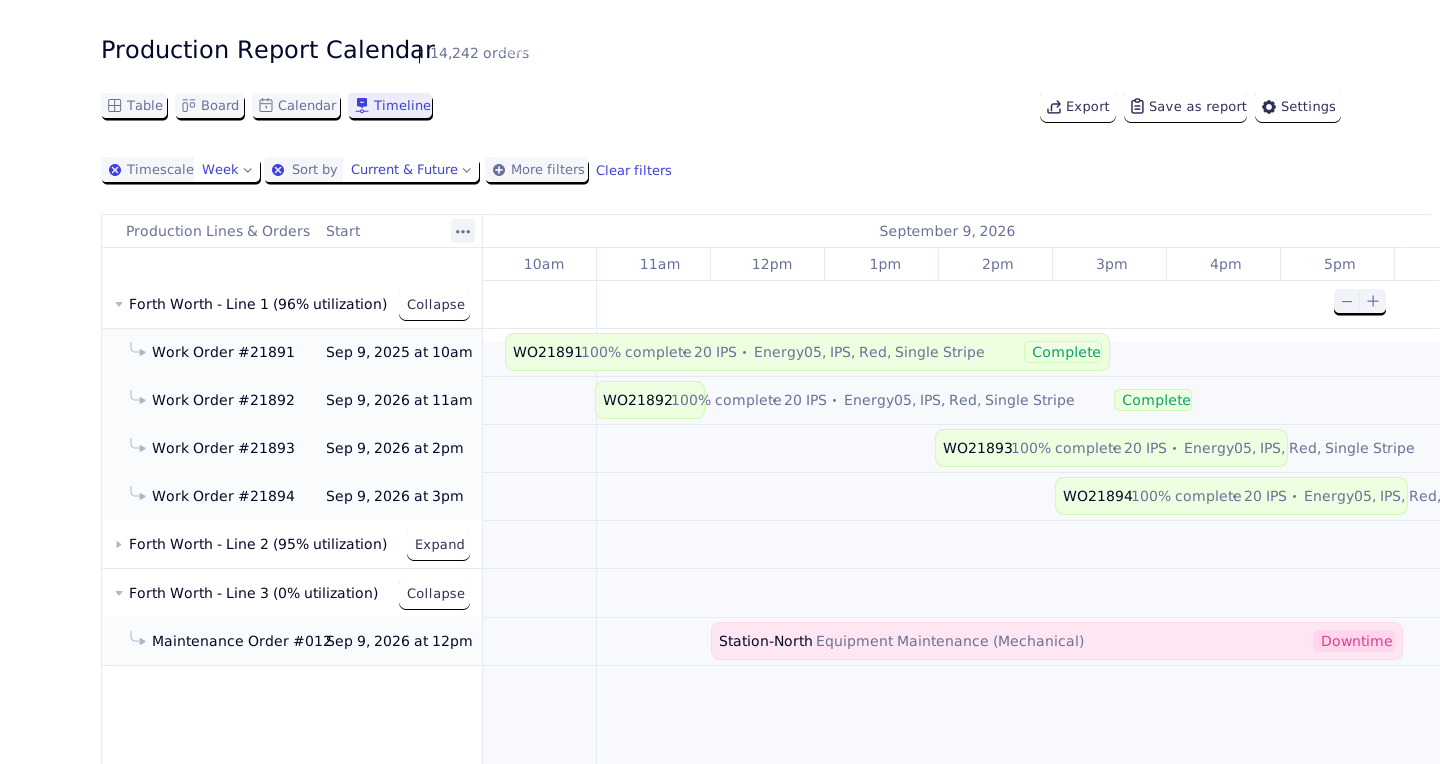
See every week your factory has ever had on one calendar

The Production Report Calendar maps all finalized production output by date, work center, and facility. Instead of scrolling a flat list of 200 log entries to reconstruct last Tuesday, managers step back and see the full week in a single visual - filterable by facility for localized post-mortems.

See the Production Report Calendar
Add an image or video
Inventory reporting

Live telemetry from every bin, every scan, every movement

Naologic pulls real-time floor data into four dedicated inventory reports - giving warehouse managers, controllers, and ops directors instant visibility into exactly what is in stock, where it is, and how it got there. Every stock movement ties back to a GL account. Every barcode scan is logged with operator attribution, device, and source module. Nothing is approximated. When a shipping dispute arises, the Barcode Scan History provides the exact timestamp, operator, and location of every scan event as irrefutable proof of action.

See System Alerts
Barcode Scan History
Movement History
Stock by Location
Stock by Product
Nonconformance Reporting
AI-powered delivery

Push intelligence to leadership before they ask for it

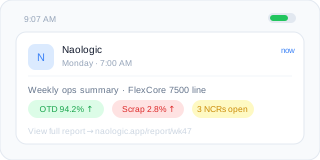
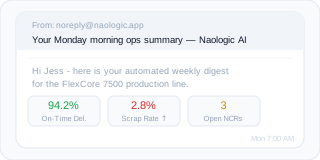
Naologic's AI does not wait to be queried. Program Custom AI reports and emails to automatically analyze the week's performance data and push a synthesized executive summary directly to the leadership team's inboxes or phones on a schedule you define - daily, weekly, or on any custom cadence. Set the AI prompt once: "Summarize last week's production performance and flag anomalies." Define the distribution list. Choose email or SMS. The digest arrives every Monday morning before the first meeting, formatted and specific, without anyone logging into a dashboard. Your CEO gets scrap rates, on-time delivery, and margin variance in one clean message - and the only thing left to do is make the call.
R
RVshare
Powered by Naologic
Zahlung von Rocket Rides akzeptieren
Country
Vereinigte Staaten
Mobile number
USA+1
(555) 555-5555
Email
L
Lugg
Powered by Naologic
Get paid by Lugg
Country
United States
Mobile number
USA+1
(555) 555-5555
Email
Q
Qwick
Powered by Naologic
Get paid by Qwick
Country
United States
Mobile number
USA+1
(555) 555-5555
Email
G
GitHub Sponsors
Powered by Naologic
Faites-vous payer par GitHub
Country
France
Mobile number
FR+1
(555) 555-5555
Email
Grid intelligence

Manipulate your data directly - without exporting it

Interactive Tables Built for Power Users

Drag, resize, and reorder every column directly on-screen. Mobile and tablet native behavior with per-column filters available on every list view across the entire workspace.

  • Column drag-and-drop reordering
  • Per-column advanced filtering
  • Mobile and tablet native behavior
  • Resizable column widths

Native Pivot Tables - No Excel Required

Toggle Pivot Mode inside any data grid to instantly cross-tabulate massive datasets, aggregate category totals, and run multi-dimensional analysis without leaving the ERP.

  • One-click Pivot Mode toggle
  • Row groups for instant aggregation
  • Drill-down without leaving ERP
  • Advanced AND/OR filter logic

Columns That Remember Your Workflow

Intelligent columns persist your exact layout preferences - widths, ordering, hidden fields - so your workspace is configured exactly as you left it every morning.

  • Persistent column configuration per user
  • Table Column Nesting for dense data
  • Instant right-click chart on selection
  • Sum and average auto-calculation in footer

One-Click Exports and Pixel-Perfect PDFs

Export any filtered table as a CSV instantly, or generate professionally formatted PDFs for outbound documents - respecting all active column settings without browser formatting breaks.

  • CSV export from any table in one click
  • Native PDF rendering engine
  • Respects active filters and hidden columns
  • Print-ready invoices, POs, and production reports

Full feature breakdown

Every reporting capability in one platform - no BI tool required

From the Natural Language Report Builder and 100+ visualization types to automatic production report generation and ISO-compliant NCR workflows, Naologic's analytics layer covers every data surface in your manufacturing operation. No Tableau. No Power BI. No Friday afternoon exports.
Natural language report builder

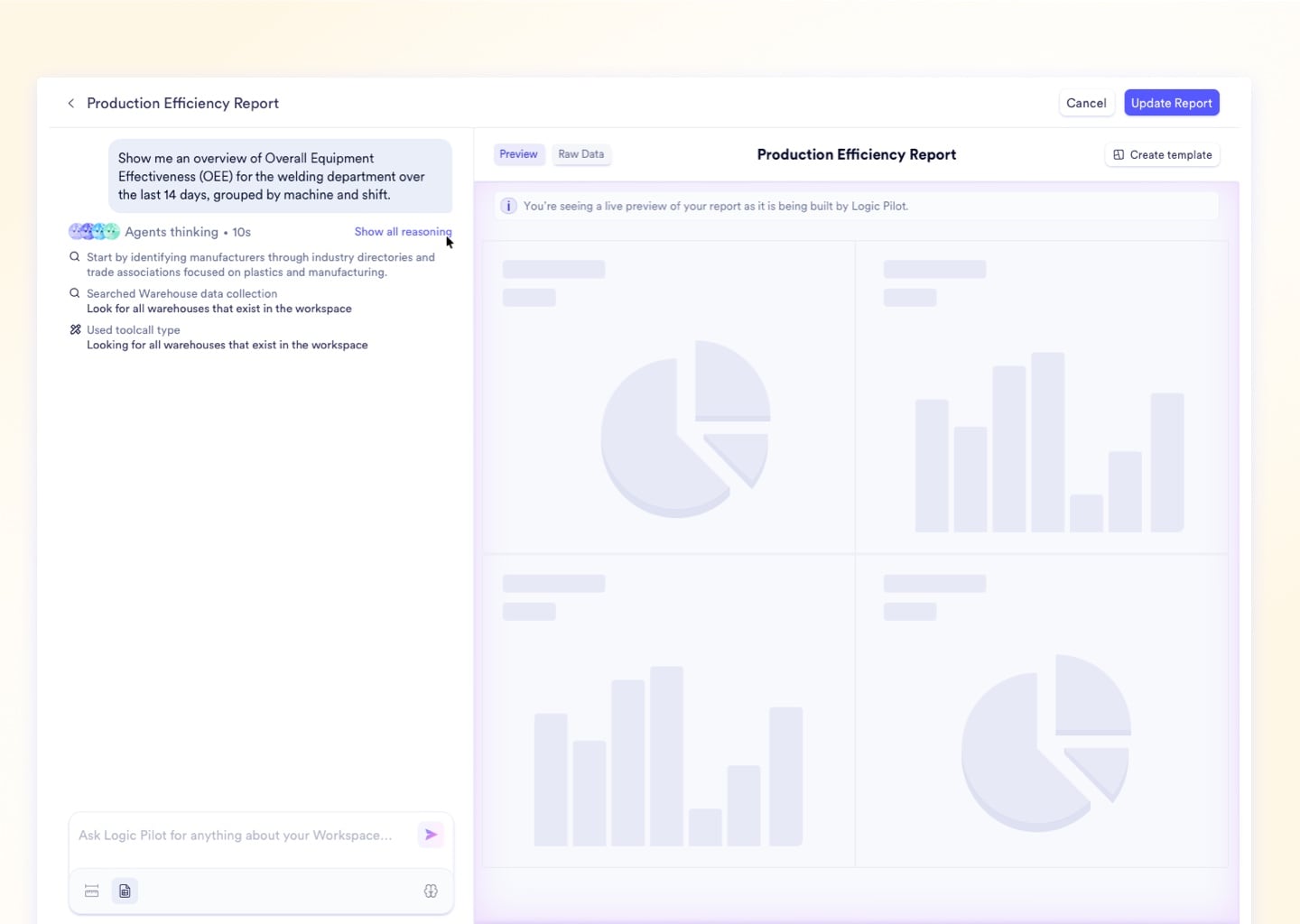
Ask plain-English questions across your full corporate data lake. The AI translates conversational queries into secure SQL, cruns the full dataset, and builds the exact visualization you need - ready to pin to any live dashboard.

Over 100 visualization types

Access a library spanning standard bar, line, and pie charts through geographic heat maps, Sankey diagrams, scatter plots, and radar charts. All configurable inside the Report Builder without any third-party configuration.

Private and public dashboards

Sensitive executive data stays private. Floor KPIs publish by role. Configure visibility at the dashboard level: Private (creator only), Public (all users), or Restricted by Role (specific user groups).

Custom report templates

Save any complex, multi-filter report configuration once. Re-run it in one click next week, next month, or next quarter against the latest live database state - no rebuilding, no re-filtering.

System report templates

Deploy pre-built, industry-standard dashboards on day one. Work Center utilization, AR aging, sales pipeline, and factory performance templates are pre-configured and wired directly to your live data on launch.

Visual report mode

Switch to Visual Report mode for board presentations. The AI automatically selects the most impactful chart type for your query and formats output for boardroom use - exportable as high-resolution images.

Report builder

Build and permanently save live-updating dashboards via conversational AI. Infinite access to the corporate data lake, zero SQL, zero BI consultant, zero onboarding time.

Replace your BI tool stack and your Excel exports

Every metric your leadership team asks for on Friday afternoon is already in the system - scrap rates, yield performance, margin variance, NCR counts, inventory by location. Naologic connects that data directly to the decision-maker through live dashboards, auto-generated production reports, and AI-scheduled executive summaries, with no SQL developer, no BI consultant, and no analyst spending four hours formatting a slide deck.

  • Natural language querying - no SQL required
  • Private and public role-based dashboards
  • Over 100 visualization types built in natively
  • Custom and system report templates ready on day one
  • Auto-generated production reports on every MO close
  • AI-scheduled executive summaries by email or SMS
  • Automatic NCR generation on inspection failure
  • Live inventory reports by location, product, and scan history
Book a Demo

The manufacturer's guide to self-serve analytics

Tableau licenses, SQL developer time, and weekly analyst hours reformatting static PDFs add up fast - and the output is still two days stale by the time it reaches the decision-maker. This guide covers exactly how to cut the BI tool stack, replace the CSV export routine, and get every manager in your operation querying live ERP data directly.

Security GuideZero-Trust Access Control for Manufacturing ERPs

How it works

From question to live dashboard in 4 steps - no IT required

Naologic's reporting engine connects your raw operational data directly to shareable, live dashboards without SQL, BI consultants, or data engineering resources. Here is how any manager - from the floor supervisor to the CFO - goes from a question to a published, auto-updating insight.

1

Ask in plain English

Open the Natural Language Report Builder. Type your question exactly as you would ask a colleague - "What were my top scrap sources by machine last month?" - and submit it. No SQL syntax. No schema knowledge. No data dictionary required.

2

Review the AI-built visualization

The AI parses your query, runs it securely against your full data lake, and returns an interactive visualization. Choose from over 100 chart types or accept the AI's recommendation for the optimal format given your specific metric and dataset dimensions.

3

Pin to a live dashboard

Click Save to Dashboard to permanently pin the visualization. Assign it to a Private or Public Dashboard scoped by role. The chart auto-updates against the latest live data on every load - no manual refresh, no re-running the query.

4

Schedule and push to leadership

Configure Custom AI reports and emails, delivered by text and email to push a synthesized executive summary on any cadence. The leadership team gets the weekly digest on their phones Monday morning - without logging into a single dashboard.

Upload media for "Ask in plain English"

How it works

From question to live dashboard in 4 steps - no IT required

Naologic's reporting engine connects your raw operational data directly to shareable, live dashboards without SQL, BI consultants, or data engineering resources. Here is how any manager - from the floor supervisor to the CFO - goes from a question to a published, auto-updating insight.

1

Ask in plain English

Open the Natural Language Report Builder. Type your question exactly as you would ask a colleague - "What were my top scrap sources by machine last month?" - and submit it. No SQL syntax. No schema knowledge. No data dictionary required.

2

Review the AI-built visualization

The AI parses your query, runs it securely against your full data lake, and returns an interactive visualization. Choose from over 100 chart types or accept the AI's recommendation for the optimal format given your specific metric and dataset dimensions.

3

Pin to a live dashboard

Click Save to Dashboard to permanently pin the visualization. Assign it to a Private or Public Dashboard scoped by role. The chart auto-updates against the latest live data on every load - no manual refresh, no re-running the query.

4

Schedule and push to leadership

Configure Custom AI reports and emails, delivered by text and email to push a synthesized executive summary on any cadence. The leadership team gets the weekly digest on their phones Monday morning - without logging into a single dashboard.

Upload media for "Ask in plain English"
Competitive Comparison

Naologic vs. the tools your analysts are exhausted by

Most manufacturers patch reporting together from three disconnected sources - a rigid ERP, a third-party BI tool, and a graveyard of Excel files. Naologic's native analytics engine replaces all three from a single interface.

Natural language report builder
100+ visualization types
Auto-generated production reports
Private and public dashboards
Custom and system report templates
Non-conformance report generation
Barcode scan history
AI-scheduled reports by email or SMS
Interactive tables with Pivot Mode
Stock by location and product
Naologic
Legacy ERPs
QuickBooks + Excel
Requires custom dev
Limited; IT-dependent to configure
Requires QMS module purchase
WMS add-on required
Excel offline only; no live ERP data
Manual CSV export required

Self-serve analytics

Your next board meeting report is already in the system

Every metric your leadership team needs - scrap rates, yield performance, sales margins, work center utilization, NCR counts, inventory by location - is already in Naologic. The data is live. The question is whether your team spends four hours on Friday manually formatting the slide deck, or whether the AI builds the executive summary on Thursday night and delivers it to the right inbox automatically. Naologic's reporting engine is built to push intelligence to decision-makers before they ask for it - so the only thing left to do is act on it. No BI consultant. No CSV export. No analyst standing between the floor data and the people who need to see it.

The data is already there. The only question is how long your team spends formatting it before anyone can act on it.