Enterprise Access Control

Grant Exact Access. Block Everything Else.

Legacy ERPs give you two choices: a dangerous "Admin" login that exposes your financial ledgers to junior staff, or a locked-down system where employees cannot do their jobs. Naologic replaces both with granular CRUD permissions down to the individual document, Business Units to wall off regional divisions, and free Guest provisioning for auditors - all administered from one console, in minutes.

Book a Demo

Access Control That Matches Your Org Chart

Provision a compliant user seat in under 2 minutes

Manufacturing operations run on trust hierarchies. A plant manager in Ohio should never see the Dallas division's margin data, and a 3PL contractor should never access your GL. Naologic enforces those real-world boundaries digitally. Every permission is configurable through a visual admin console - zero database coding, zero IT tickets, zero consulting fees. You define the access architecture. The system enforces it automatically across every module, every user, and every terminal on your floor.

< 2 min

Average time to provision, update, or revoke a user seat - vs. 3-day IT ticket queues in legacy ERPs

$0

Cost of a Guest User seat for external auditors or 3PL contractors - vs. full enterprise license fees in NetSuite or SAP

14

Distinct CRUD permission layers per module - Create, Read, Update, Delete configured down to the individual document type

100%

Document coverage in Naologic's audit trail system - every order, invoice, and transaction carries an immutable log of every user action
Add an image or video

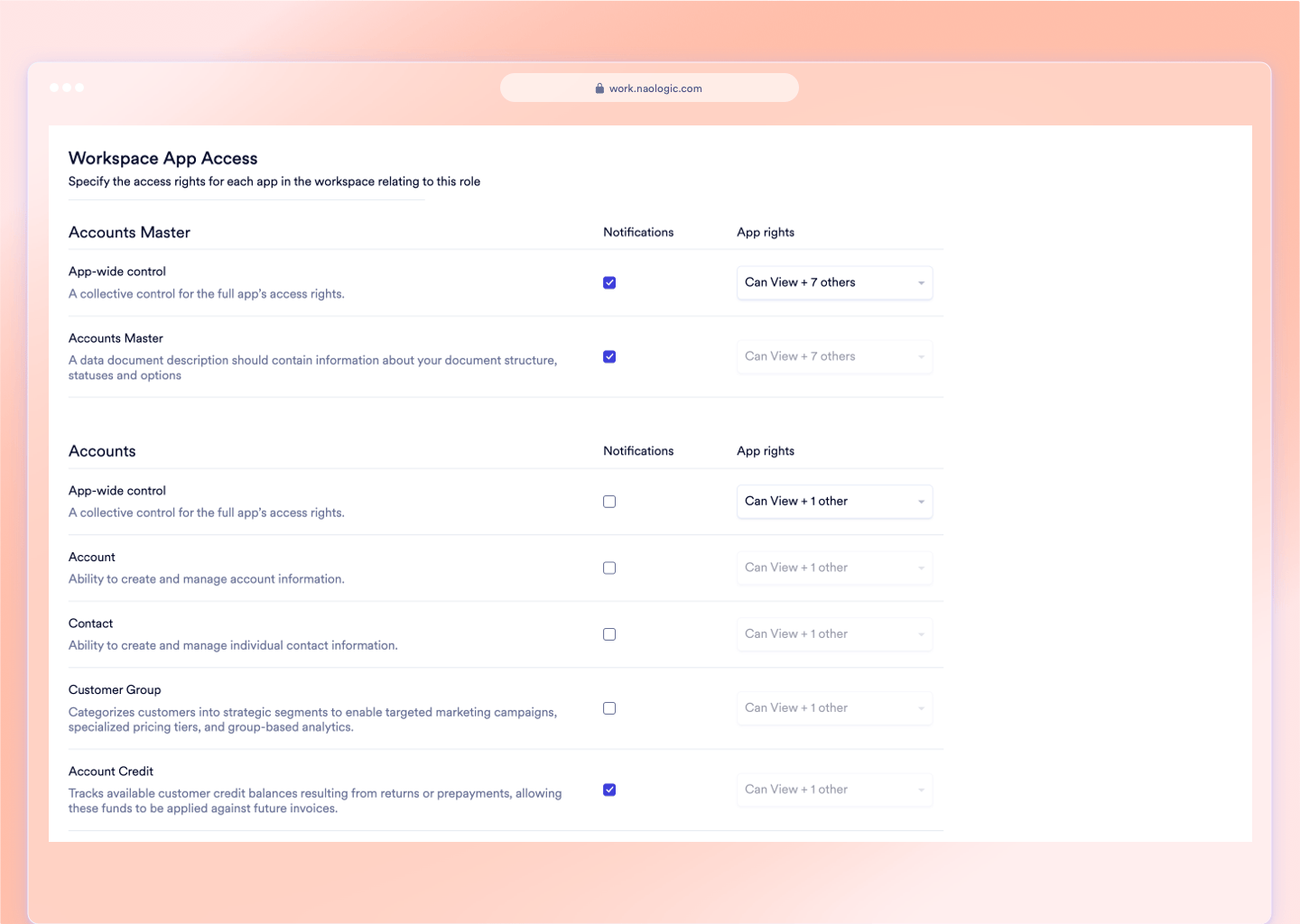
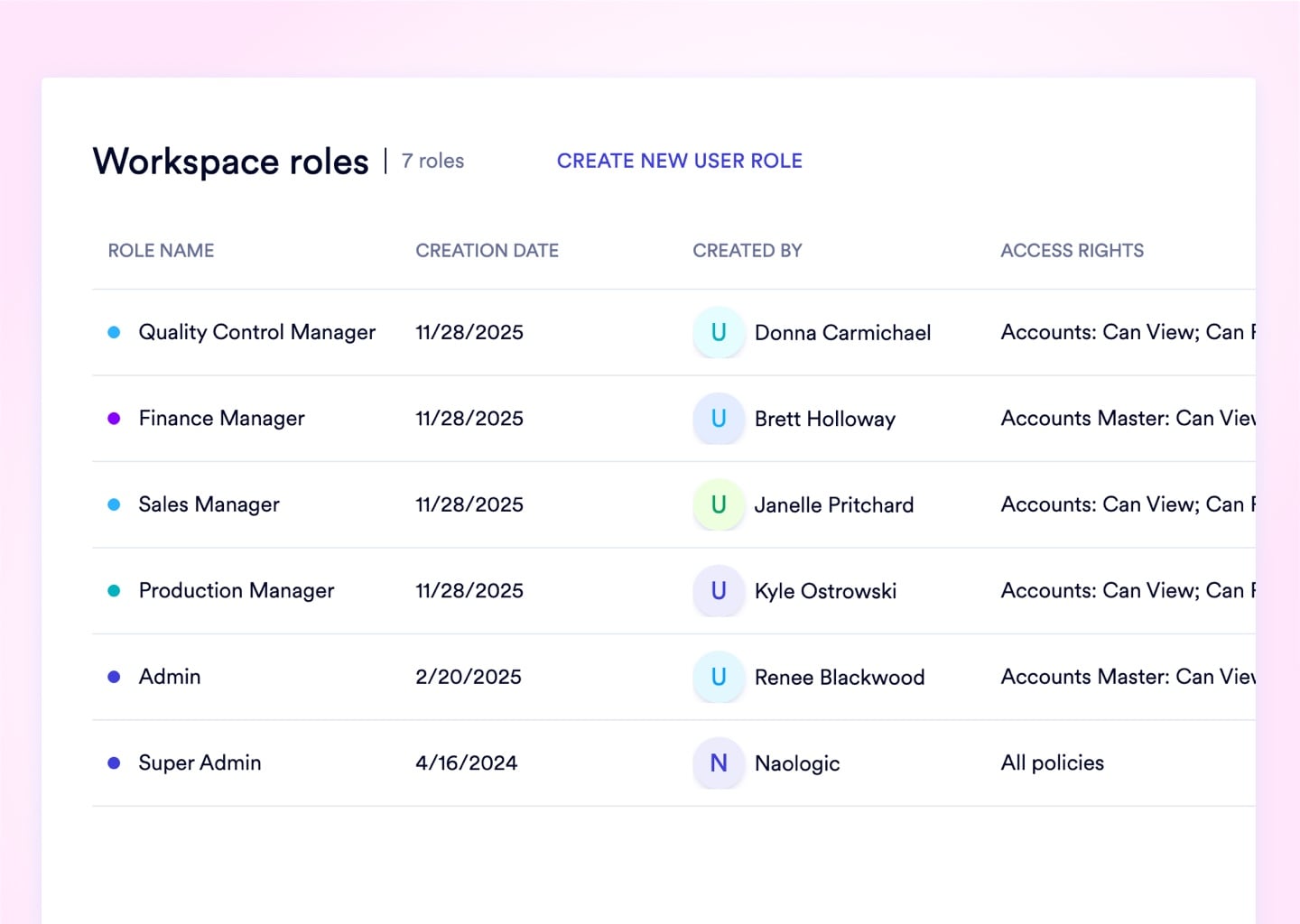
Granular CRUD Roles. Define Create, Read, Update, and Delete rights per document type, per geographic facility, and per user - not per broad module toggle.

Explore Roles

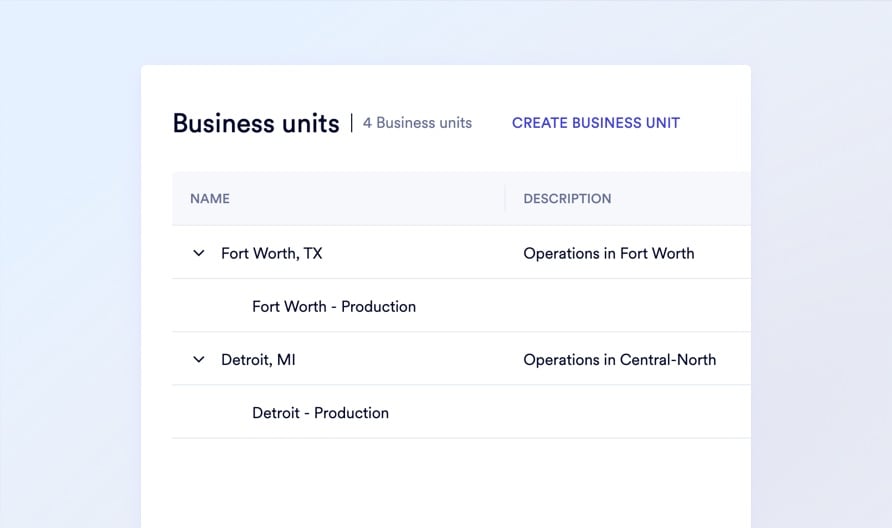
Business Unit Data Walls. One unified workspace for your entire operation, with hard geographic filters preventing data spillage between regional divisions.

Explore Business Units

Free Guest User Seats. Provision auditors and contractors with restricted, auto-expiring credentials - at zero extra license cost and zero standing exposure.

Explore Guest Access
Access Control Architecture

4 Permission Mechanisms Protecting Your Data

Document-Level CRUD Permissions

Set explicit Create, Read, Update, and Delete rights per user, per module, and per document type. Eliminate the Admin-vs-User binary that forces dangerous access trade-offs with junior staff and financial data.

  • Custom roles down to individual document type
  • Geographic and departmental permission scoping
  • "Own Documents Only" ownership enforcement
  • Module-level CRUD matrices per job function
  • Zero-code configuration via visual admin UI

Geographic Data Compartmentalization

Segregate inventory, sales, and financial data by region or subsidiary within one unified workspace. A Dallas branch manager cannot see EMEA margin data - and the system structurally enforces that boundary.

  • Named Business Units by geography or department
  • Hard visibility filters applied at role assignment
  • Eliminates the need for separate ERP instances per division
  • Global data centrally reportable to executives
  • Business Unit tags applied at user provisioning

Instant Workforce Administration

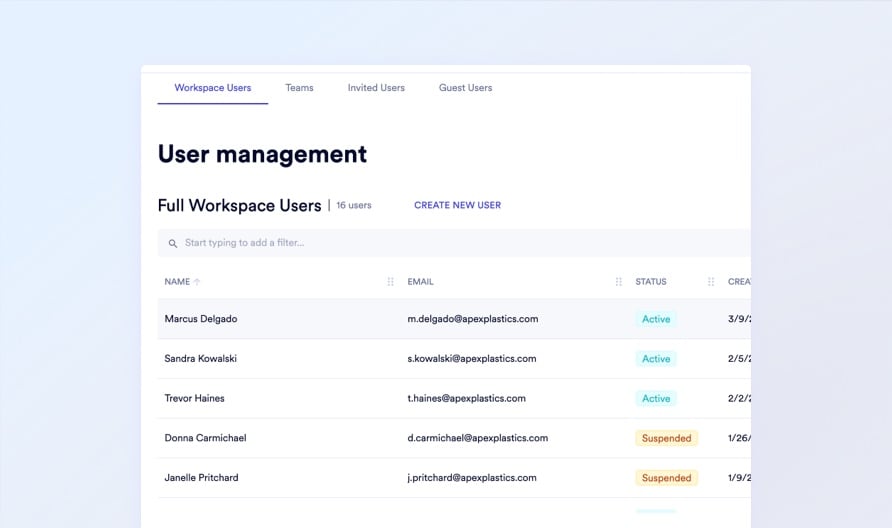
Provision, update, or revoke any user seat in under 2 minutes. Monitor last sign-in telemetry, force 2FA compliance, and suspend terminated employees - all from a single admin panel with no IT involvement.

  • Provision and deactivate accounts without IT tickets
  • Force password resets from the admin console
  • View last sign-in timestamps per user
  • Bulk-manage cohorts via User Teams
  • Suspend access instantly on employee termination

Zero-Cost External Access Provisioning

Provision auditors, 3PL contractors, and customers with highly restricted Guest accounts carrying auto-expiring credentials - separate security thresholds, zero billing impact, and no path to escalate internal permissions.

  • Dedicated Guest role type with restricted defaults
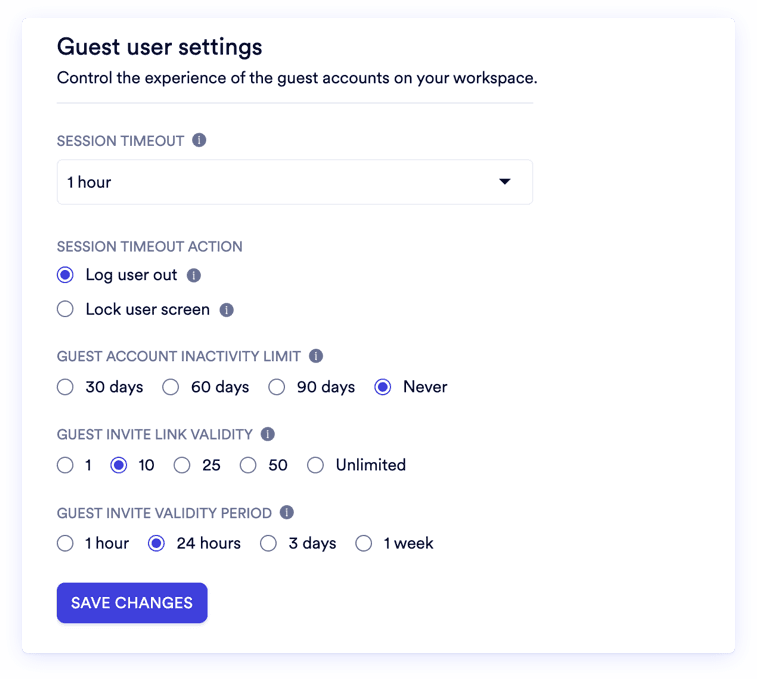
  • Auto-expiring invite links with configurable TTL
  • Inactivity timeout stricter than internal employees
  • Zero billing cost per Guest seat
  • No Guest-to-internal permission escalation possible
Access Scoped to the Job

Least-privilege access, enforced across all modules

Legacy ERPs were not designed for the principle of least privilege. They were designed for simplicity - and that simplicity is a security liability at scale. Naologic's architecture assumes no user should ever see data they don't need to perform their specific job function. Every role is an explicit configuration, not an inherited default. Every permission is a deliberate grant, not a broad category. Every data boundary - geographic, departmental, or document-level - is a hard system filter, not a policy suggestion. An Ohio plant manager cannot see Dallas margin data. A sales rep cannot edit another rep's quotes. A terminated employee loses system access in 90 seconds. The result is an environment where internal breaches and accidental data overwrites become structurally impossible, not just unlikely.

CRUD Permissions Down to Document Level
Geographic Business Unit Data Walls
Free Guest Provisioning - Zero License Cost
Immutable Per-Document Audit Trails
Mandatory Org-Wide 2FA Enforcement
Auto-Expiring Guest Credential Links

2-Factor Authentication

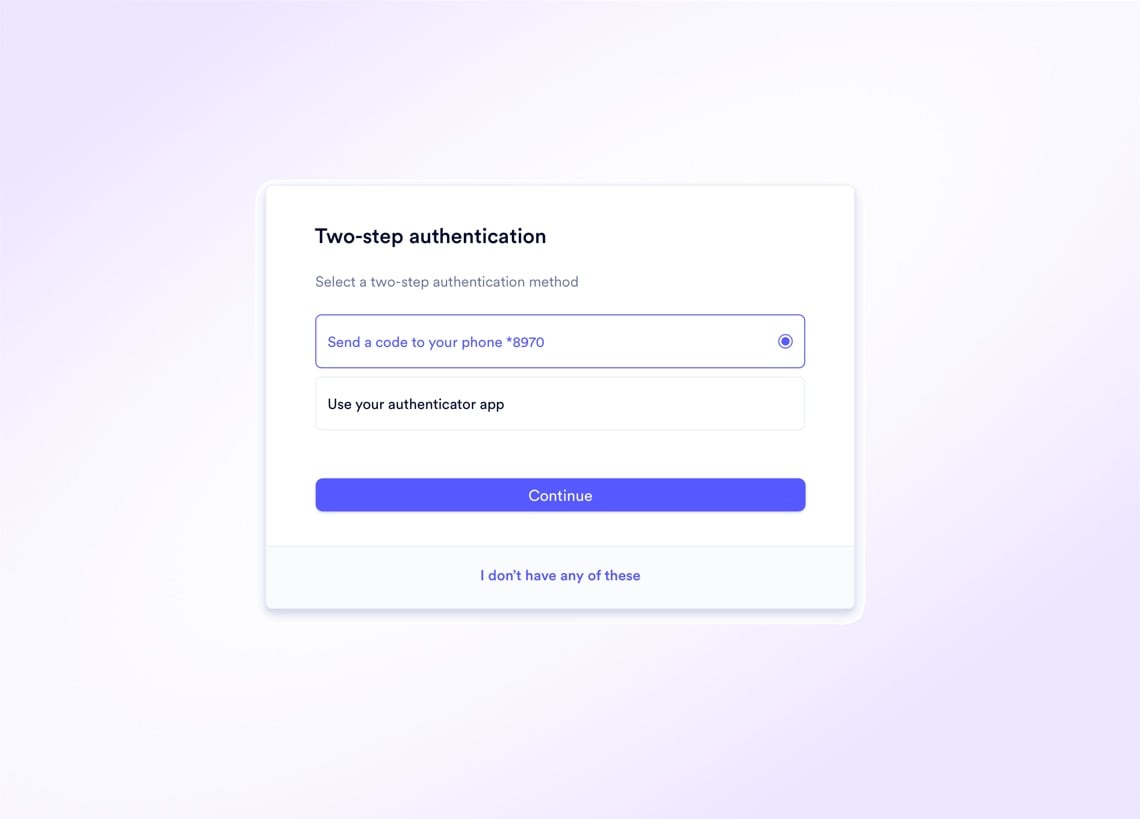
One compromised password cannot breach your entire ERP when 2FA is mandatory for all 50 users.

Naologic lets Super Admins mandate 2FA across the entire organization with one toggle - no user opt-outs, no exceptions. Both SMS and Authenticator Apps are supported. Non-compliant users are intercepted at login and forced through enrollment before accessing the workspace. For genuine emergencies - a lost device during a critical deal - 10 downloadable, single-use backup codes restore access without permanently disabling the 2FA layer.
Drop image here

Forensic Visibility on Every Document in the Workspace

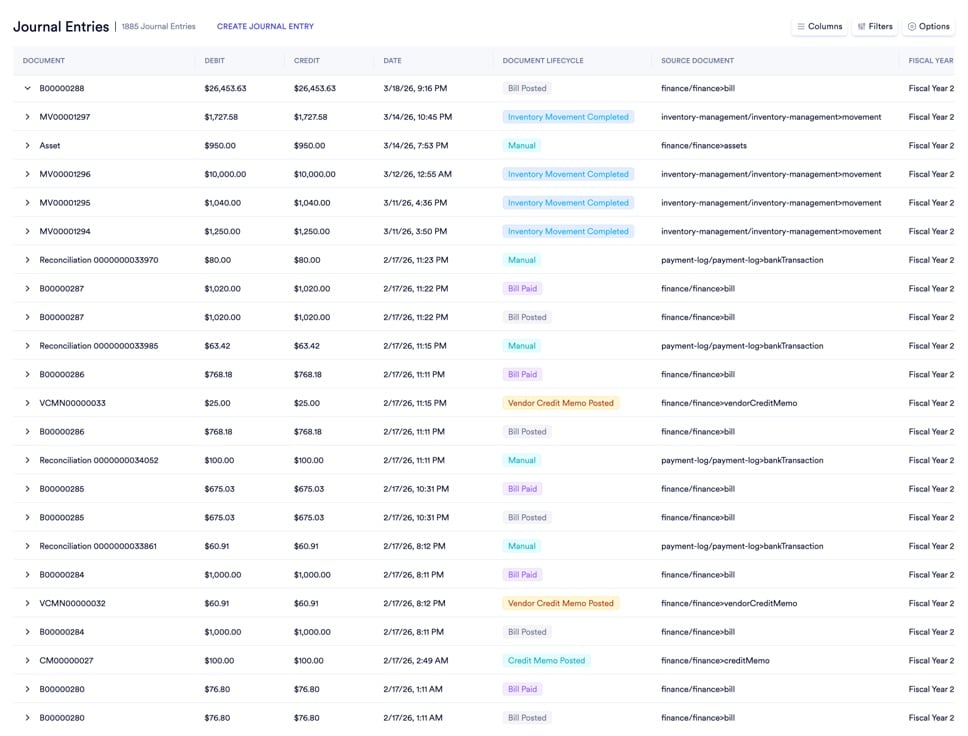
"Who changed this price?" "When was this PO modified?" "Which user deleted that adjustment?" Every document in Naologic carries a permanent, immutable audit log. Toggle from the human-readable Activity Feed to Raw Audit mode - exposing the exact JSON state change, the previous value, the new value, the User ID, and the precise timestamp down to the second. No gaps, no edits, no exceptions. Every document. Every change.

See the Audit Trail Live
Add an image or video

Setup and Administration

From First Login to Compliant Workspace in 4 Steps

Naologic's admin architecture is built for IT Directors who need complete access control without consulting fees or ticket queues. The Super Admin wizard initializes your security framework in a single session. Ongoing administration - provisioning, suspensions, role updates, Guest management - runs from the same console. No identity management tool. No database editor. No tickets.

1

Super Admin Initialization

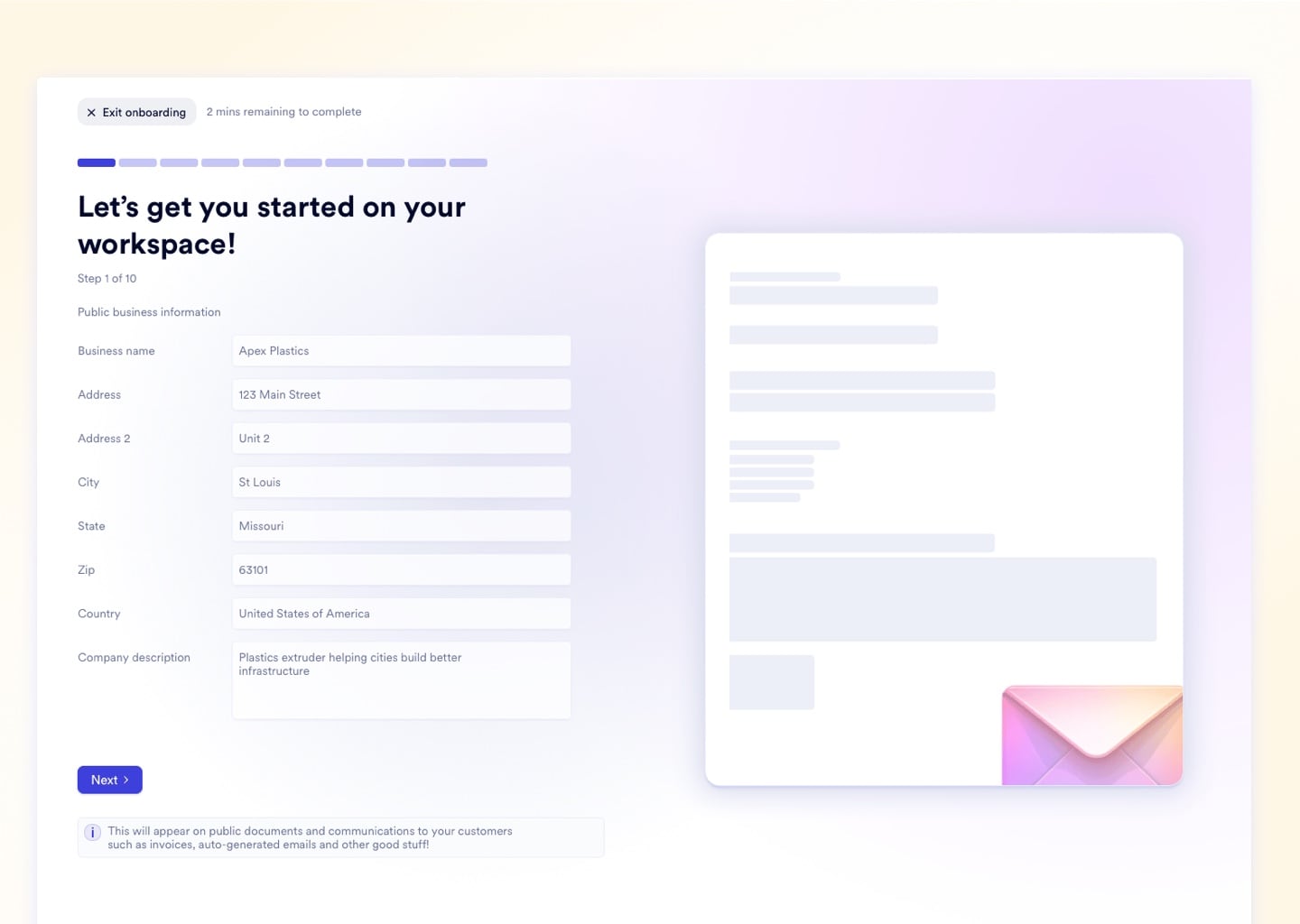
On first login, the Super Admin wizard configures foundational workspace variables: legal entity name, default currency, timezone, and company branding. Establish your global 2FA mandate, session timeout rules, and invitation link TTL before a single user is provisioned.

2

Role Architecture Design

Build every job function's CRUD matrix in a visual role builder. Define which modules each role can access, whether permissions apply globally across a module or only to documents the user created, and attach geographic Business Unit constraints to limit visibility by plant or division.

3

Seat Provisioning

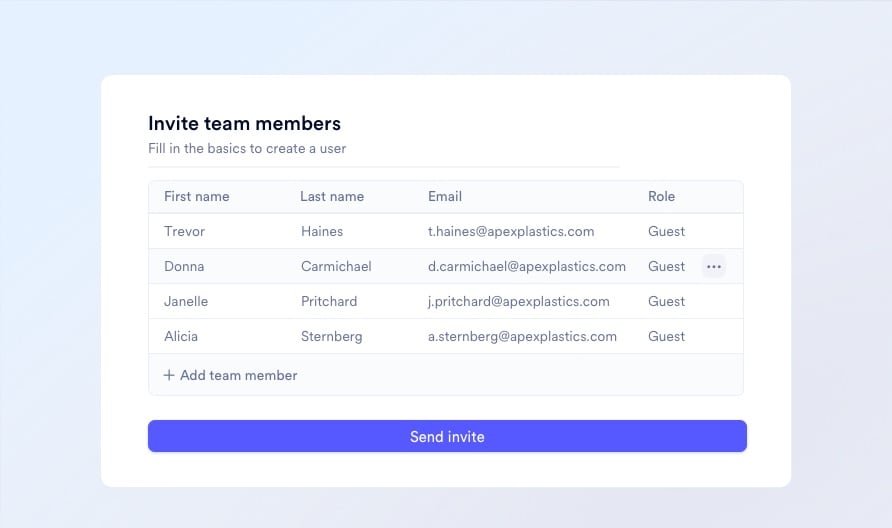
Invite users directly from the admin panel. Assign roles, attach Business Unit tags, enforce 2FA at the account level, and group employees into logical User Teams for bulk task routing and approval workflows. New seats go live in under 2 minutes - no IT ticket, no database update.

4

Ongoing Governance and Monitoring

Monitor last sign-in telemetry per user, instantly suspend terminated employees, manage Guest account expiry windows, and review immutable audit logs across every document in the workspace - all from one admin dashboard, in real time, without involving IT.

Upload media for "Super Admin Initialization"
Access Configuration

An unattended terminal on the production floor is a live data breach

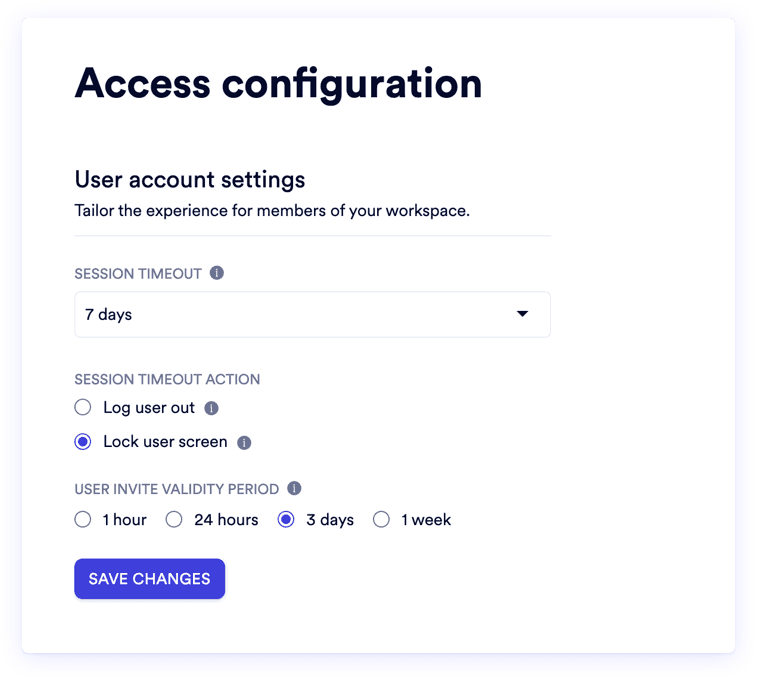
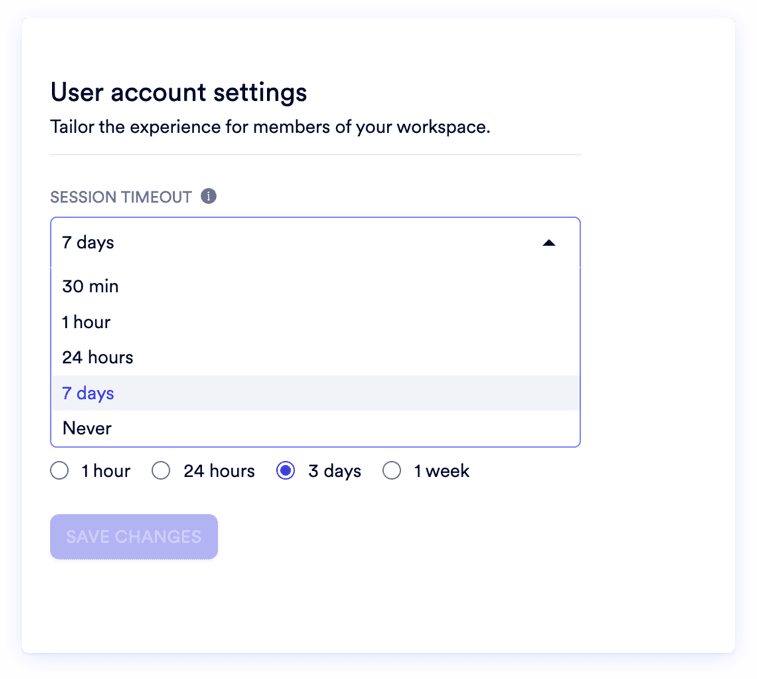
An unattended terminal on the production floor is a live data breach. Naologic lets admins define exact idle timeout windows - not vague system defaults - and choose whether the session locks behind a PIN or terminates entirely. New user invitation links expire on your schedule: as short as one hour, up to one week. Guest accounts carry separate, more aggressive thresholds than internal employees. Set once. Enforced on every terminal, every shift.
R
RVshare
Powered by Naologic
Zahlung von Rocket Rides akzeptieren
Country
Vereinigte Staaten
Mobile number
USA+1
(555) 555-5555
Email
L
Lugg
Powered by Naologic
Get paid by Lugg
Country
United States
Mobile number
USA+1
(555) 555-5555
Email
Q
Qwick
Powered by Naologic
Get paid by Qwick
Country
United States
Mobile number
USA+1
(555) 555-5555
Email
G
GitHub Sponsors
Powered by Naologic
Faites-vous payer par GitHub
Country
France
Mobile number
FR+1
(555) 555-5555
Email

Full Capability Index

Native Controls Spanning CRUD, Business Units, 2FA, and Audit Trails

Naologic's User and Role Management module covers the full lifecycle of digital access - from workspace initialization through day-to-day personnel changes to external audit provisioning. Every feature below is native to the platform, UI-driven, and requires zero database access, custom code, or consulting fees to configure.

Interactive Guided Onboarding

A native adoption engine activates on each user's first login. Contextual tooltips explain core navigation, and a checklist of Onboarding Quests - create a user, draft a quote, run a report - guides new hires through critical workflows directly in the software, eliminating external training consultants at $150/hour.

Zero-Code Workspace Initialization

The Super Admin wizard configures foundational workspace variables on first run: legal entity name, default currency, timezone, branding, and global security policies. Establish the entire access framework before any user is invited - no database access, no backend configuration files.

Centralized Workforce Administration Console

A single admin panel covering the full user lifecycle. Provision accounts, assign roles, view last sign-in telemetry, force 2FA compliance, reset passwords, and suspend or deactivate seats instantly. Onboard a new hire and offboard a terminated employee without filing a single IT ticket.

Bulk Department Administration

Group employees into logical Teams - "West Coast Sales", "QA Floor Managers" - for bulk task assignment, document approval routing, and department-wide communications. Manage 50 users as one unit. Update a Teams-level permission and it applies instantly to every member.

Individual Localization for Global Teams

Every user sets their own timezone, native language, and date format syntax. German teams stop misreading American MM/DD/YYYY dates. Global teams stop scheduling errors caused by conflicting timezone defaults. 2FA enrollment is also managed at the profile level.

Where Flat Permission Systems Create Liability

Manufacturers running QuickBooks or legacy ERPs rarely discover access control gaps until after an incident - a terminated employee accessing live accounts over the weekend, a junior buyer accidentally deleting a closed PO, or an external auditor handed a full Admin login because there was no restricted alternative. Naologic closes each of these gaps mechanically, not through policy.

The Terminated Employee Problem

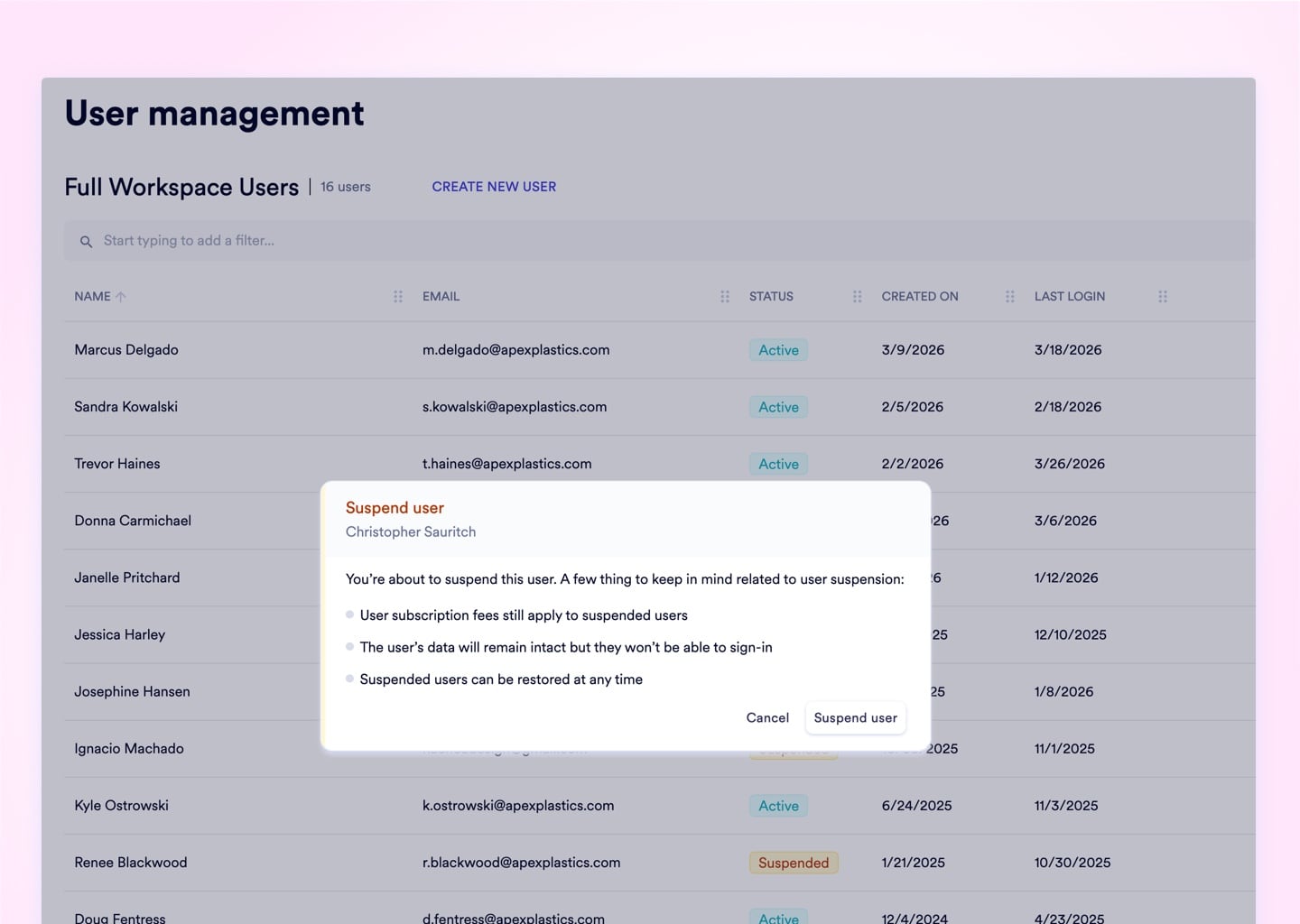
A warehouse manager resigns Friday at 5 PM. IT tickets filed after hours sit unresolved until Monday morning - leaving active credentials and full system access for 48+ hours. In Naologic, the HR Director suspends the account from the admin console in under 90 seconds, terminating all active session tokens immediately.
Upload media

The Multi-Plant Data Spillage Problem

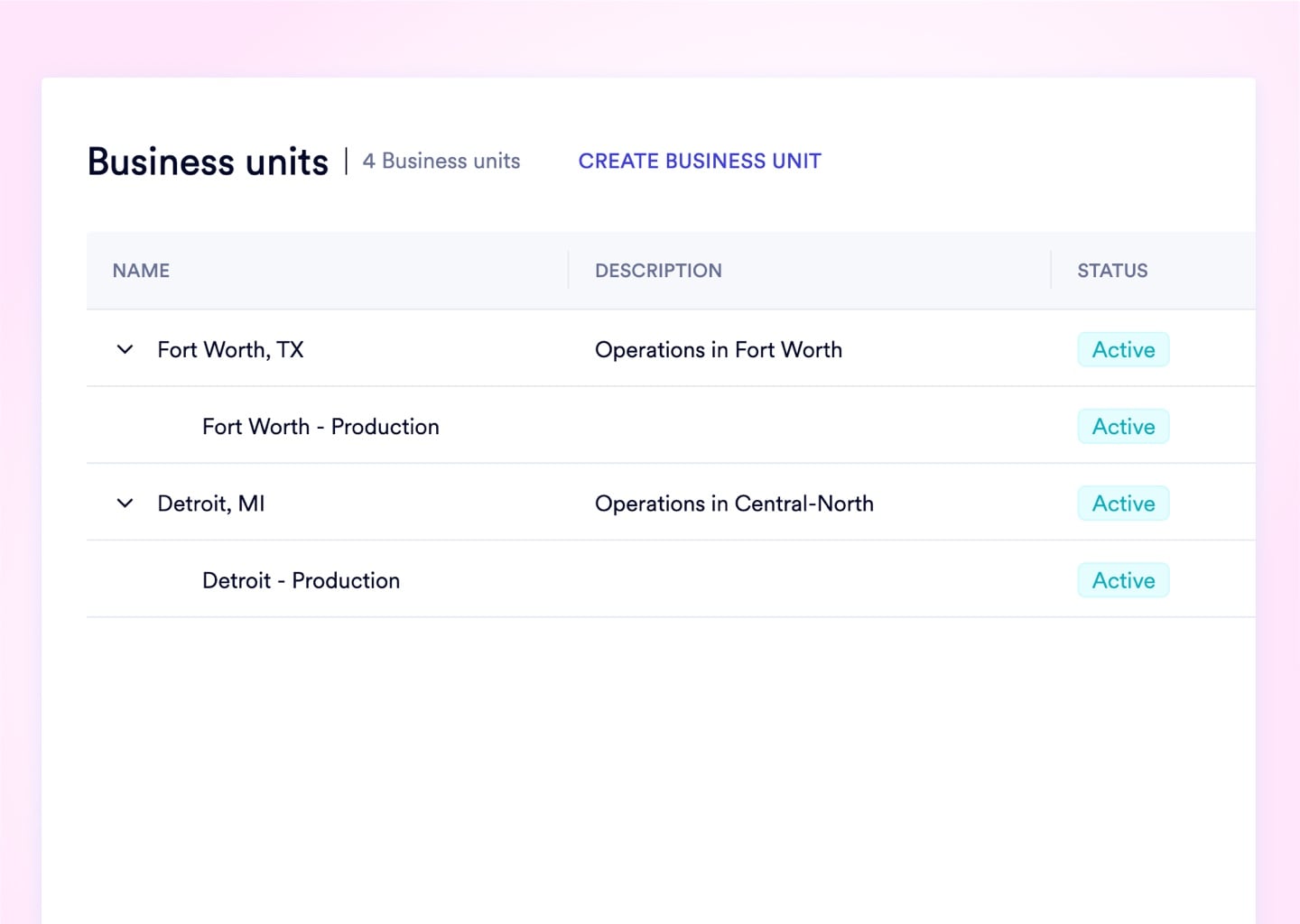
A plant manager in Atlanta has no operational reason to view Chicago's open purchase orders, customer pricing, or margin reports. Business Units apply hard module filters - the Atlanta manager's views never return Chicago records, regardless of how they navigate the system.
Upload media

The External Auditor Licensing Problem

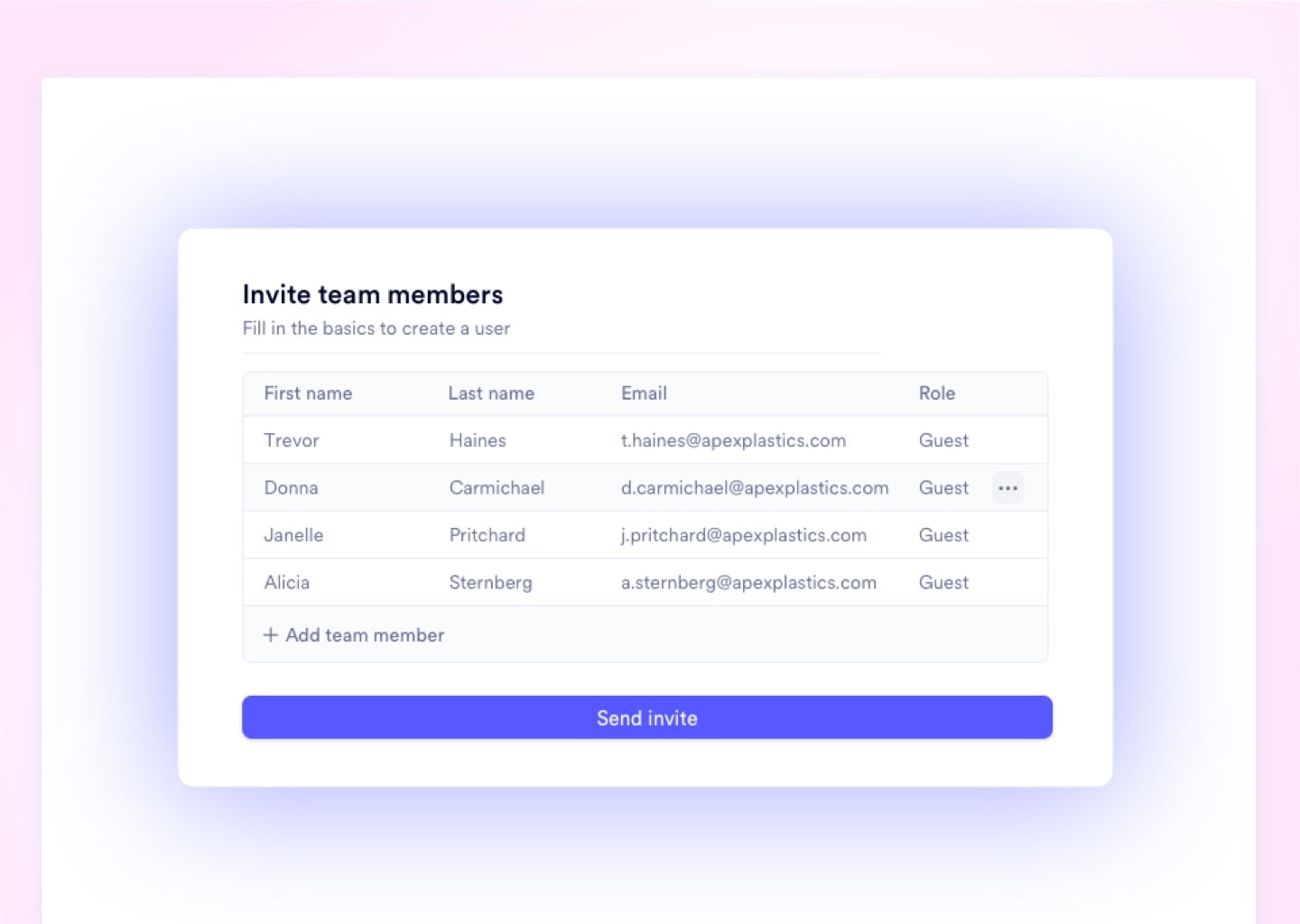
An annual compliance audit requires your external CPA to review 6 months of financials. In NetSuite, that means purchasing a full-price enterprise license for a single engagement. In Naologic, it means a read-only Guest account with a 30-day auto-expiring credential - at zero additional cost.
Upload media

The Shared Admin Login Problem

Three shift supervisors share a single "Admin" login because provisioning individual accounts requires an IT ticket and a full seat license. Every action is untraceable. Every accidental deletion is unattributable. Naologic removes both the cost barrier and the audit gap simultaneously.
Upload media
Measured Impact

The cost of flat permission systems, in numbers.

Inadequate access control doesn't just create security vulnerabilities - it generates administrative overhead, licensing costs, and audit exposure that accumulate every month. These four metrics represent the direct, measurable impact of replacing a flat permission system with Naologic's granular access architecture.

< 2 min
provision or revoke a user seat. Legacy ERPs require a 3-5 day IT ticket for the same change.
$0
cost per Guest User seat. NetSuite and SAP charge a full enterprise license for the same access.
14
distinct CRUD permission layers per module - Create, Read, Update, and Delete scoped by document type, geography, and ownership.
100%
document coverage in Naologic's audit trail. Every PO, invoice, and inventory adjustment carries an immutable user action log.

ISO-Ready, Audit-Proof

Your external auditor can review 6 months of transactions without a single call to IT.

Every document carries a permanent, un-editable audit trail - no exports, no IT escalation required. Toggle Raw Audit mode to expose the exact JSON field diff: old value, new value, User ID, timestamp to the second. When your ISO or financial auditor asks who changed what and when, the answer is already there.

See the Audit Trail Live
Competitive Comparison

Naologic CRUD Control vs. QuickBooks, NetSuite, and Shared Logins

Most manufacturers have never had true granular access control - they have had workarounds. The table below maps Naologic's native access capabilities against the three most common status quo configurations in mid-market manufacturing.
Document-Level CRUD Permissions
Geographic Data Segmentation (Business Units)
Free Guest User Provisioning
Own-Document Ownership Scoping
Mandatory Org-Wide 2FA Enforcement
Per-Document Immutable Audit Trails
Role Changes Without IT Tickets
Session Timeout and Lock Controls
Auto-Expiring Guest Invite Links
Interactive Built-In Onboarding
Naologic
QuickBooks
Legacy ERPs
Requires consulting
Separate instances recommended
Basic roles only

The same platform. Three completely different access realities. A plant manager in Dallas sees only Dallas data. A CFO sees consolidated global financials. An external auditor sees only a read-only view of the documents you scope - and their credentials expire automatically in 7 days.

Add image in properties

IT Director Provision 50 user seats in one afternoon - no database editor, no consulting invoices, no IT queue. Update a role permission and it propagates instantly across every user assigned to that role. Suspend a terminated employee in 90 seconds from any browser.

See the Admin Console
Add image in properties

COO / VP Operations Run 4 regional divisions from one unified workspace. Business Units enforce hard data walls between plants - the EMEA manager cannot view domestic pricing, and the Dallas plant cannot access EMEA inventory records. One login. Four separate operational realities.

See Business Units
Add image in properties

External Auditor Grant a read-only Guest account scoped to the exact documents needed for the engagement. The auditor sees precisely what you scoped - nothing else. When the engagement ends, the credential auto-expires. No manual revocation required. No lingering access risk.

See Guest Access

The Zero-Trust ERP Security Playbook for Manufacturers

Somewhere in your ERP, access is over-provisioned. A shared Admin login. An auditor credential nobody revoked. A regional manager reading every division's margin data. This guide covers the 7 most common access failures in manufacturing ERPs - and the exact fix for each.

Security GuideZero-Trust Access Control for Manufacturing ERPs

13 Access Control Capabilities - Zero IT Tickets Required

Every control in Naologic's User and Role Management module is UI-driven, native to the platform, and available from the same admin console. No consulting fees, no database access, no add-on modules required for any capability listed below.

  • CRUD permissions down to individual document level
  • Geographic Business Unit data compartmentalization
  • Free Guest User seats for auditors and contractors"
  • Own Documents Only" ownership scoping per role
  • Mandatory org-wide 2FA with single admin toggle
  • Session timeout - lock or logout - configurable in minutes
  • Auto-expiring Guest invite links with TTL controls
  • Immutable per-document audit trails with JSON-level field diffs
  • User Teams for bulk task routing and approval workflows
  • Interactive guided onboarding quests for every new user
Book a Demo

Lock your data down. Provision your first compliant seat in 2 minutes. Granular CRUD matrices, Business Unit data walls, free Guest provisioning, and immutable audit trails are all native - no add-ons, no consulting, no IT tickets.