




Data Migration

Import 10 Years of Production Data. Without a Single Consultant Bill

Naologic's proprietary ETL pipeline pre-validates, maps, and ingests your messy legacy data before it ever touches your database.

Logo 1
Logo 2
Logo 3
Logo 4
Migration Outcomes

Free Migration, Zero Data Loss, No Consultants Required

Naologic's import and migration engine is purpose-built for manufacturers moving off GlobalShop, JobBoss, DelmiaWorks, NetSuite, or any on-premise legacy system. Migration is included for every customer at no cost.

$0
migration cost - white-glove extraction, transformation, and load from any legacy ERP is included for all Naologic customers
6+
direct ERP migration toolkits - pre-built connectors for GlobalShop, JobBoss, DelmiaWorks, NetSuite, Microsoft Dynamics, and Odoo
3
source types accepted natively - CSV/XLSX flat files, direct MySQL, and direct PostgreSQL database connections
0
VLOOKUPs required - apply mid-flight text normalization, date reformatting, and deduplication inside the Import Wizard
Add an image or video

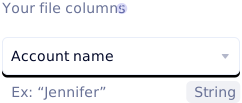
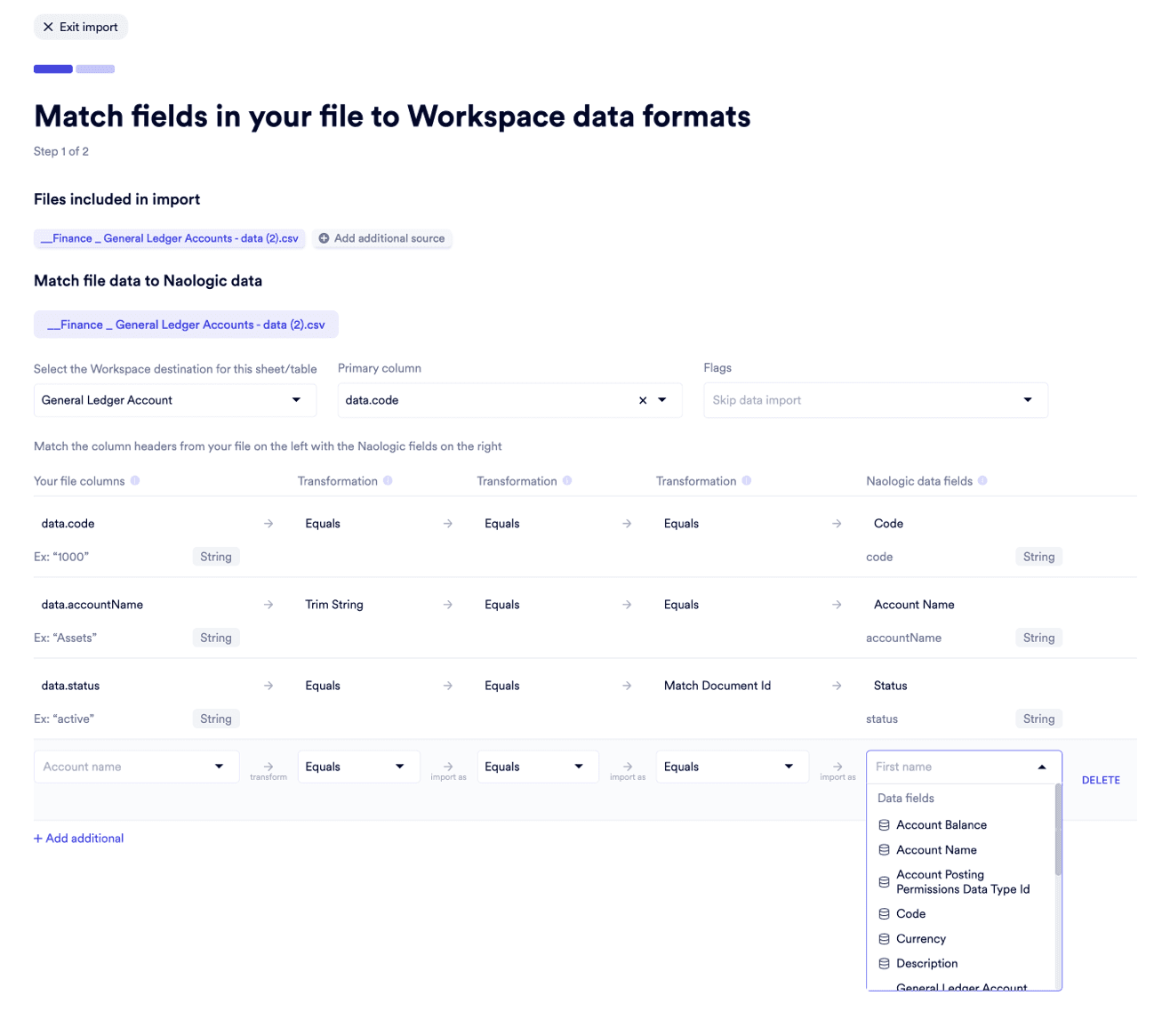
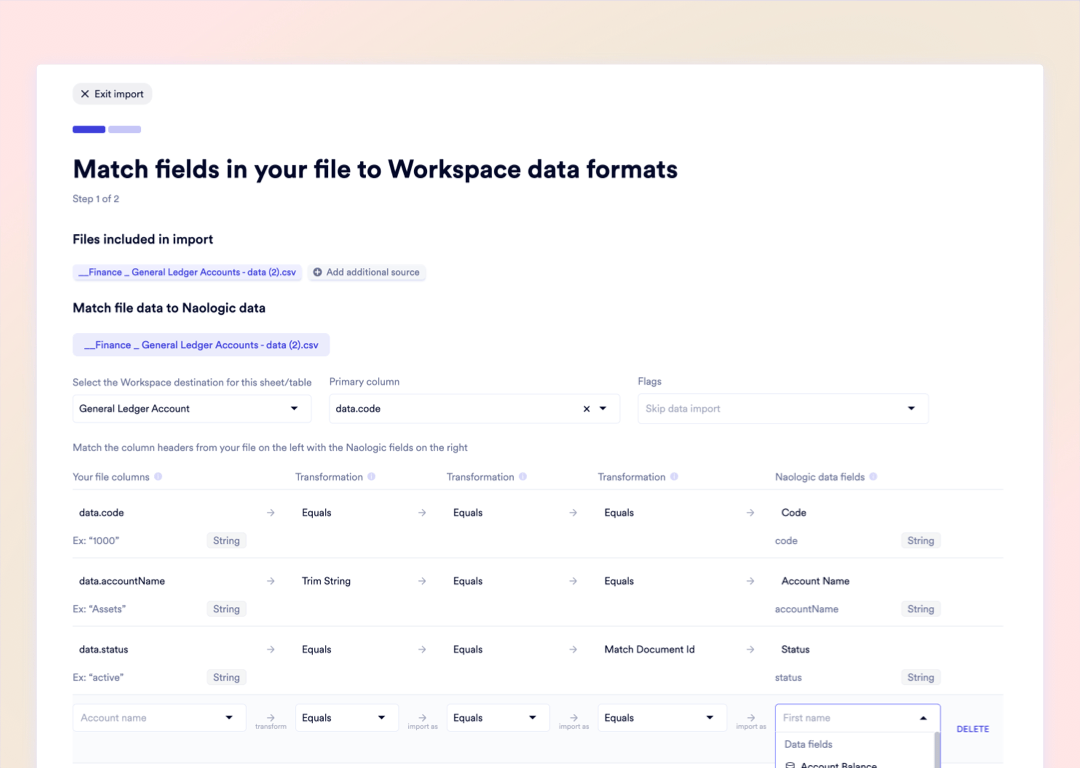
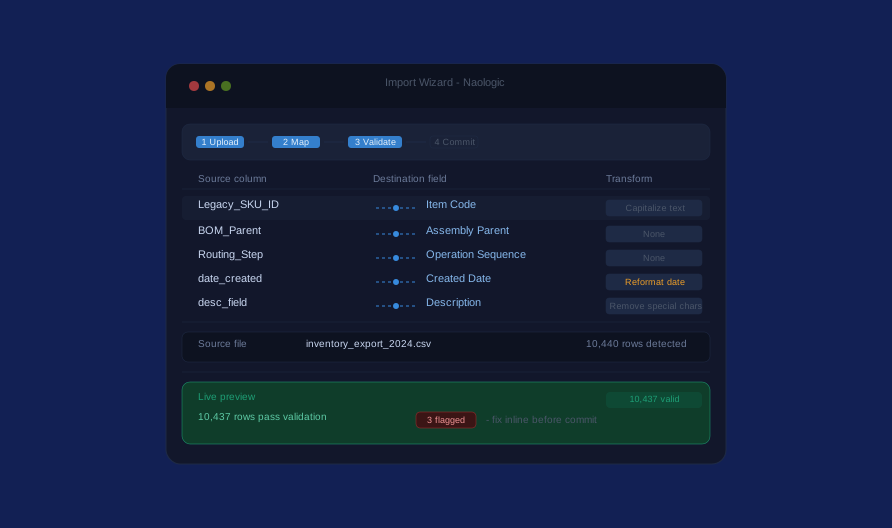
Smart column mapping. Drag source fields to destination columns - no database schema knowledge required.

Explore the Import Wizard

Pre-import validation. Every row is tested against database constraints before a single record is committed.

See validation in action

Relational-aware ingestion. Multi-level BOM parent-child links and sub-assembly dependencies import intact.

Learn about BOM imports

Import Process

From Raw Spreadsheet to Live Production Data in 4 Steps

Naologic's Import Wizard runs a structured ETL workflow - upload, map, validate, commit. Errors surface at step 3 in plain language, with inline resolution tools. They never surface after the data is already in the database.

1

Upload your source file

Drag and drop any CSV, XLSX, SQL dump, or direct MySQL/PostgreSQL connection. Re-upload an updated file at any time without losing your saved column mapping configuration.

2

Map columns visually

Source column headers and destination database fields appear side-by-side in the visual mapper. Drag to match pairs manually, or accept auto-mapping suggestions based on column name similarity.

3

Validate and fix errors inline

The Live Preview tab runs every mapped row against database constraints in real time. Flagged rows appear with specific field-level error descriptions - fix them directly in the browser before committing.

4

Commit validated rows, skip the rest

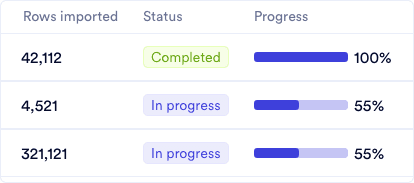
Import all clean rows, skip flagged rows, or selectively override row by row. Partial imports succeed independently - a file with 3 errors never crashes the 9,997 clean records around them.

Upload media for "Upload your source file"

Import Process

From Raw Spreadsheet to Live Production Data in 4 Steps

Naologic's Import Wizard runs a structured ETL workflow - upload, map, validate, commit. Errors surface at step 3 in plain language, with inline resolution tools. They never surface after the data is already in the database.

1

Upload your source file

Drag and drop any CSV, XLSX, SQL dump, or direct MySQL/PostgreSQL connection. Re-upload an updated file at any time without losing your saved column mapping configuration.

2

Map columns visually

Source column headers and destination database fields appear side-by-side in the visual mapper. Drag to match pairs manually, or accept auto-mapping suggestions based on column name similarity.

3

Validate and fix errors inline

The Live Preview tab runs every mapped row against database constraints in real time. Flagged rows appear with specific field-level error descriptions - fix them directly in the browser before committing.

4

Commit validated rows, skip the rest

Import all clean rows, skip flagged rows, or selectively override row by row. Partial imports succeed independently - a file with 3 errors never crashes the 9,997 clean records around them.

Upload media for "Upload your source file"

Multi-Dimensional Transformations Across Every Data Type and Source

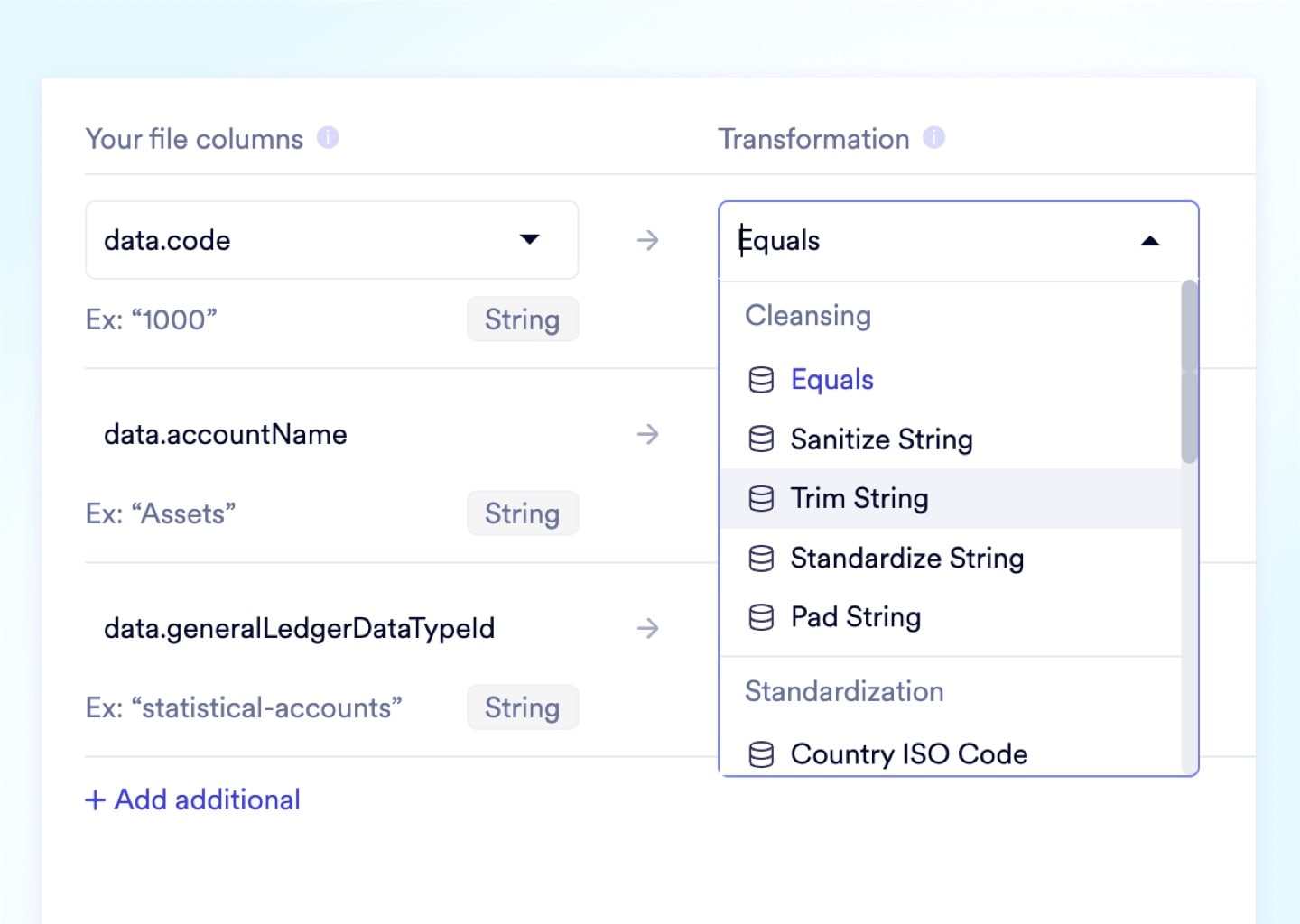
Naologic's import engine handles more than column matching. Apply up to three layers of mid-flight transformation per column - text normalization, date reformatting, special character removal - before the data reaches the database schema. No pre-scrubbing in Excel. No IT ticket. No consultant.

Mid-flight data transformations

Run "Capitalize all text," "Remove special characters," or date-format normalization on any source column during the import - applied before the data ever touches the destination schema.
Upload media

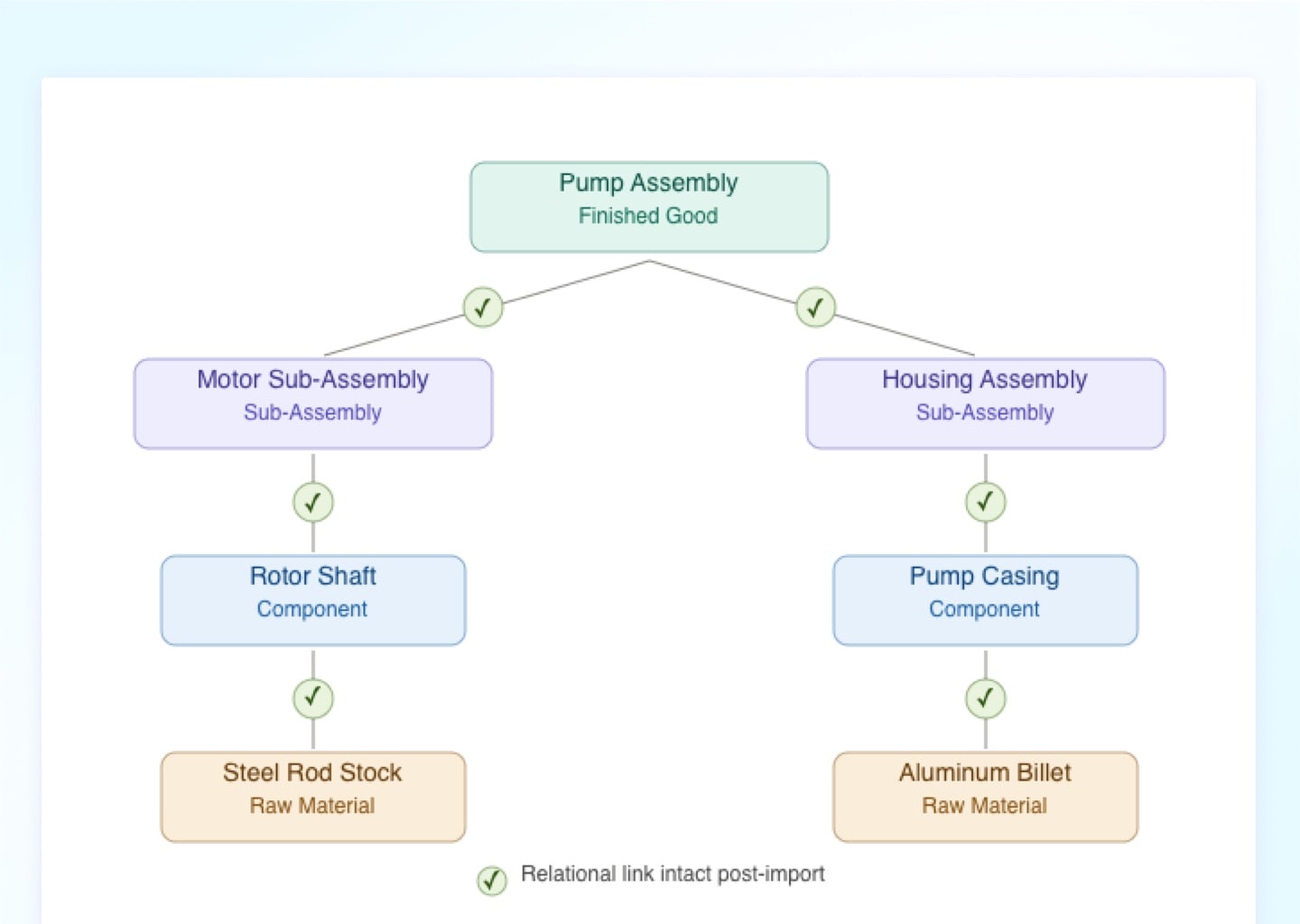
Nested BOM and sub-assembly import

The importer natively resolves parent-child relationships. Multi-level Bills of Materials, routing steps, and sub-assembly dependencies import with every relational link preserved.
Upload media

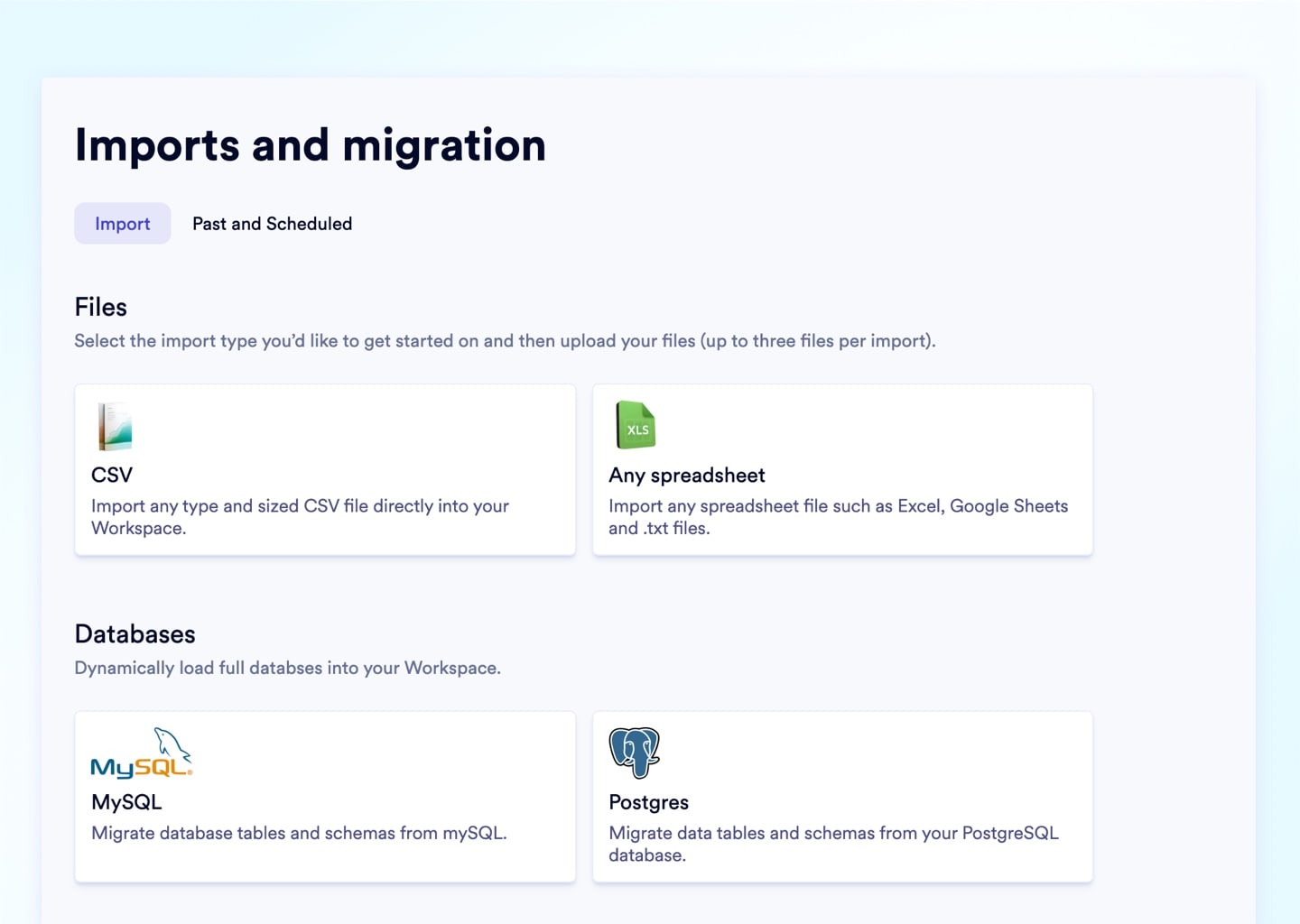
Direct MySQL and PostgreSQL connectors

Skip the CSV export entirely. Connect Naologic directly to your source database, query the tables you need, and map them to the destination schema inside a single Import Wizard session.
Upload media

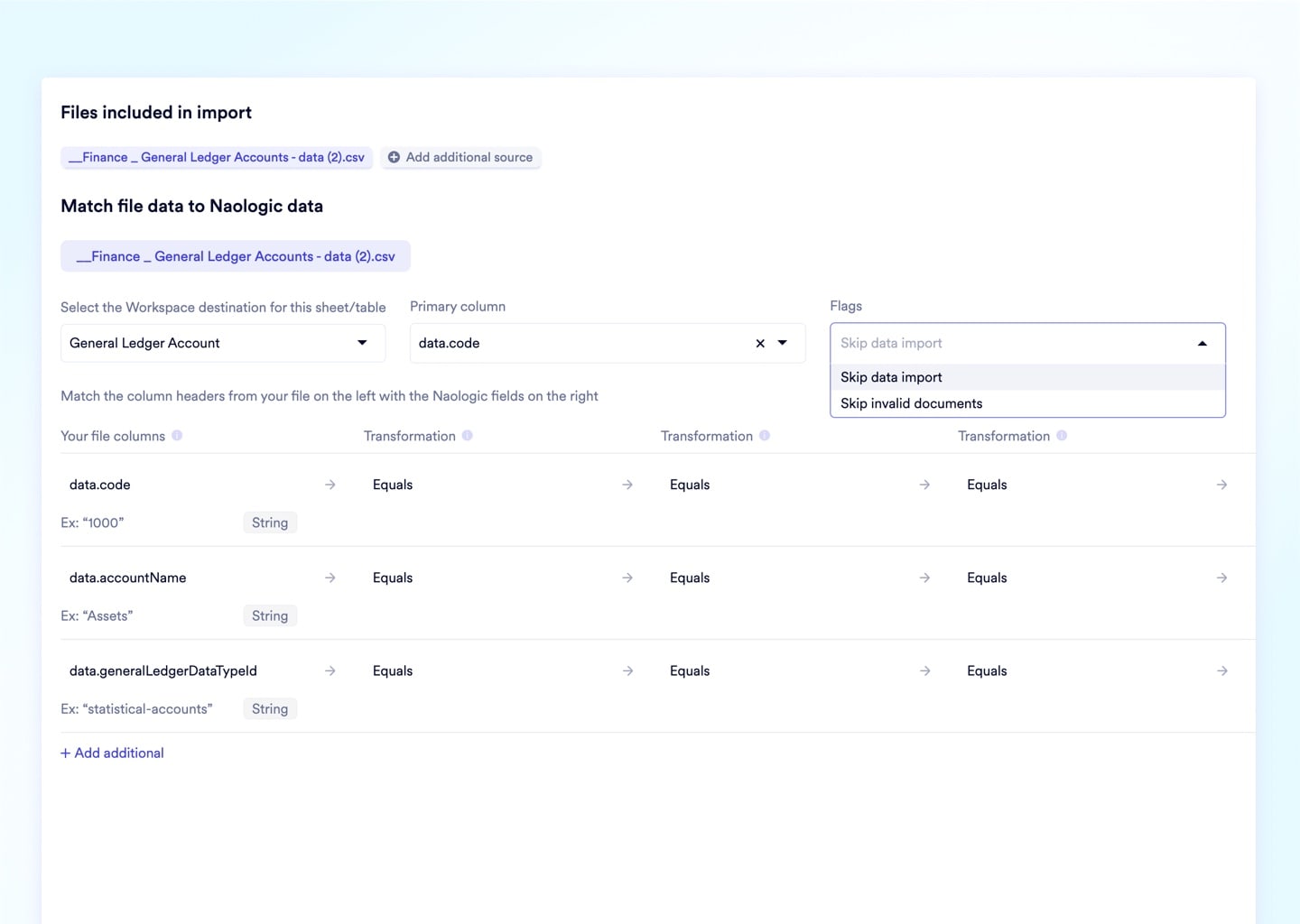
Skip-row conditions for selective ingestion

Define conditional exclusion rules to bypass archived customers, zero-quantity inventory lines, or voided transactions during import - without modifying the original source file.
Upload media
Pre-Import Validation

Fix 10,000-Row Import Errors in the Browser, Not in Excel

Legacy ERP importers force all-or-nothing gambles - one misformatted date field in a 10,000-row file crashes the entire upload with a cryptic database error code. Naologic's Live Preview validates every mapped row against database constraints before execution, surfacing errors by row number and field name so your IT team resolves them in the browser.

Row-level error isolation
Field-specific validation messages
Zero all-or-nothing file failures
Fix errors in-browser, no re-export
Re-validate without re-uploading
Full audit log of every import action
Integration Ecosystem

Connect Your Entire Stack - From Bank Feeds to Developer APIs

Pre-Built Integration Hub

uthenticate with hundreds of OAuth and API connectors for payment gateways, tax platforms, shipping carriers, and lead enrichment tools - all from a single interface with no custom code.

  • Avalara for real-time tax calculation
  • EasyPost for multi-carrier rate comparison
  • ZoomInfo for automated CRM lead sourcing
  • Plaid for automated daily bank syncing
  • FedEx, UPS, USPS carrier API connections

REST API and Scoped Auth Tokens

Generate scoped Bearer Tokens (Read/Write/Full Access) in seconds from Developer Settings, then build custom integrations against any external system using auto-generated Swagger documentation.

  • Open REST API architecture
  • Read/Write/Full Access token scoping
  • Auto-generated Swagger endpoint docs
  • Developer Workbench sandbox environment
  • Webhook support for event-driven triggers

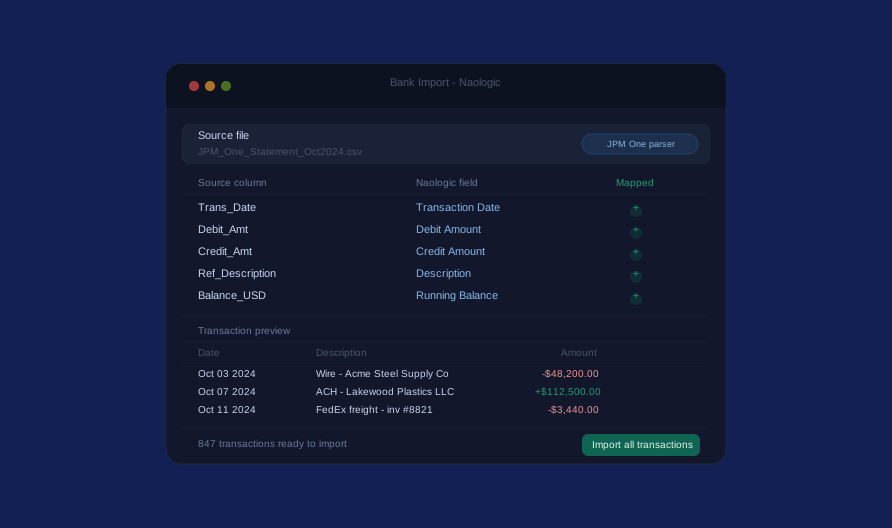
Universal Bank Statement Import

Upload CSV or Excel exports from any regional bank, map columns once using the visual matching interface, and Naologic populates hundreds of transactions into your ledger in seconds.

  • Map columns once, reuse the configuration
  • Supports any CSV/XLSX bank export format
  • Visual field alignment interface
  • Batch ingestion of hundreds of transactions
  • Manual transaction injection for offline entries

.P. Morgan One Import Tool

J.P. Morgan restricts direct API access. Naologic built a dedicated one-click parser hardcoded to JPM One's exact proprietary export column structure - no spreadsheet reformatting required.

  • One-click JPM One ingestion
  • Bypasses the standard mapping wizard
  • Hardcoded JPM One schema parser
  • No manual column reformatting
  • Full audit trail of ingested transactions

Free White-Glove Migration

Extract Your Full History from GlobalShop, JobBoss, DelmiaWorks, or NetSuite - at No Cost

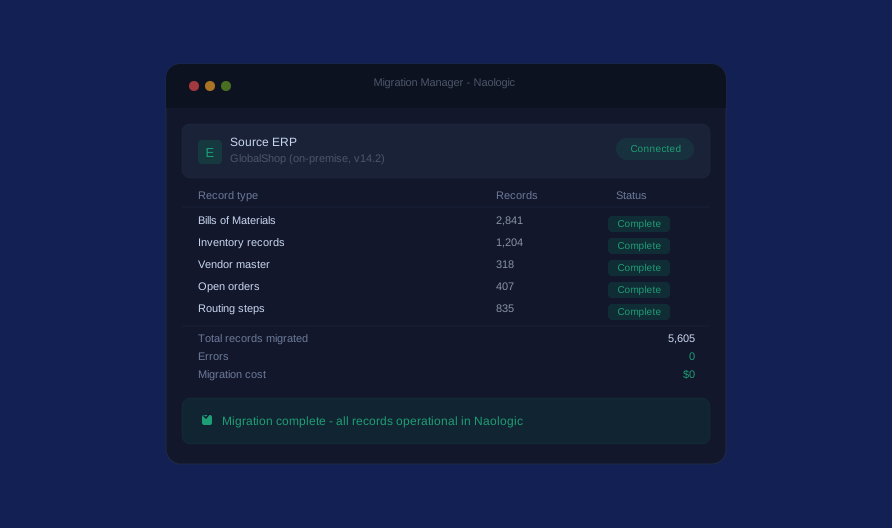
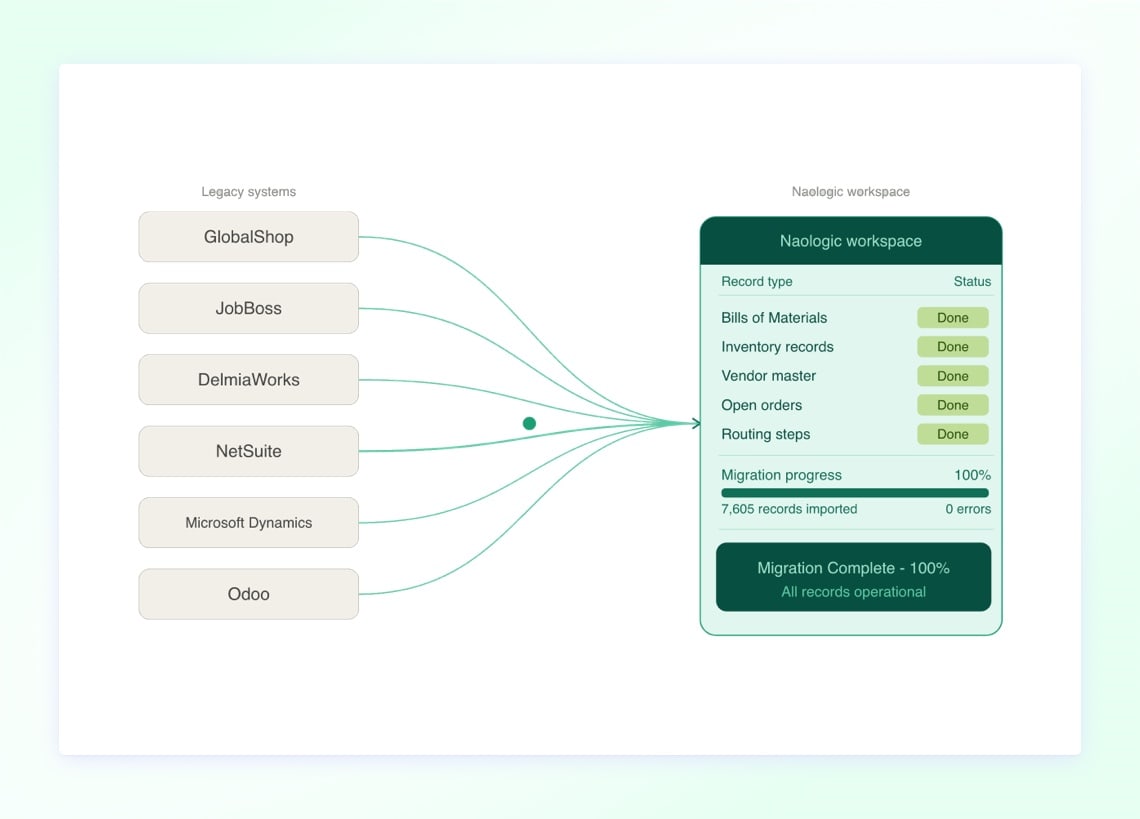
Naologic built custom extraction toolkits for the six most common legacy manufacturing ERPs. Our implementation team deploys proprietary connector scripts - or secure on-premise extraction protocols for local legacy systems - and works directly with your team until every BOM, inventory record, vendor list, and open order is fully operational in the new workspace. Migration is included for all customers with no consulting fees and no third-party project timelines. Image: Side-by-side showing legacy ERP logos (GlobalShop, JobBoss, DelmiaWorks, NetSuite, Microsoft Dynamics, Odoo) on the left with directed arrows pointing into the Naologic workspace dashboard on the right, overlaid with a "Migration Complete - 100%" progress indicator.
Drop image here

Three paths to clean, committed data. Whether you're importing a spreadsheet, syncing a bank feed, or migrating a full legacy ERP, Naologic handles every scenario with the same zero-downtime architecture and no all-or-nothing failure risk.

Add image in properties

Self-serve file import Upload CSV, XLSX, or SQL files from any source. Map columns visually, apply mid-flight transformations, validate every row, and commit - entirely in the browser, no IT ticket required.

Explore the Import Wizard
Add image in properties

Bank statement ingestion Upload statement exports from any bank in the world and map columns once using the visual tool - or use the dedicated JPM One one-click parser for J.P. Morgan accounts.

See Bank Import
Add image in properties

Managed ERP migration Our implementation team deploys custom extraction connectors for GlobalShop, JobBoss, DelmiaWorks, NetSuite, and on-premise systems. Included at no cost for every customer.

Start Your Migration

Complete Feature Coverage

Every Import, Migration, and Integration Capability - Documented

From a single spreadsheet upload to a full legacy ERP extraction, Naologic covers the complete data onboarding lifecycle. All capabilities are accessible directly from the relevant module's Import Wizard or from the global Integrations hub.

Multi-dimensional data transformations

Apply up to three transformation layers per column during import - text capitalization, special character removal, date-format normalization - executed mid-flight before the data is committed to the destination schema.

Live pre-import validation

The Live Preview tab validates every mapped row against database constraints in real time before execution. Error flags include the row number, field name, and a plain-language description of the conflict.

Persistent column mapping

Save your field mapping configuration between import sessions. Re-upload an updated source file without reconfiguring the mapper - column pairings persist across re-uploads.

Skip-row conditions

Define conditional exclusion logic to bypass archived records, zero-value rows, or voided transactions during import without modifying the original source file.

Partial success handling

Clean rows commit independently of flagged rows. A 10,000-row file with 3 validation errors imports the 9,997 valid records successfully - no all-or-nothing failure.

Multi-file import support

Load multiple source files into a single import session, merging them into the same destination module in one execution.

Data Portability

Every Naologic Table Exports to CSV in One Click

Data portability is a design principle, not an add-on. Every grid across the entire workspace - inventory records, production orders, AR aging, purchase history, sales pipeline - carries a universal export button that compiles the currently visible, filtered rows into a CSV file. No admin ticket. No IT request. No DBA involvement.

See System Alerts
Inventory records
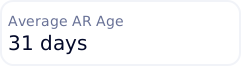
Accounts Receivable aging
Manufacturing orders
Purchase order history
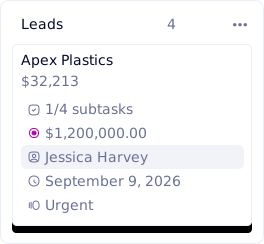
Sales pipeline

What Every Customer Gets at Go-Live

Data migration is fully included. From the first file upload to fully operational historical records, Naologic handles every layer of the onboarding process - including managed extraction from your current legacy ERP.

  • Free managed migration from 6+ legacy ERPs
  • Visual ETL pipeline with drag-and-drop column mapping
  • Live pre-import validation with inline error resolution
  • Partial success imports - no all-or-nothing failures
  • Direct MySQL and PostgreSQL source database connectors
  • Universal bank statement CSV import and JPM One parser
  • Hundreds of pre-built OAuth and API integration connectors
  • REST API access with scoped Bearer Token generation
  • One-click CSV export on every table across the workspace
Book a Demo
Migration Tool Comparison

Naologic Imports vs. DelmiaWorks vs. GlobalShop vs. QuickBooks

Legacy ERP importers were built for IT teams with dedicated database administrators and months of runway. Naologic's import engine was built for manufacturers who need to own their own data migration.

Multi-level BOM import
Live pre-import validation
Partial success handling
Inline error resolution
Mid-flight data transformations
Non-conformance report generation
Direct MySQL/PostgreSQL connection
Re-upload without losing mapping
Free managed migration service
Pre-built legacy ERP connectors
No consultant required
Naologic
DelmiaWorks
GlobalShop
Consultant required
Consultant required
Requires QMS module purchase
Paid consulting
Paid consulting
12 ERPs

Zero-Downtime Data Migration

Your 10-Year Production History Transfers Intact

Naologic's implementation team has migrated manufacturers off GlobalShop, JobBoss, DelmiaWorks, NetSuite, and on-premise systems across dozens of engagements. Your historical BOMs, inventory records, vendor master data, and open orders transfer with relational dependencies preserved. You go live with a full operational history - not a blank database and a spreadsheet backlog.

Import your data. Not a consultant's invoice. Every Naologic customer gets free white-glove migration, a proprietary ETL pipeline with live pre-import validation, and a pre-validated path from legacy ERP to live production data.