





Shop Floor Execution

Every Job Scheduled. Every Part Confirmed. Every Minute Accounted For.

One mobile-native execution engine replaces your dispatch list, phantom-inventory hunts, and end-of-shift paper batch entry. Operators clock in from a tablet; you see it instantly on the Gantt.

Logo 1
Logo 2
Logo 3
Logo 4

Daily Floor Reality

3 Breakdowns That Drain 4 Hours From Every Shift

What a production manager loses to a legacy ERP before noon.

4 hrs

Average productive time lost per shift to manual rescheduling, phantom inventory hunts, and end-of-shift paper data entry.

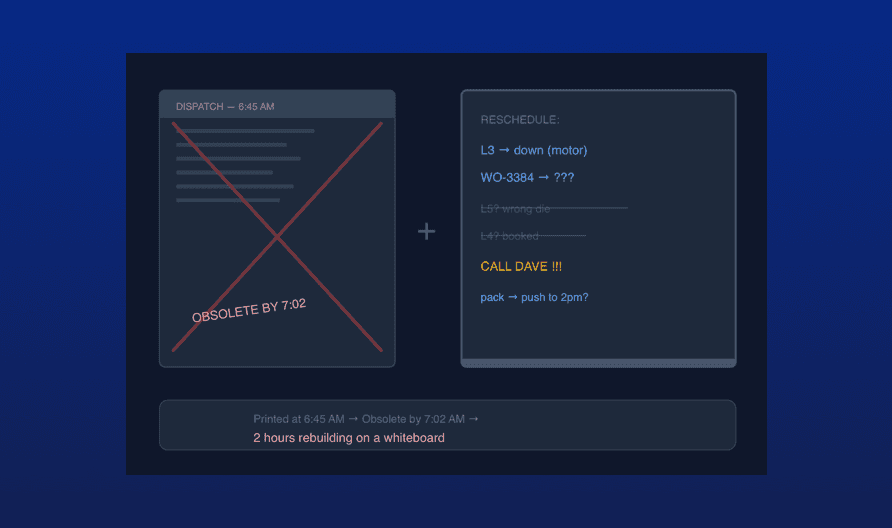
The 7:00 AM Schedule Collapse

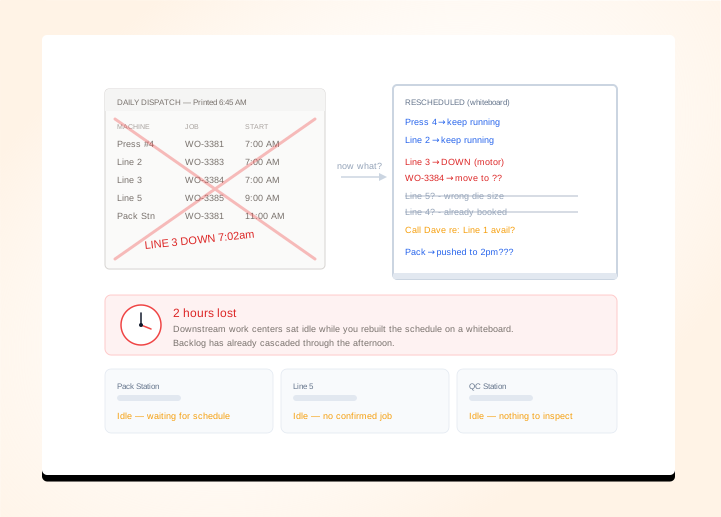
A machine goes down and your ERP's printed dispatch list is instantly obsolete - GlobalShop and DELMIAWorks offer no drag-and-drop Gantt that reflects live machine status, so you rebuild the day on a whiteboard while downstream work centers sit idle. Two hours of rescheduling later, the backlog has already cascaded through the afternoon.

The Starved Work Center and the Phantom Part

The End-of-Shift Data Entry Session

Upload an image or video

Replace Your Whiteboard, Paper Travelers, and Bolt-On MES With One Native Platform

Drag-and-Drop Schedule Recovery When a machine goes down, drag its jobs to available work centers directly on the Gantt. Reflow scheduling automatically compresses the remaining timeline so idle gaps disappear - no manual math, no whiteboard.

See Scheduling Features

Material Lock Before the Job Starts Raw material planning cross-references every BOM against live inventory before releasing a job to the floor. If a component is short, the system flags it and generates a purchase request before the operator ever touches the machine.

See Inventory Planning

Barcode-Driven Job Sheets, Zero Paper Operators clock into jobs from touch-native tablets; setup, run, and cleanup time are tracked as separate phases, and scrap is logged in real time - eliminating paper travelers and the end-of-shift batch entry entirely.

See Shop Floor Features

Scrap Rate Down. Machine Utilization Up. Paper Travelers Gone.

80%

Less Time Rescheduling Per Shift

<5 min

To Recover a Broken Schedule via Reflow

35%

Scrap Rate Reduction Reported

0

Paper Travelers With Mobile-Native Job Sheets

Production Scheduling

Fix a Broken Schedule in Under 5 Minutes, Not 5 Hours

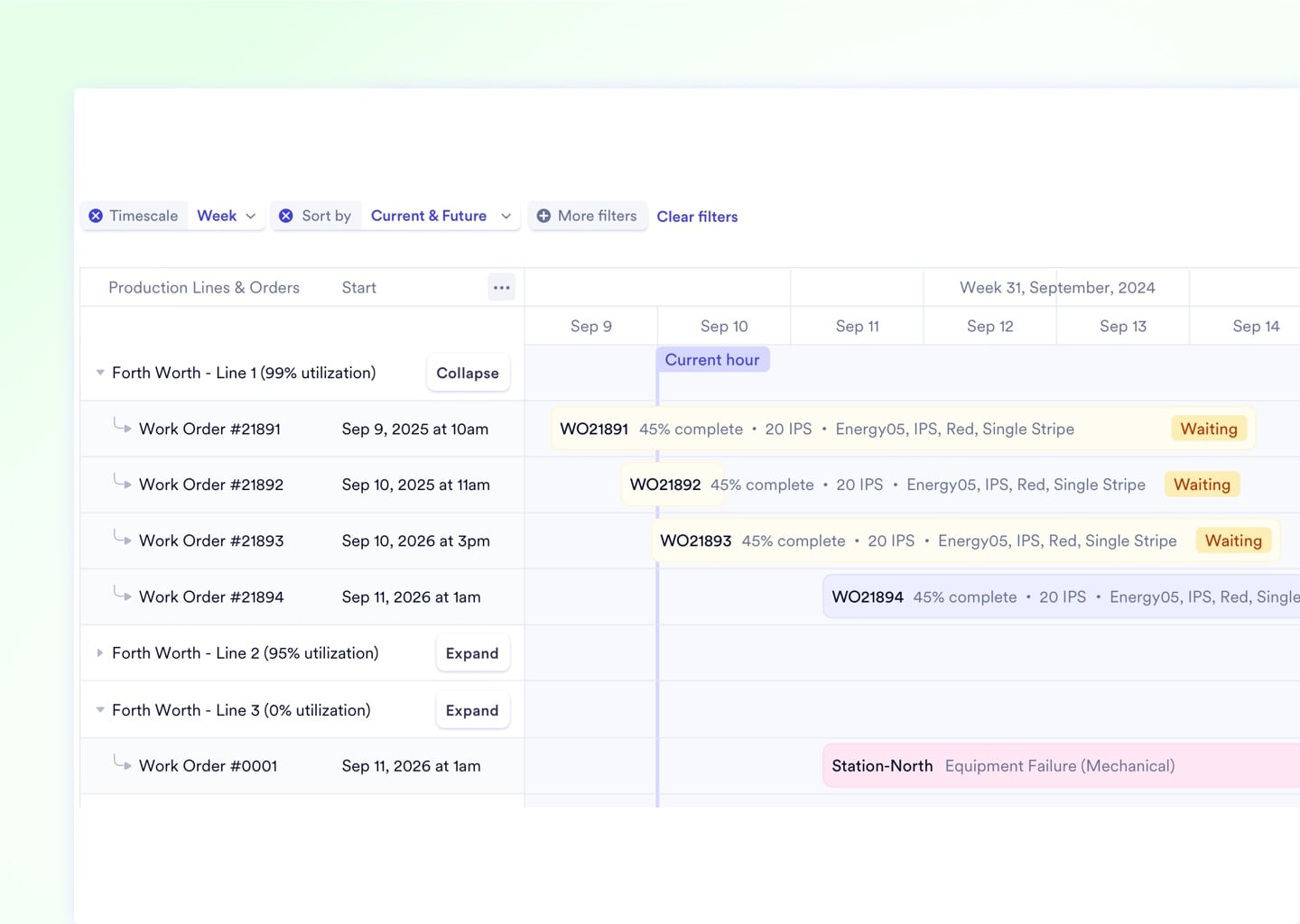
The interactive Gantt timeline groups every job by work center and supports drag-and-drop resequencing without ever freezing at enterprise-scale loads. When a machine goes down, move its jobs in three clicks - then trigger one-click Reflow to pull every queued job forward and eliminate dead time automatically.

Drag jobs between work centers with one click
Reflow scheduling fills idle gaps automatically
Filters isolate a single machine, facility, or priority tier
Partial changeover matrix groups similar jobs to cut tooling transition time
Work center capacity rules block impossible overbooks before they happen
Add images via component properties

4 Capabilities That Stop the 4 Biggest Shift-Level Time Losses

From scrap spikes to missing timesheets, these four features address the issues that drain 2+ hours from every production shift - and solve them before the problem reaches the manager's desk.

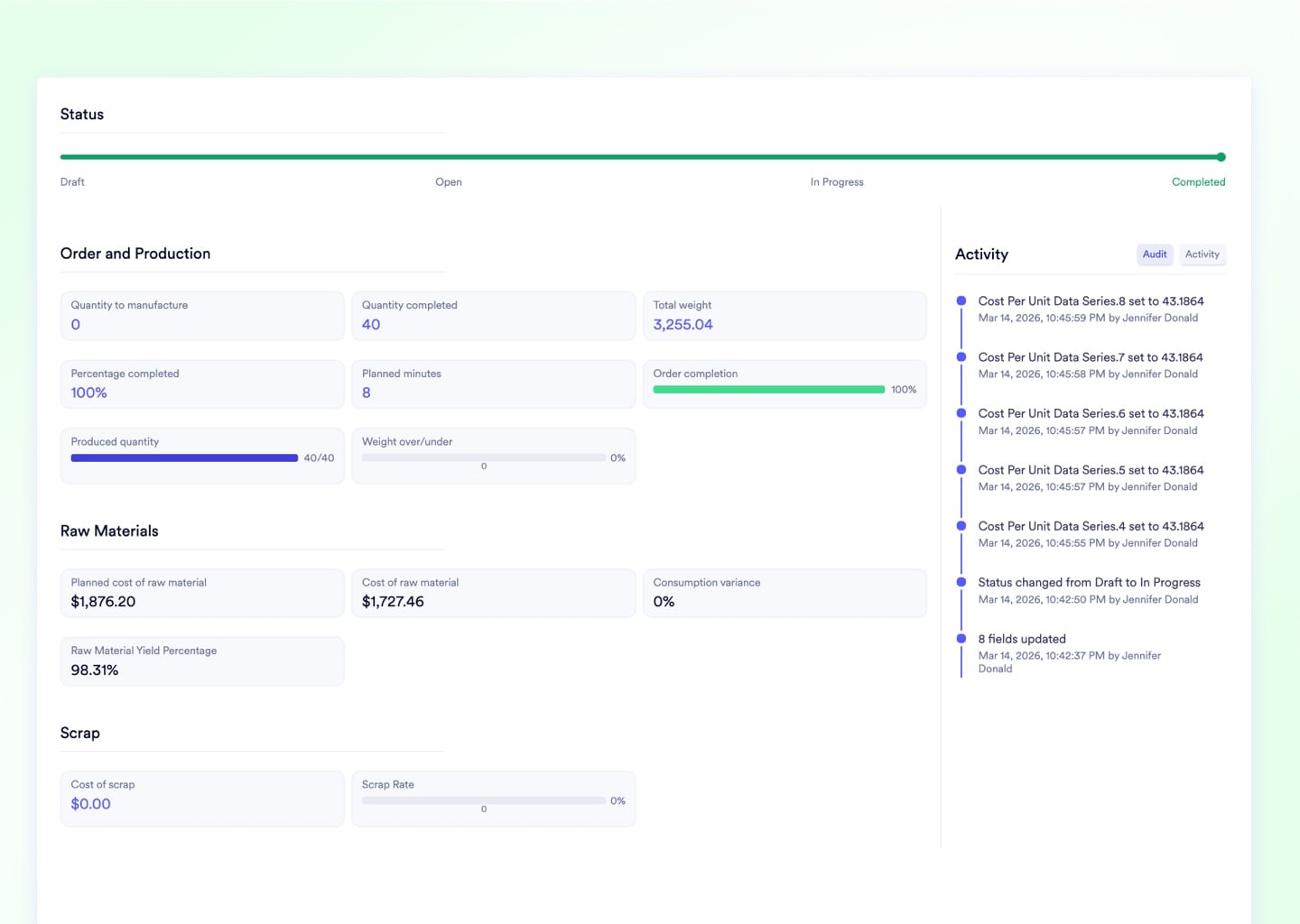
Live Scrap Rate per Active Job

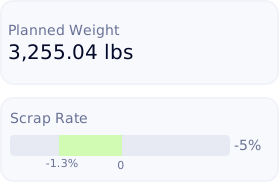
Scrap percentages are visualized directly on every active manufacturing order in real time. If waste breaches your acceptable threshold mid-run, a red alert fires so you can stop the machine before the margin disappears.
Upload media

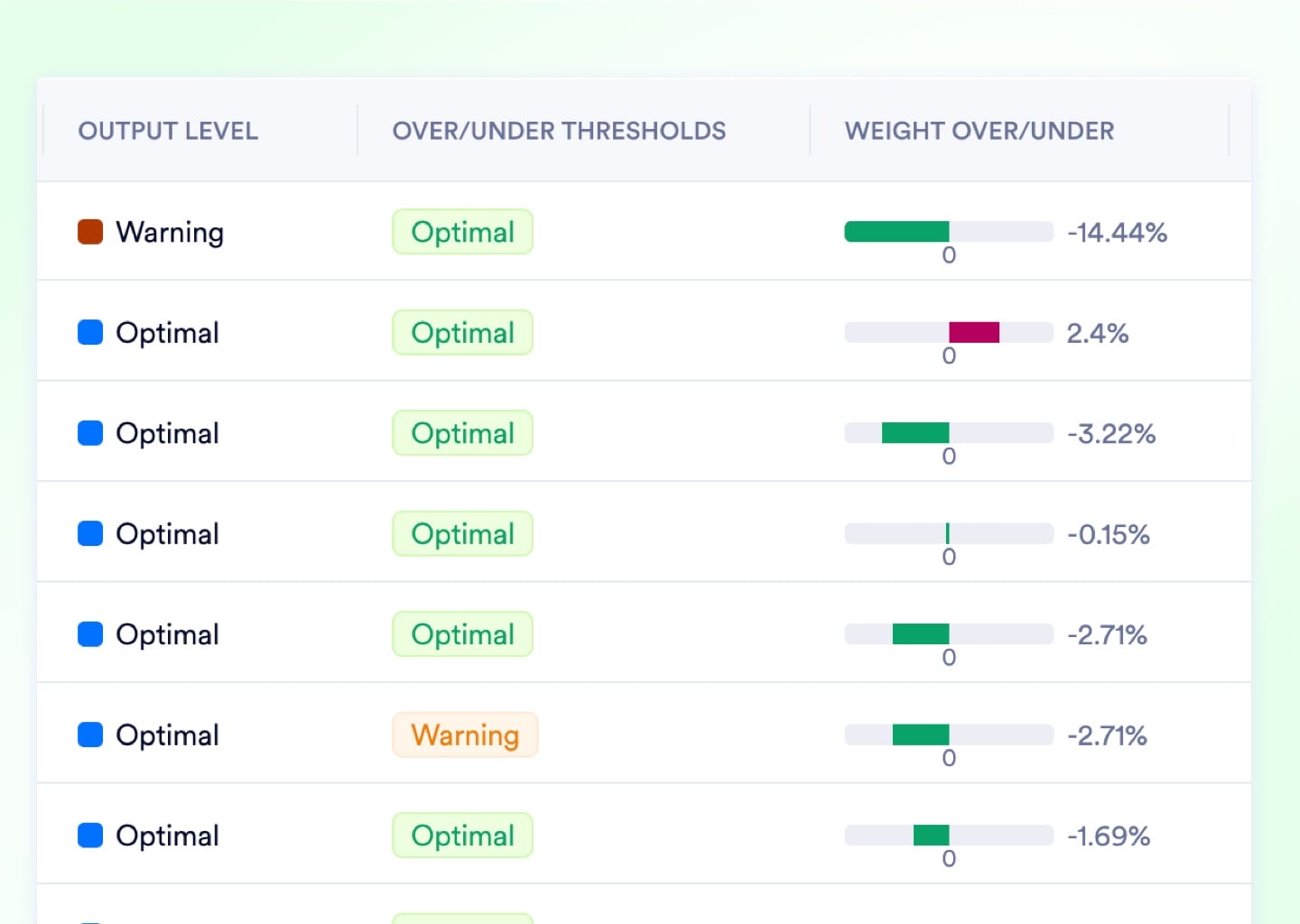
Over/Under Weight Alerts While the Job Runs

Intelligent weight visualizations continuously compare actual output against theoretical BOM calculations. If an operator is running heavy and wasting expensive raw material, a visual scale-alert reaches management before the job ends.
Upload media

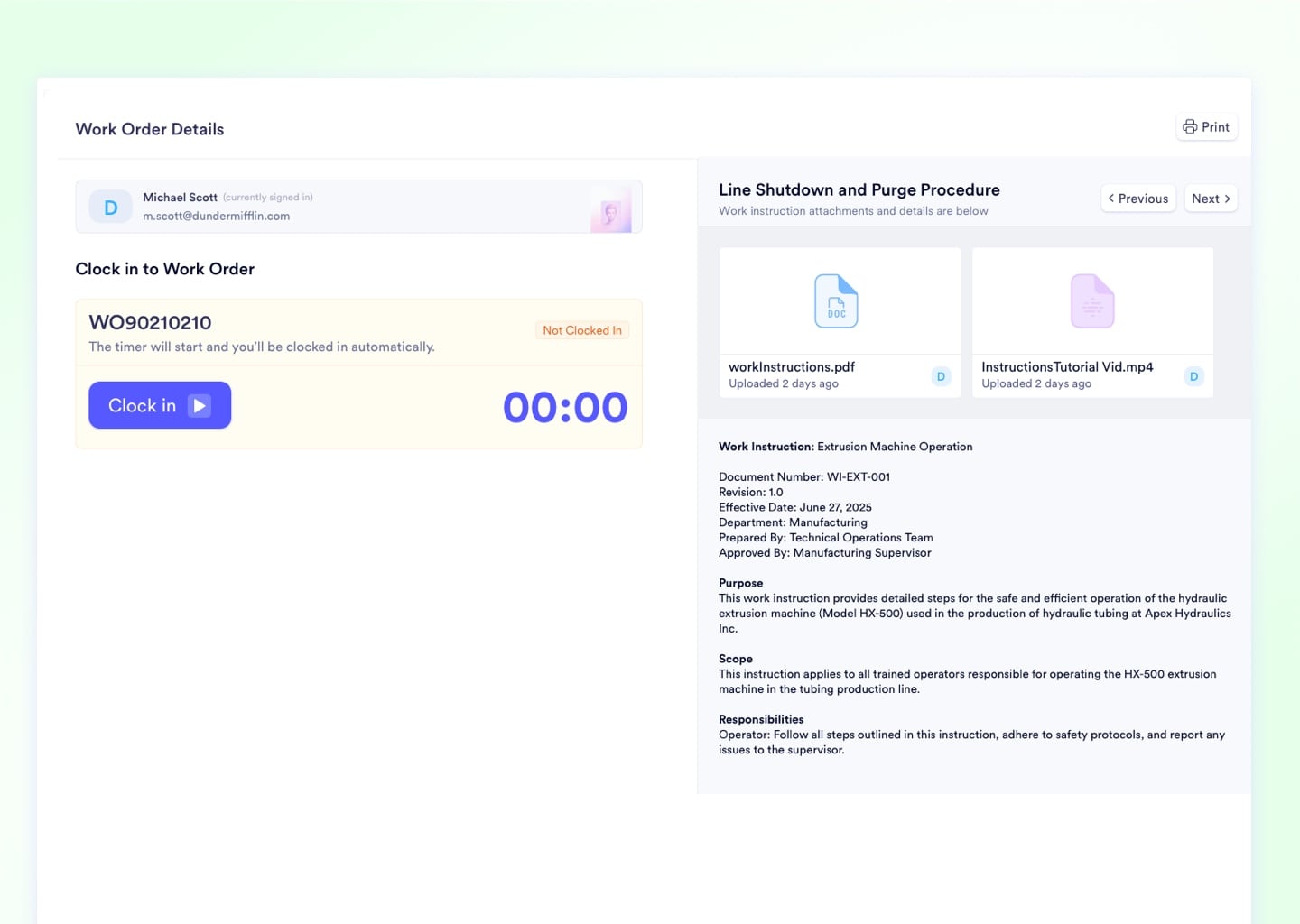
Tablet Clock-In That Captures Exact Labor Cost

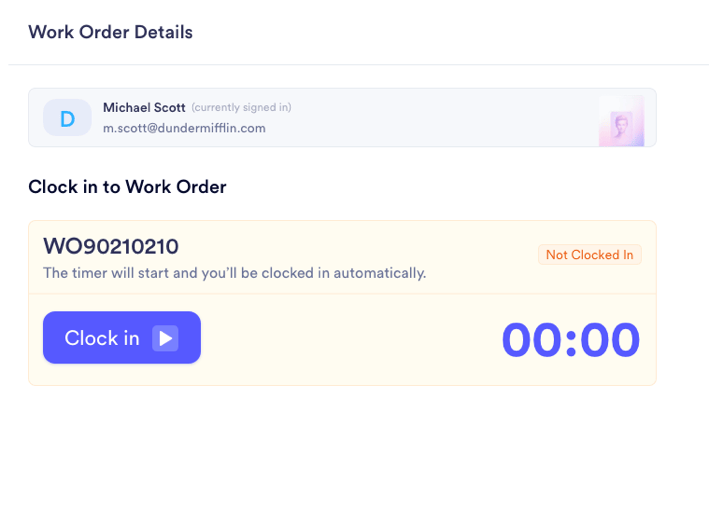
Operators tap Clock In at the start of a job and Clock Out when they finish - exact time is captured to the second and allocated as labor cost directly to the work order. No paper timesheet, no end-of-shift guessing.
Upload media

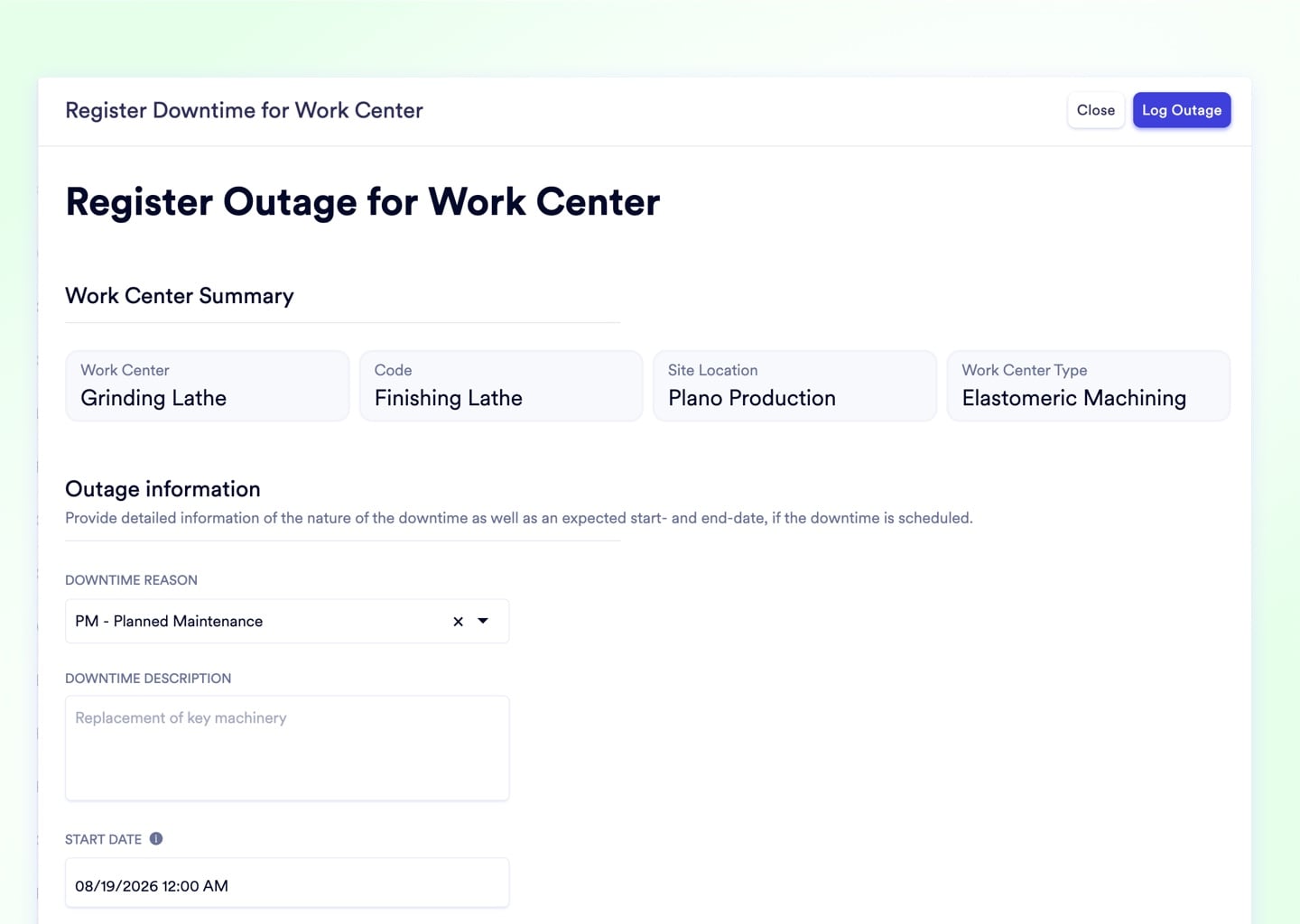
Downtime Logged, Schedule Blocked Instantly

When an operator logs a downtime event from their tablet, the system places a maintenance block on the Gantt in real time and stops routing new jobs to the broken machine. The backlog stops forming the moment the machine stops.
Upload media

Execution Sub-Modules

8 Native Modules That Cover Every Shift from 6:00 AM to End-of-Day Close

Manufacturing Orders

Central execution hub linking BOM, routing, and work centers. Real-time produced quantity progress bars update as operators log output on their tablets, giving managers instant floor visibility without walking the line.

Production Scheduling

Interactive, drag-and-drop Gantt grouped by work center - filter to a single machine or facility, set changeover matrices to minimize color and tooling transitions, and recover from a machine breakdown in under 5 minutes.

Shop Floor Job Sheets

Touch-native tablet interfaces with large Clock In/Clock Out buttons, step-by-step work instructions, and real-time scrap logging. Paper travelers are eliminated entirely - operators never leave their machine to update the system.

Work Center Management

Define capacity windows, SKU-specific output rates, minimum batch quantities, and partial changeover time penalties per machine. The scheduler uses this granular data to build production plans that are physically possible to execute.

Shift Management

Employees clock into their master shift on a tablet instead of a door-side punch clock. Every scrap log and output metric is permanently tagged to the active shift, enabling direct Day Shift vs. Night Shift performance comparisons.

Employee Timesheets

Managers execute back-dated clock-in/clock-out corrections from a centralized admin console. All edits are logged in the audit trail, and the consolidated timesheet eliminates end-of-shift manual payroll reconciliation.

Raw Material Planning

Availability check on manufacturing order creation cross-references every BOM component against live inventory. Shortages are flagged instantly and purchase requests are auto-generated before the job is ever released to the floor.

Rework Orders

When a batch fails, route it back through the factory via a dedicated rework workflow that captures supplementary labor hours and material costs against the Cost of Poor Quality bucket - making the true impact of defects visible.

Three tools production managers are replacing. The whiteboard dispatch list, the GlobalShop desktop terminal, and the bolt-on MES that doubled the ERP bill.

Add image in properties

The Whiteboard + Printed Dispatch List Static paper schedules are obsolete the moment one machine status changes. A live drag-and-drop Gantt replaces both - and updates in real time for every supervisor on the floor.

See the Gantt
Add image in properties

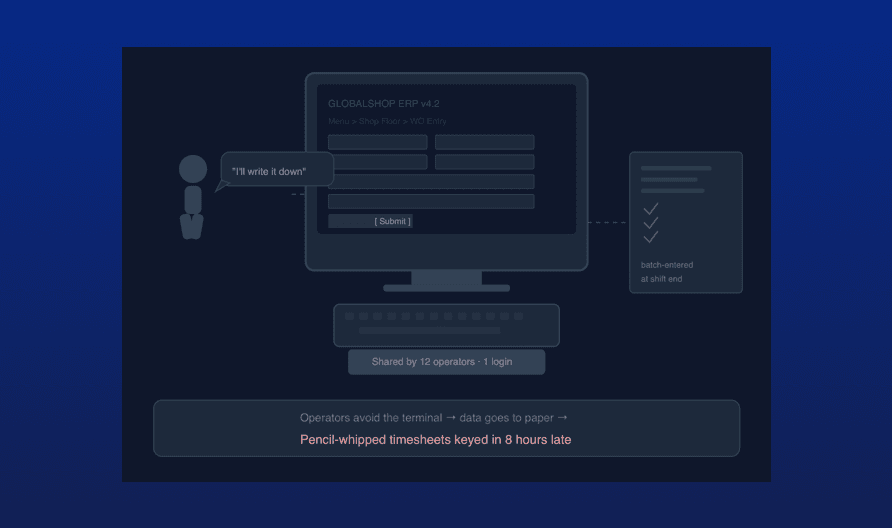
GlobalShop and DELMIAWorks Desktop Terminals Complex desktop interfaces force operators to walk to a shared terminal to log data, producing pencil-whipped timesheets and forcing managers into data-entry mode at shift end. Touch-native job sheets mount to any machine and work on any tablet.

See Job Sheets
Add image in properties

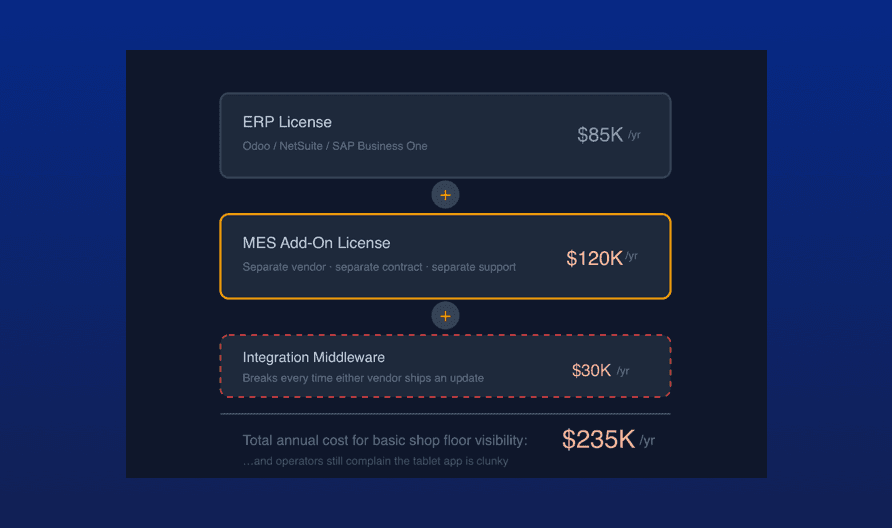
Third-Party MES Bolt-Ons Odoo and NetSuite require expensive MES add-ons just to give a worker a basic tablet interface - a separate license on top of an already expensive ERP. Naologic includes native shop floor execution with zero middleware and zero add-on fees.

See Full Feature List

Full Feature Coverage

No MES Add-On Required: Full Execution Coverage Ships Native

Every feature below is included in your Naologic subscription. No bolt-on middleware, no third-party MES license, no additional per-seat charges for the floor interface.

Manufacturing orders

Central execution hub linking BOM, routing, and work centers in a single object. Progress bars render produced vs. target quantity live as operators log output on their tablets.

Split manufacturing orders

Fragment a massive volume run into parallel batches and assign them across multiple machines simultaneously. Crush tight deadlines without sequential bottlenecks.

Move manufacturing orders

Drag any job to a different work center or facility directly from the Gantt. The queue updates instantly without losing the audit trail or breaking downstream job dependencies.

Rework orders

Route defective parts back through the factory via a dedicated rework workflow that captures every additional labor hour and material cost against the Cost of Poor Quality bucket.

See your Gantt, job sheets, and scrap alerts working live. Book a 30-minute demo and watch drag-and-drop scheduling, material confirmation, and real-time floor execution run on your product data - not a canned walkthrough.