Security & Compliance

Answer Any Auditor's Question in 3 Clicks

Every journal entry is permanently hyperlinked to its source document - whether a goods receipt, sales order, or invoice - so auditors get their answer in seconds. Granular posting permissions, mandatory 2FA, and immutable workspace audit trails close every financial vulnerability before your next review.

Add an image or video

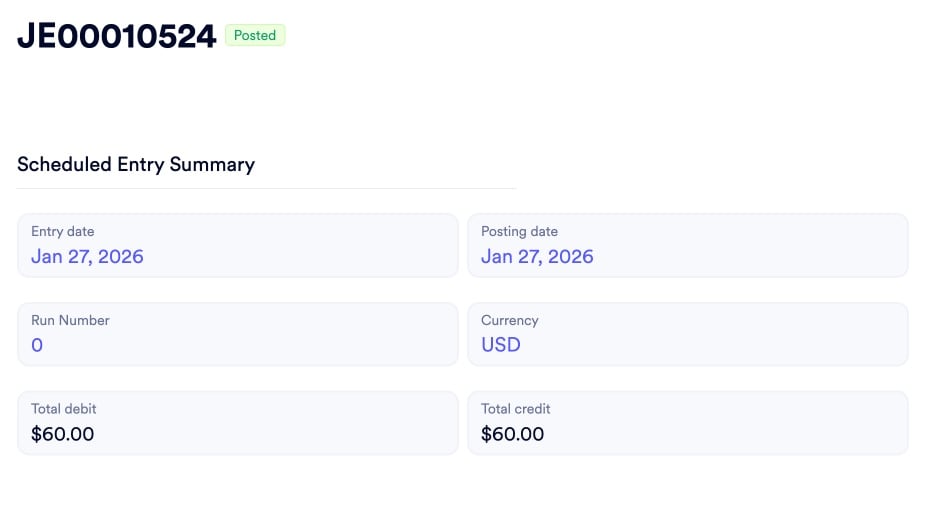
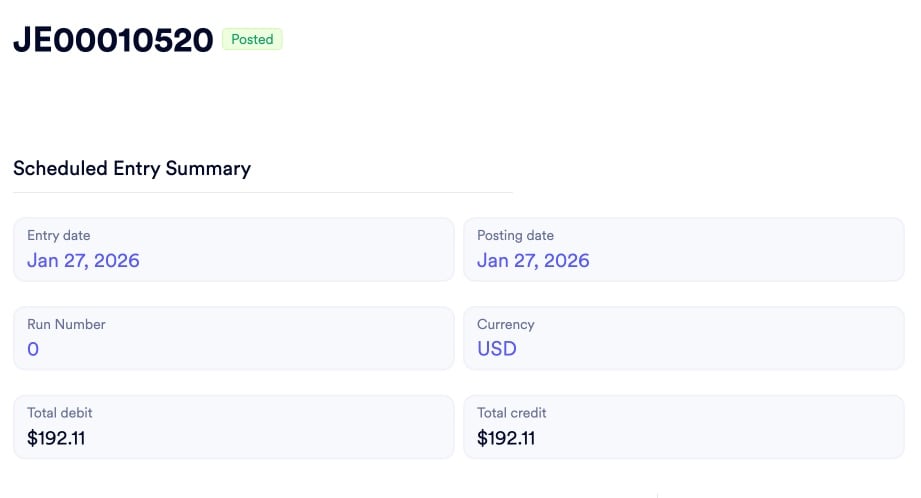
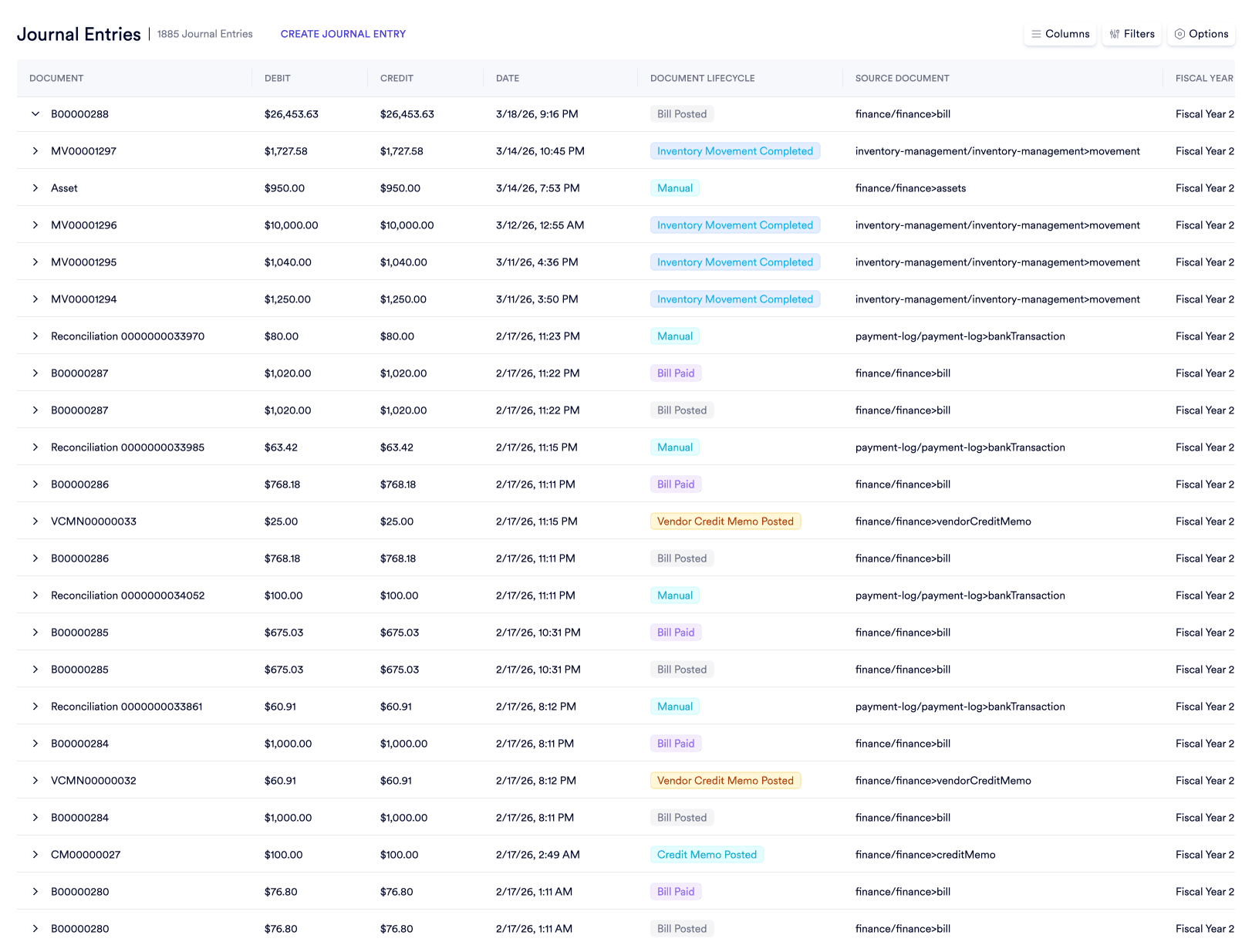
Immutable source document tracing. Every automated journal entry carries a permanent, clickable link back to the exact goods receipt or sales order that generated it - audit questions answered in seconds.

Explore audit trail

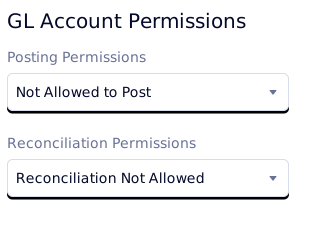
Granular financial firewalls. Separate custom posting permissions, reconciliation permissions, and journal template execution policies - three independent controls configured without custom scripting.

See posting controls

Zero-trust access enforcement. Mandate 2FA across every seat, issue independently scoped REST API tokens, and auto-expire guest credentials without a single IT ticket.

Review access controls

3 financial vulnerabilities that quietly cause mid-market manufacturers to fail external audits every year.

Add image in properties

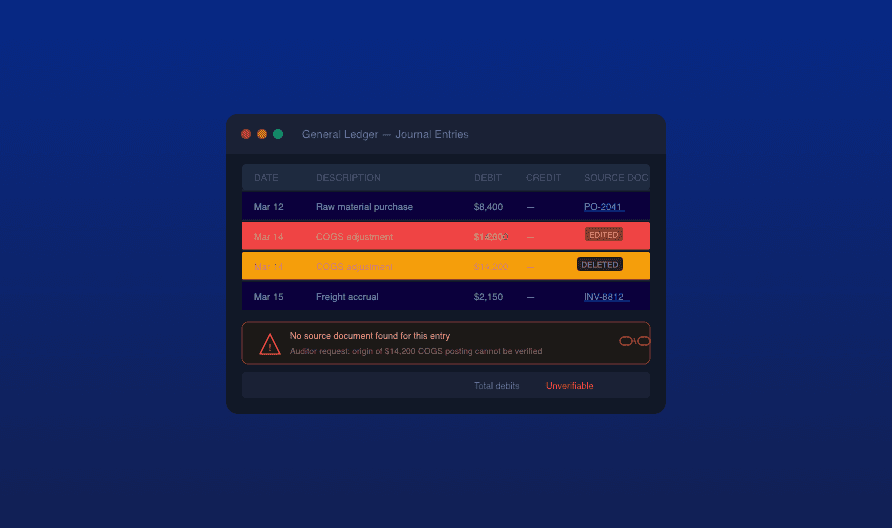
The Ghost Transaction Basic accounting systems allow users to alter or delete posted entries with no permanent link to the physical action that triggered them. When auditors demand proof, there is no direct path from the ledger to the original PO or goods receipt.

Why source document tracing matters
Add image in properties

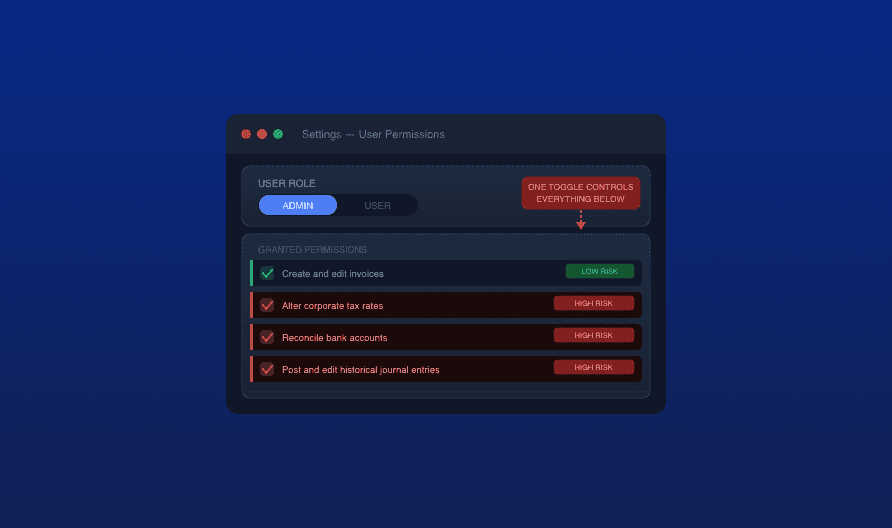
All-or-Nothing Financial Access Legacy ERPs bundle financial permissions together, so the clerk drafting invoices may also alter corporate tax rates, reconcile bank accounts, or post unapproved journal entries. This violates segregation of duties and opens the door to internal fraud or catastrophic data errors.

See granular posting controls
Add image in properties

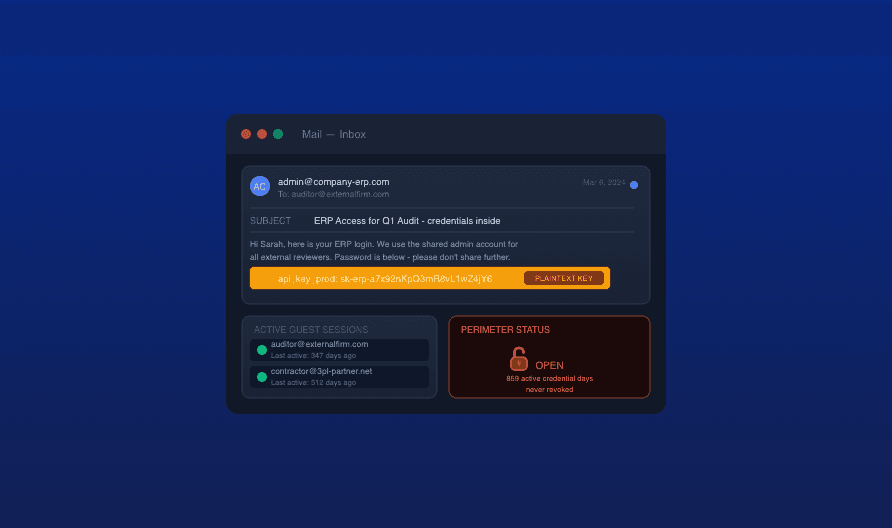
Unsecured Third-Party Portals Granting external auditors access through shared passwords or fully open API keys creates cybersecurity vulnerabilities that fail compliance checks instantly. Without scoped tokens and auto-expiring guest credentials, your perimeter stays open long after contractors leave.

Explore perimeter controls
Built-in compliance

Audit-Ready by Default - 4 Mechanical Guarantees, No Add-Ons

These controls are not configuration options - they are built into every transaction, every document, and every login in Naologic. Finance teams and IT Directors get complete forensic coverage without purchasing a separate compliance module.

100%
of workspace entries carry an immutable audit log - every Create, Read, Update, and Delete action is time-stamped and user-attributed
3
independent financial permission layers enforced out-of-box: custom posting controls, reconciliation controls, and template authorization
0
shared admin passwords required - every external integration runs on independently scoped, revocable Bearer tokens
10
single-use cryptographic backup codes generated per 2FA setup, so lost devices never lock out executives during critical deals
Workspace Audit Logs

Every Document, Every Edit, Traceable to the Exact Second

Every order, invoice, and journal entry in Naologic carries a permanent, immutable audit log that records exactly which user changed which data field - including the previous value, the new value, and the UTC timestamp. Toggle between a human-readable activity feed for routine review and a raw JSON state export for external auditors or forensic investigations.

Immutable log on every document
Exact user attribution per field change
Old vs. new value JSON state export
Source document hyperlink on every automated entry
Workspace-wide log accessible to authorized admins

4 Granular Firewalls Protecting Your General Ledger

Basic ERPs bundle financial permissions together - the user who drafts invoices may also have the ability to adjust tax rates or reconcile your bank accounts. Naologic decouples them: posting rights, reconciliation rights, template execution rights, and legal tax identifiers are each independently controlled.

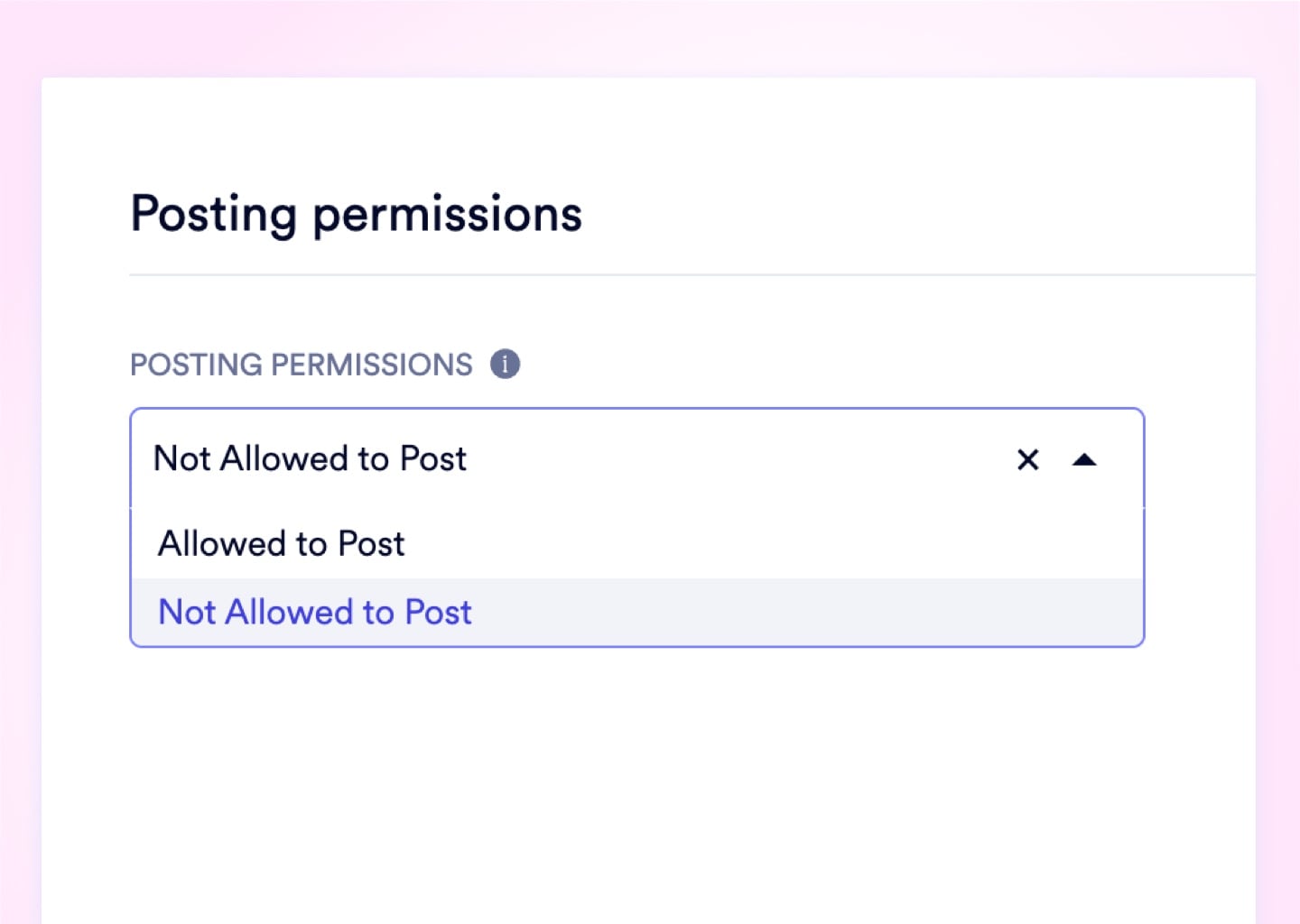
Custom Posting Permissions

Designate parent GL accounts as Header Accounts to physically prevent users from posting transactions to broad roll-up categories. Every journal entry is forced to the correct, granular sub-account - eliminating the accidental $10,000 mispost that ruins department budget tracking.
Upload media

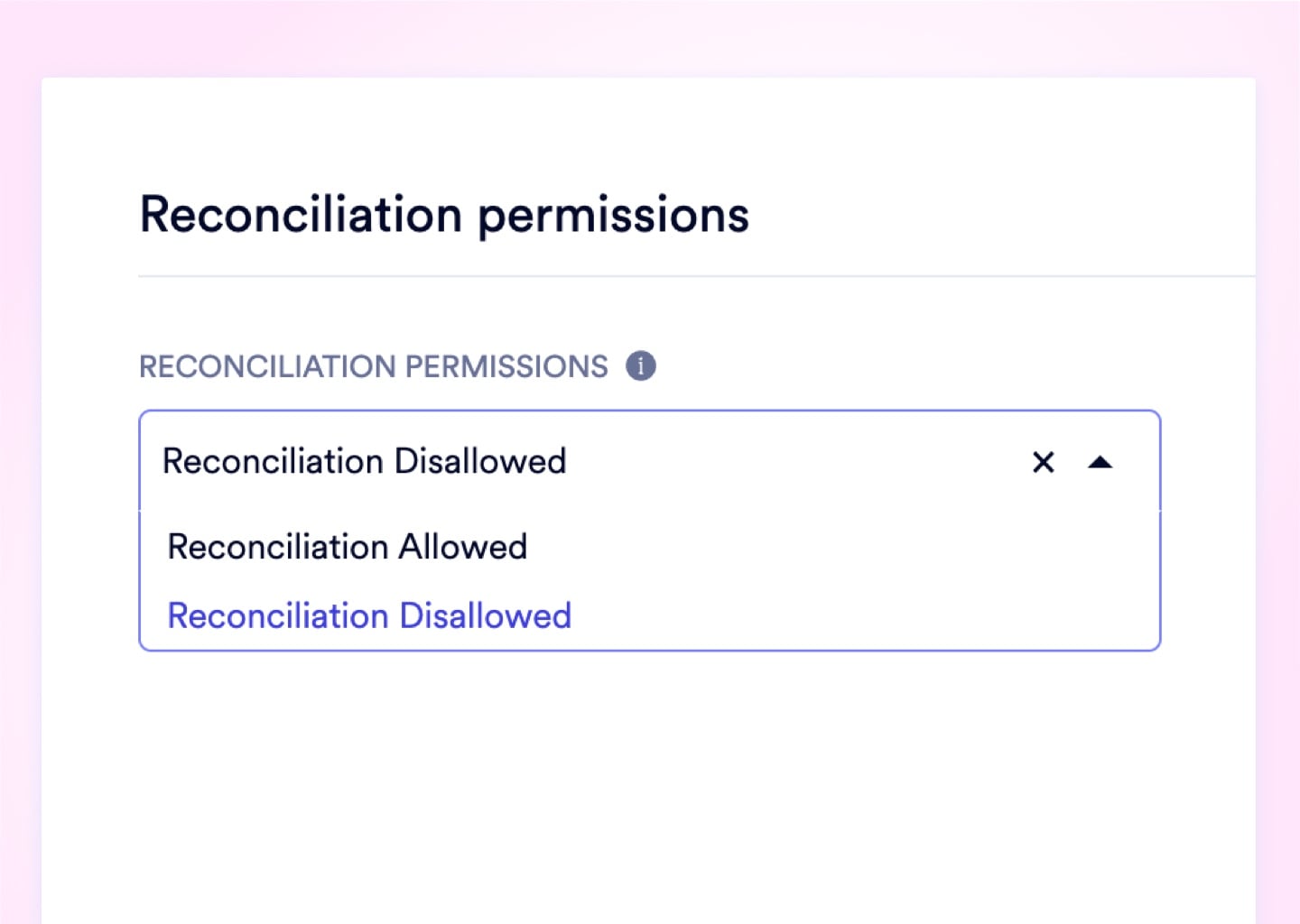
Reconciliation Permissions

Set per-account reconciliation rules to completely exclude internal clearing ledgers and depreciation accounts from your bank feed. Only cash-relevant GL activity surfaces in the month-end reconciliation workspace - zero noise, zero confusion.
Upload media

Journal Template Posting Permissions

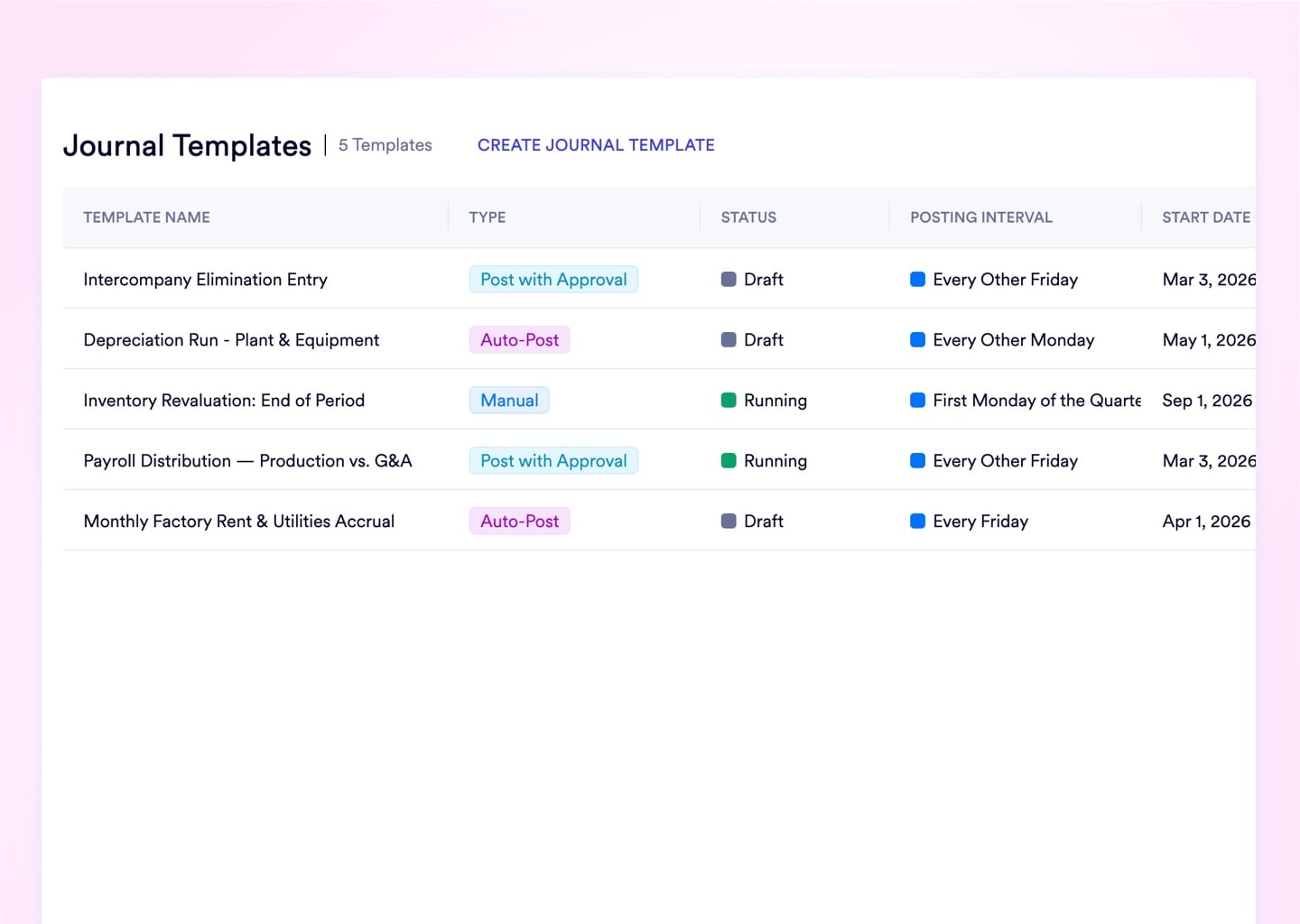
Choose auto-post, draft-for-approval, or manual review independently for each recurring journal template. Fixed expenses like rent auto-post; variable entries like utilities route to a draft queue for human sign-off before hitting the ledger.
Upload media

Tax Settings

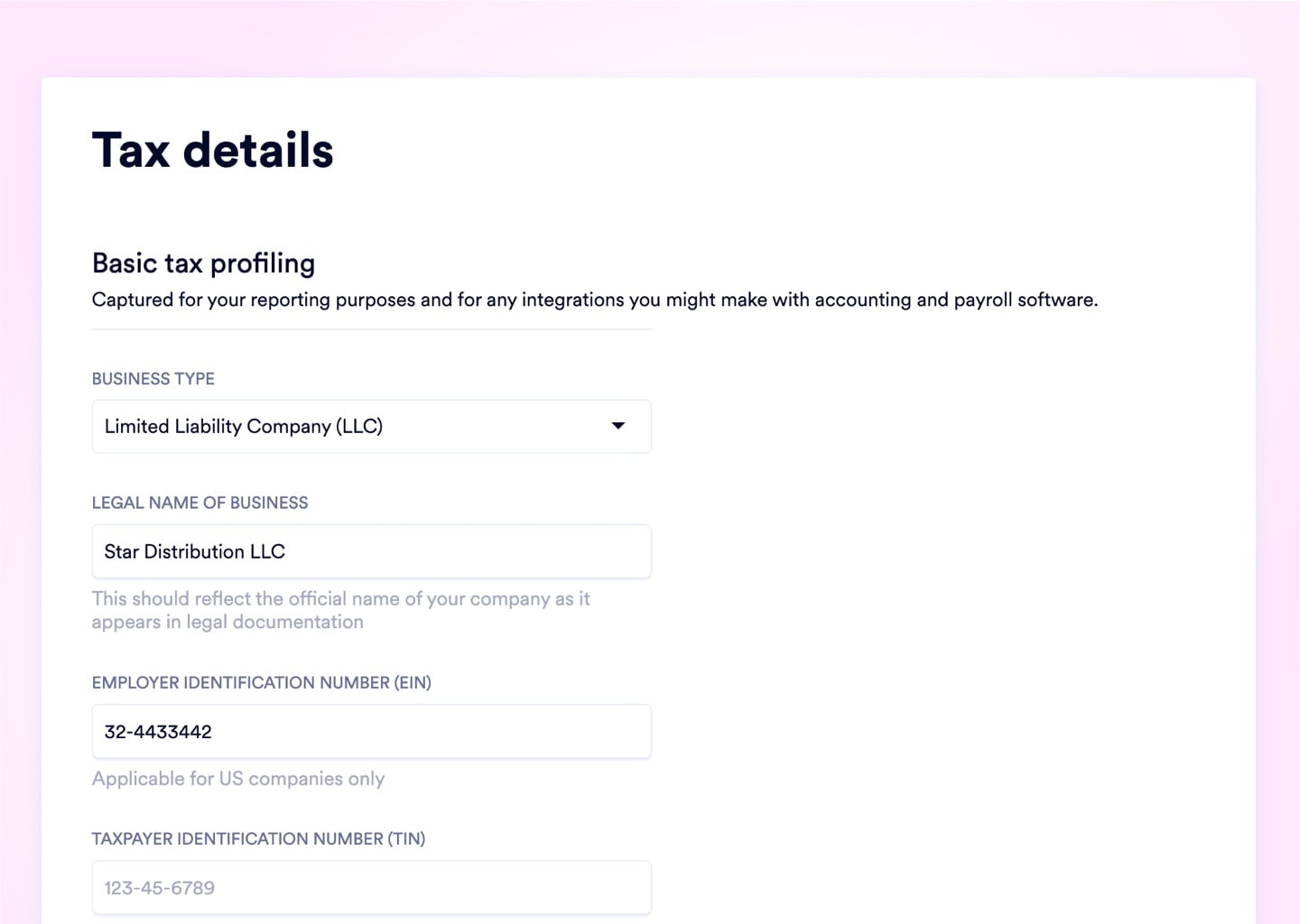
Store your exact legal entity name, EIN, and Taxpayer IDs in a secure registry that auto-populates IRS forms, customs declarations, and compliance reports. No manual data retrieval required every time a regulatory document is generated.
Upload media
Source Document Tracing

Every $14,000 COGS Entry Traced Back to Its Goods Receipt in 1 Click

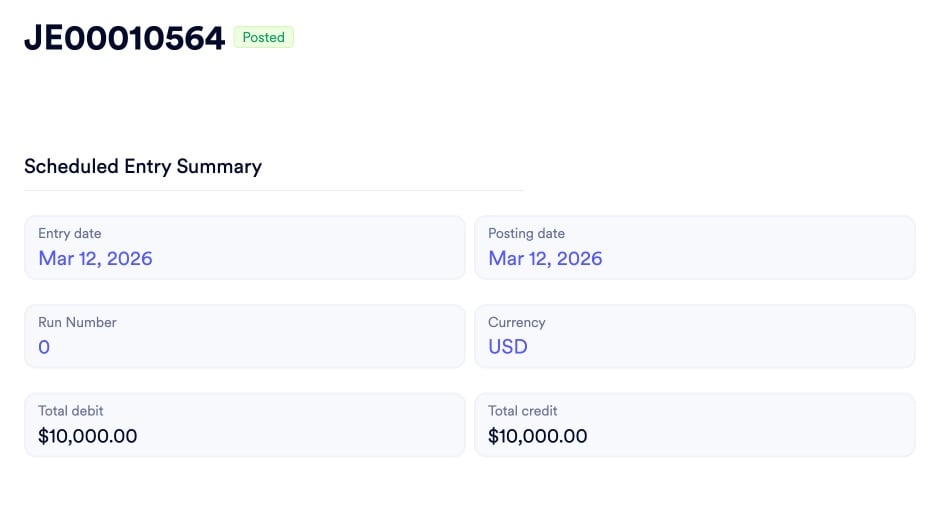
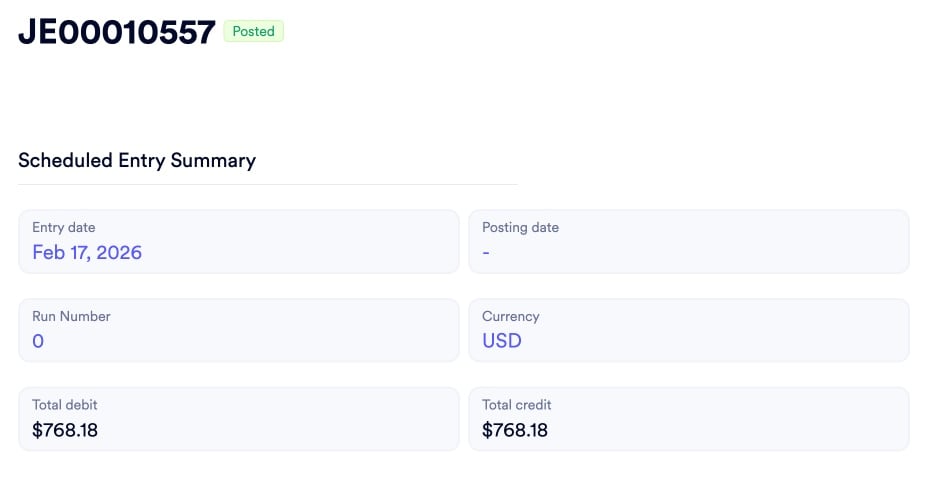
When an auditor demands justification for a specific journal entry, Naologic provides a direct, clickable hyperlink embedded inside every automated entry that opens the exact source document - the shipping receipt, sales order, or invoice - that triggered it. Stop spending hours digging through paper files to justify what the ledger recorded; the answer lives inside the entry itself.
R
RVshare
Powered by Naologic
Zahlung von Rocket Rides akzeptieren
Country
Vereinigte Staaten
Mobile number
USA+1
(555) 555-5555
Email
L
Lugg
Powered by Naologic
Get paid by Lugg
Country
United States
Mobile number
USA+1
(555) 555-5555
Email
Q
Qwick
Powered by Naologic
Get paid by Qwick
Country
United States
Mobile number
USA+1
(555) 555-5555
Email
G
GitHub Sponsors
Powered by Naologic
Faites-vous payer par GitHub
Country
France
Mobile number
FR+1
(555) 555-5555
Email
Perimeter Defense

4 Controls That Close External and Internal Access Vectors

Enterprise Roles with CRUD Controls

Build hyper-granular permission matrices with Create, Read, Update, Delete rights down to the individual document and geographic warehouse level. Replace the dangerous binary of "Admin vs. User" with airtight role boundaries that stop unauthorized financial postings before they happen.

  • Per-document CRUD permission matrix
  • Geographic and departmental access limits
  • Ownership scoping - own documents only
  • Business unit data segregation

Mandatory 2-Factor Authentication

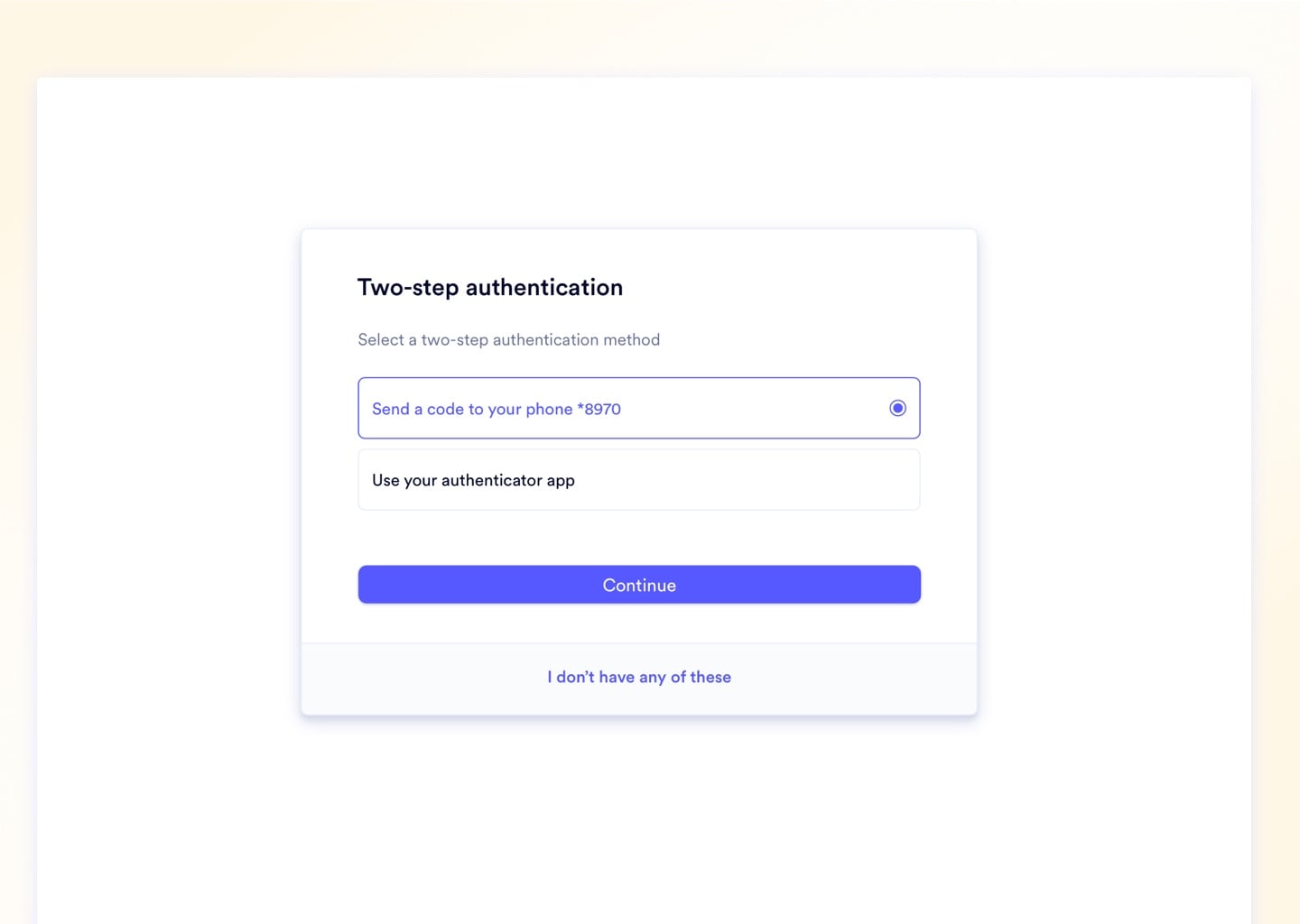
Super Admins toggle a single global enforcement switch to intercept any user who attempts to log in without a linked TOTP authenticator or verified SMS number. A single compromised password can no longer unlock your corporate bank data or financial records.

  • SMS and Authenticator App (TOTP) support
  • Global enforcement toggle for all seats
  • Per-user 2FA compliance monitoring
  • Admin-forced 2FA setup on next login

Guest User Session Controls

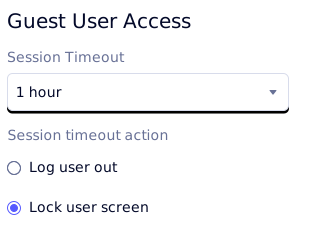
External auditors and contractors receive restricted Guest roles with auto-expiring session links - eliminating the forgotten-credential vulnerability that leaves active ERP credentials in the wild for months. Aggressive inactivity limits terminate guest sessions automatically after a configurable idle period.

  • Auto-expiring guest login links
  • Dedicated guest role with limited scope
  • Separate inactivity threshold from employees
  • No additional enterprise seat license required

Scoped REST API Tokens

Generate Read, Write, or Full Access scoped Bearer Tokens for each external integration - eliminating shared master credentials entirely. Every token is independently revocable from the Developer Settings panel with zero impact on other active connections.

  • Read / Write / Full Access scoping per token
  • Independently revocable per integration
  • Auto-generated Swagger API documentation
  • Open REST architecture - no data trapped behind walled gardens

Session Security

Force Every Idle Terminal to Lock or Log Out on a Configurable Timer

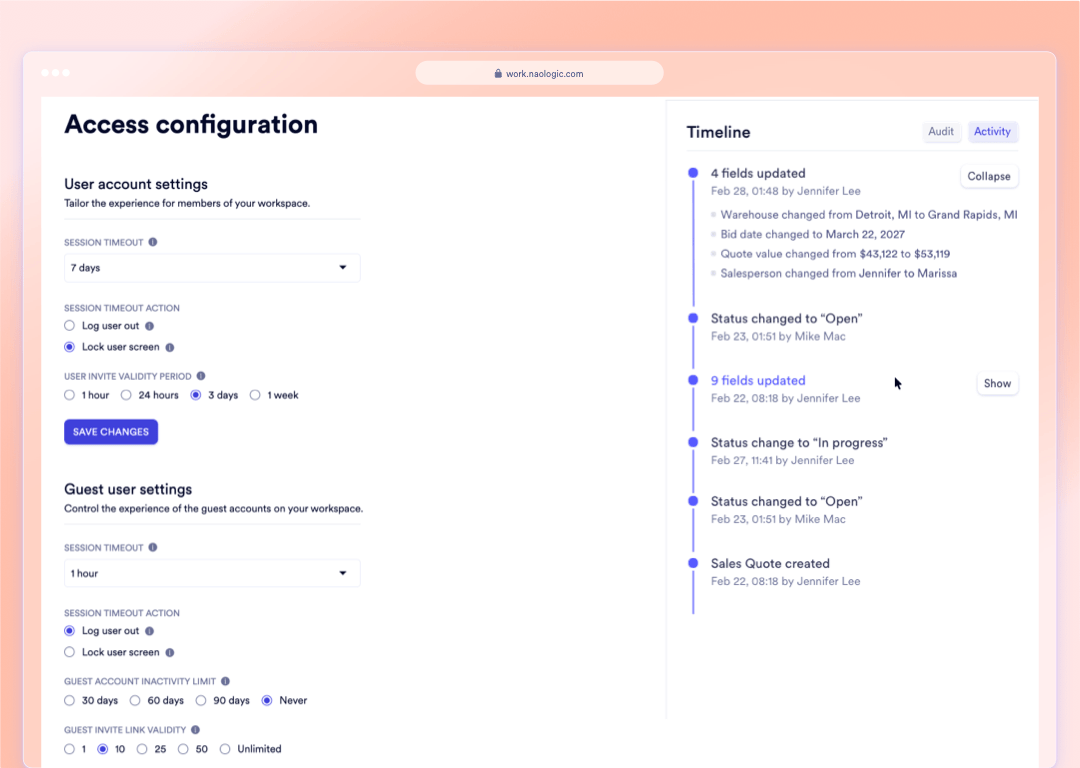
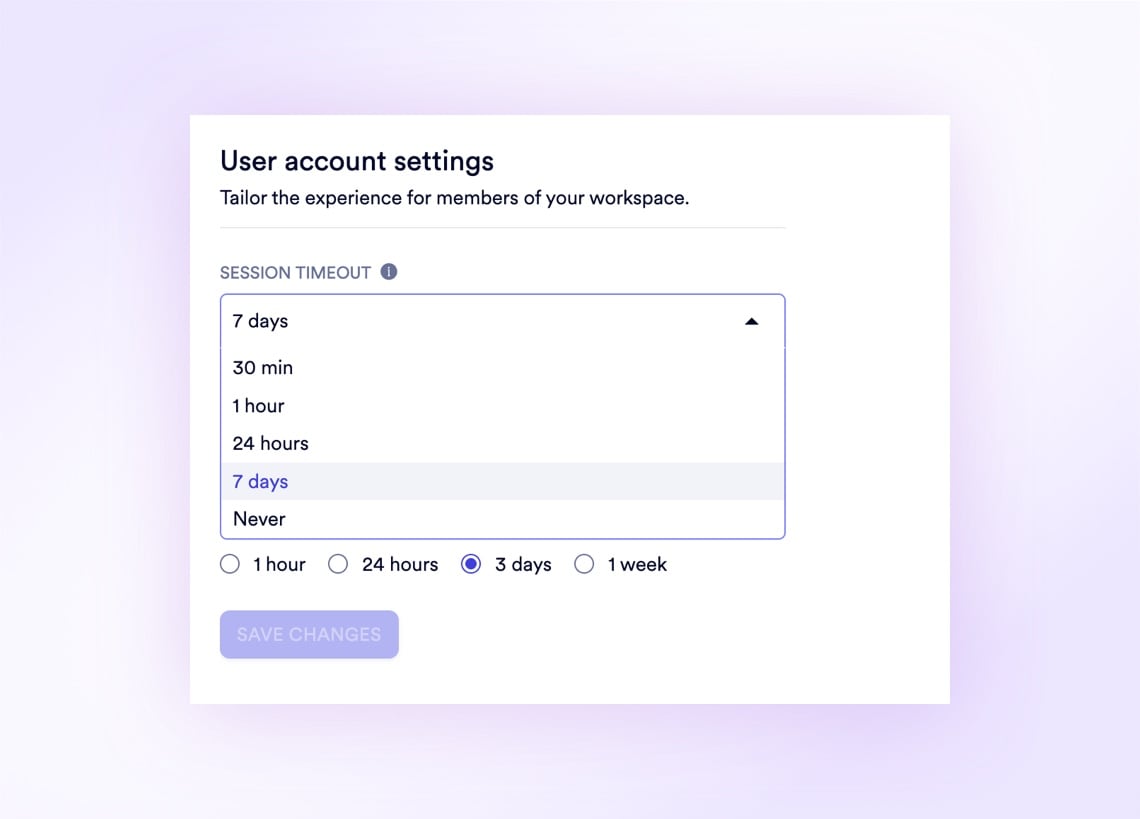
An unattended workstation on the factory floor is an open door into your financial data - configure precise session timeout windows, define whether idle screens lock behind a PIN or terminate the session entirely, and set exact expiration windows for new user invitation links from 1 hour to 1 week. Access configuration enforces these policies globally across every seat in the workspace without requiring IT involvement.
Drop image here

Compliance Workflow

From Login to Audit-Ready: 4 Enforced Controls in One System

Every compliance checkpoint - from user authentication to journal entry tracing - is a built-in system behavior, not a checklist your team has to remember. No separate compliance software, no custom scripting, no consultant configuration.

1

Authenticate with 2FA

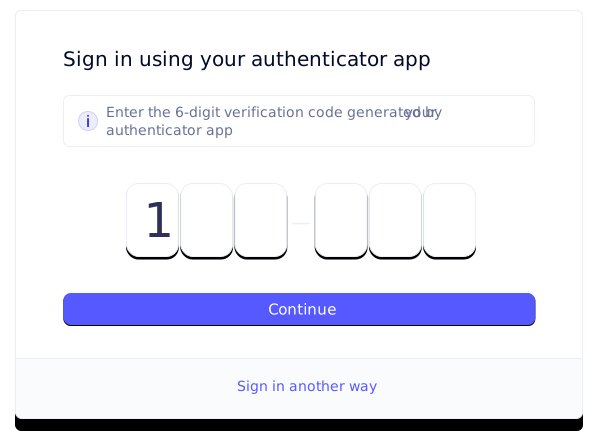
Every login is intercepted by the 2FA checkpoint - SMS or TOTP enforced globally by Super Admins to neutralize compromised passwords before any financial data is reached. Media: 2FA authentication screen with TOTP prompt and SMS fallback option.

2

Restrict Access by Role and Business Unit

Granular CRUD roles limit each user to their specific documents and geographic facility - stopping unauthorized postings and cross-department data exposure before they occur. Media: Role configuration matrix showing per-module CRUD toggles and geographic assignment fields.

3

Post Through Granular Permission Controls

Custom posting permissions, reconciliation rules, and journal template execution policies enforce separation of duties at the transaction level - three controls standard ERPs collapse into one. Media: Journal entry submission flow showing the posting permission validation step blocking a Header Account direct post.

4

Trace Every Entry to Its Source Document

Every automated journal entry carries a clickable hyperlink to the exact goods receipt, sales order, or invoice that triggered it - auditor questions answered in seconds. Media: Open journal entry showing "Source Document: WH-Transfer-1042" hyperlink with the resolved goods receipt preview alongside.

Upload media for "Authenticate with 2FA"

Compliance Workflow

From Login to Audit-Ready: 4 Enforced Controls in One System

Every compliance checkpoint - from user authentication to journal entry tracing - is a built-in system behavior, not a checklist your team has to remember. No separate compliance software, no custom scripting, no consultant configuration.

1

Authenticate with 2FA

Every login is intercepted by the 2FA checkpoint - SMS or TOTP enforced globally by Super Admins to neutralize compromised passwords before any financial data is reached. Media: 2FA authentication screen with TOTP prompt and SMS fallback option.

2

Restrict Access by Role and Business Unit

Granular CRUD roles limit each user to their specific documents and geographic facility - stopping unauthorized postings and cross-department data exposure before they occur. Media: Role configuration matrix showing per-module CRUD toggles and geographic assignment fields.

3

Post Through Granular Permission Controls

Custom posting permissions, reconciliation rules, and journal template execution policies enforce separation of duties at the transaction level - three controls standard ERPs collapse into one. Media: Journal entry submission flow showing the posting permission validation step blocking a Header Account direct post.

4

Trace Every Entry to Its Source Document

Every automated journal entry carries a clickable hyperlink to the exact goods receipt, sales order, or invoice that triggered it - auditor questions answered in seconds. Media: Open journal entry showing "Source Document: WH-Transfer-1042" hyperlink with the resolved goods receipt preview alongside.

Upload media for "Authenticate with 2FA"

Naologic vs. QuickBooks vs. NetSuite - Financial Security Controls Compared

QuickBooks allows junior staff to alter historical entries without restriction and provides no direct link between a ledger line and its triggering document. NetSuite separates reconciliation rights from posting rights only through expensive custom scripting - Naologic delivers all three permission layers and full source document tracing as standard, out of the box.

100%
Naologic
Built-in, no scripting required
Custom posting permissions
Reconciliation permissions
Source document tracing
Journal template posting controls
Mandatory 2FA enforcement
Auto-expiring guest links
Scoped REST API tokens
QuickBooks
Audit exposure by design
No source document tracing
No posting restrictions by account type
No reconciliation controls
Optional 2FA only
No guest access controls
API keys - no access scoping
NetSuite / SAP / GSS
Expensive to configure correctly
Source tracing requires custom config
Permission separation via scripting
External auditor = full paid seat
Complex role implementation
Consultant-dependent setup
Rigid tier changes at contract renewal

Compliance Outcomes

4 Measurable Results From Replacing Manual Compliance Processes

Manual compliance workflows - shared admin passwords, exported Excel audit logs, undifferentiated permission tiers - create vulnerabilities that surface at the worst possible time. These are the specific, mechanical outcomes of closing those gaps inside Naologic.

1 click

to answer any source document audit question - every automated journal entry resolves directly to the goods receipt, sales order, or invoice that triggered it

3

independent financial permission layers separated by default: custom posting controls, per-account reconciliation rules, and journal template execution policies

0

additional seat licenses required for external auditors - Guest Users receive restricted, scoped access with auto-expiring credentials at no extra cost

10

single-use cryptographic recovery codes generated per 2FA setup, ensuring locked-out executives can restore access without disabling the policy

System Monitoring

Spot API Failures and Bank Feed Drops the Second They Happen

The System Alerts dashboard functions as a real-time diagnostic command center, surfacing API failures, broken bank feed syncs, failed webhook deliveries, and critical integration errors the moment they occur - with raw error payloads attached for immediate IT troubleshooting. Integration failures that previously went undetected for days until customers complained are now visible the second they happen.

See System Alerts
System Alerts dashboard - chronological error log
Webhook failure payload with raw error detail
Bank feed sync failure notification
Automated email bounce alert entry
Integration health status panel

Full Feature Reference

15 Security Controls Across 5 Compliance Categories

The complete Naologic security and compliance stack, organized by function for technical evaluation. Each control listed here maps to a specific system behavior - not a configuration recommendation or a paid add-on.

2-factor authentication

Enterprise-grade access protection supporting SMS and TOTP Authenticator Apps. Super Admins enforce 2FA globally across all seats with a single toggle - any user without 2FA configured is intercepted at login and redirected to the setup wizard before reaching any financial data. Link: Learn more about 2FA setup

Backup codes for account access

Generate 10 single-use cryptographic recovery codes during initial 2FA setup. If a device is lost or destroyed, a valid backup code at the login prompt bypasses the active TOTP or SMS requirement and restores immediate access. Link: How backup codes work

Access configuration

Configure workspace-wide session timeout windows, define whether idle screens lock with a PIN or terminate the session entirely, and control the Time-to-Live for new user invitation links from 1 hour to 1 week. Link: Configure session policies

Guest user settings

Set dedicated inactivity thresholds and maximum link validity periods specifically for Guest accounts - independently from internal employee settings. External credentials auto-expire without any manual revocation step. Link: Configure guest session rules

The 7-Point Security Audit Checklist for Mid-Market Manufacturing ERPs

Most manufacturing ERP audits fail on three specific gaps: journal entries with no source document link, over-permissioned financial accounts that violate segregation of duties, and shared admin passwords with no mandatory 2FA. Use this checklist to determine whether your current system leaves any of these vulnerabilities open before your next external review.

Compliance ResourcesThe 7-Point Manufacturing ERP Security Checklist

One demo. Every audit vulnerability addressed. See how source document tracing, granular posting permissions, and mandatory 2FA protect your financial data from internal errors and external threats - with no custom scripting and no additional compliance modules.