







AI Migration
4 Guarantees Every IT Director Needs Before Signing Off on Go-Live
Multi-Level BOM Hierarchies Preserved
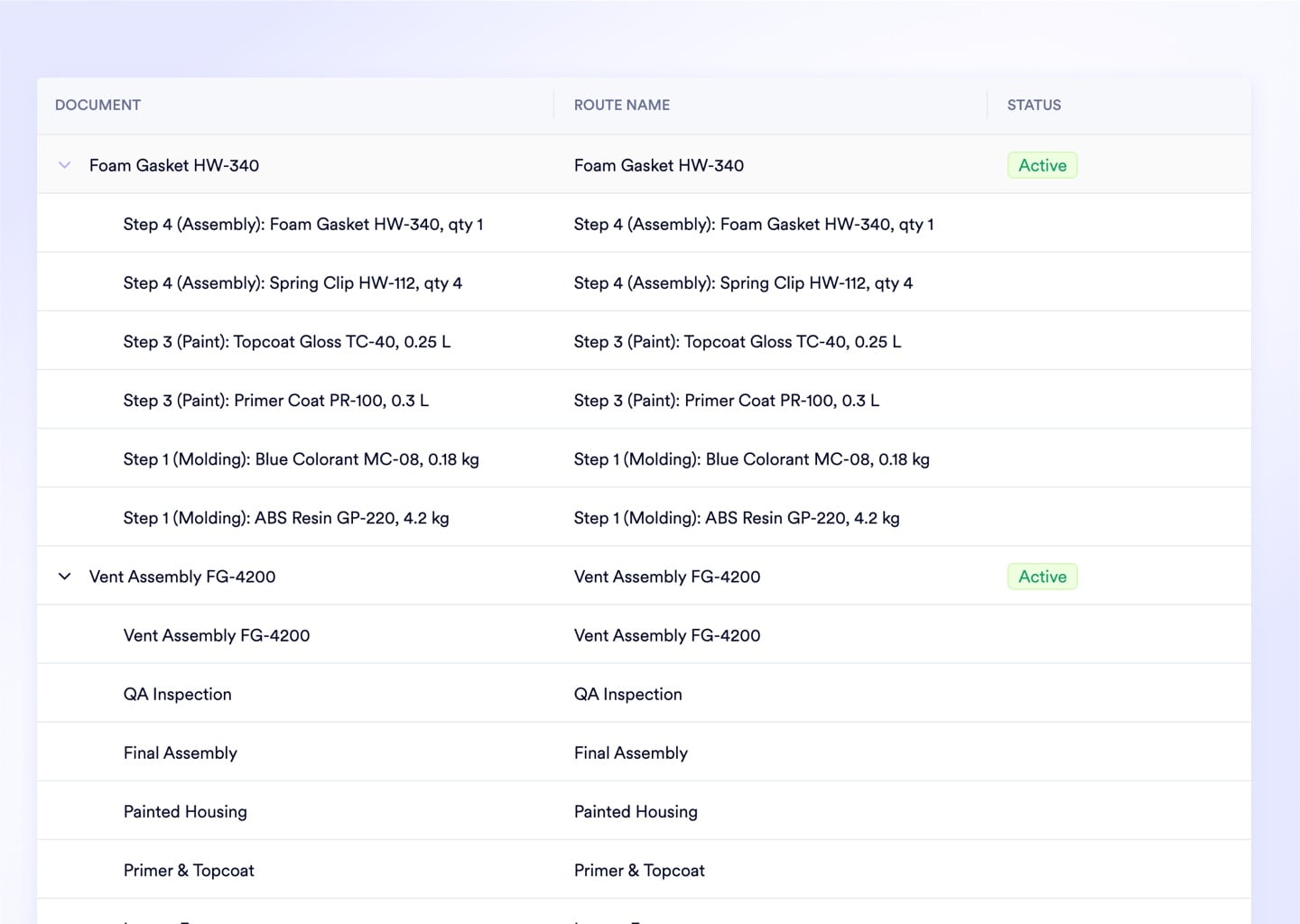
The AI engine reads parent-child relationships as structural constraints, not column headers. Sub-assemblies, phantoms, and co-products map to the correct BOM level on the first extraction pass.
Every AI Mapping Decision Staged for Human Approval
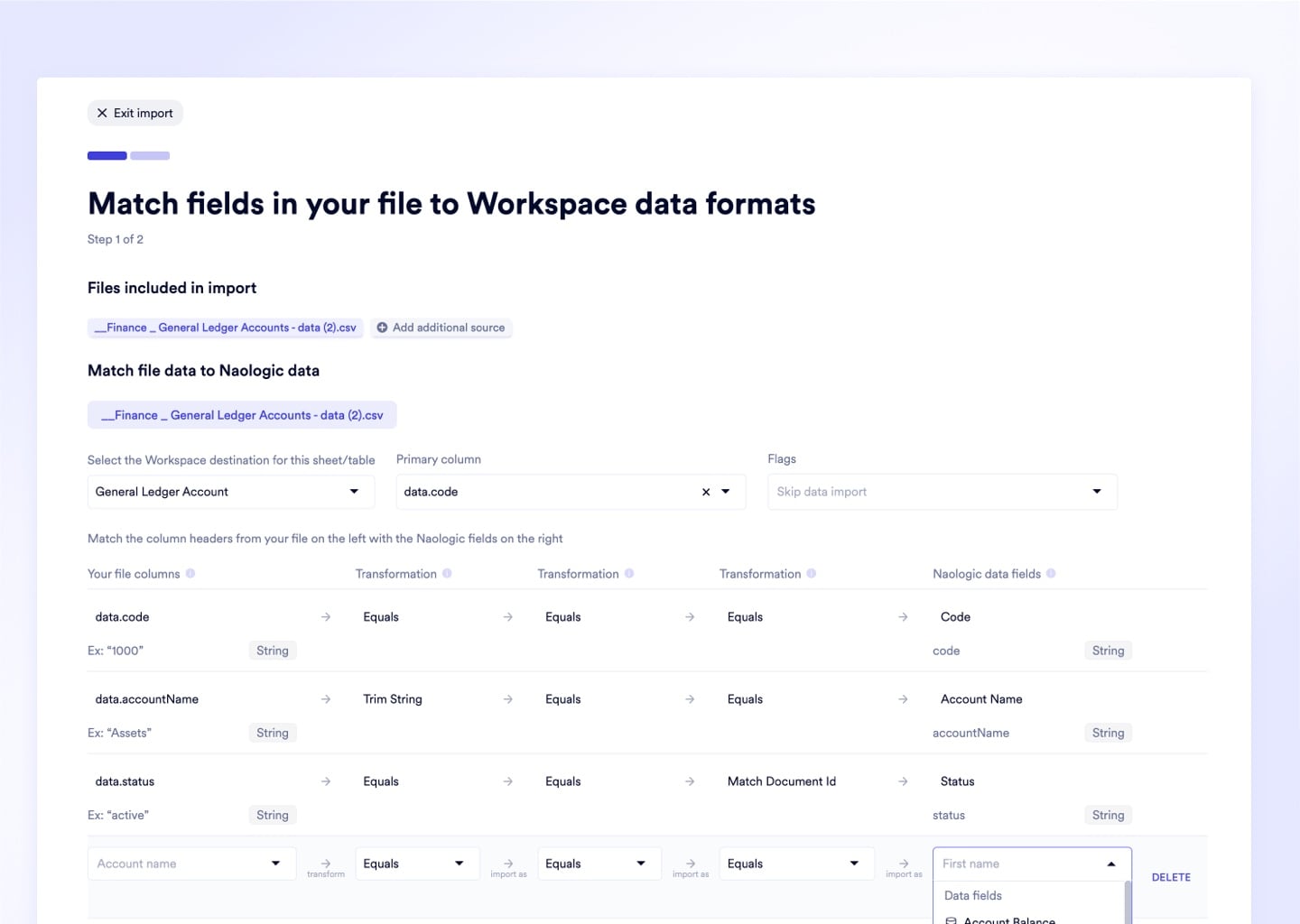
Before any data commits to the database, every field assignment, format change, and anomaly flag surfaces in the interactive staging area. Your team reviews, overrides, or approves each suggestion line by line.
Live Error Preview Before You Execute
Run a full import simulation against the destination schema on your actual source file. See exact error counts, null-value warnings, and relational constraint violations before clicking Execute.
Free White-Glove Migration - No Consultants
Naologic implementation engineers handle the full extraction, mapping, and validation for every customer at no charge. No third-party data consultants, no per-row fees, no surprise implementation bills.
Financial History Migration
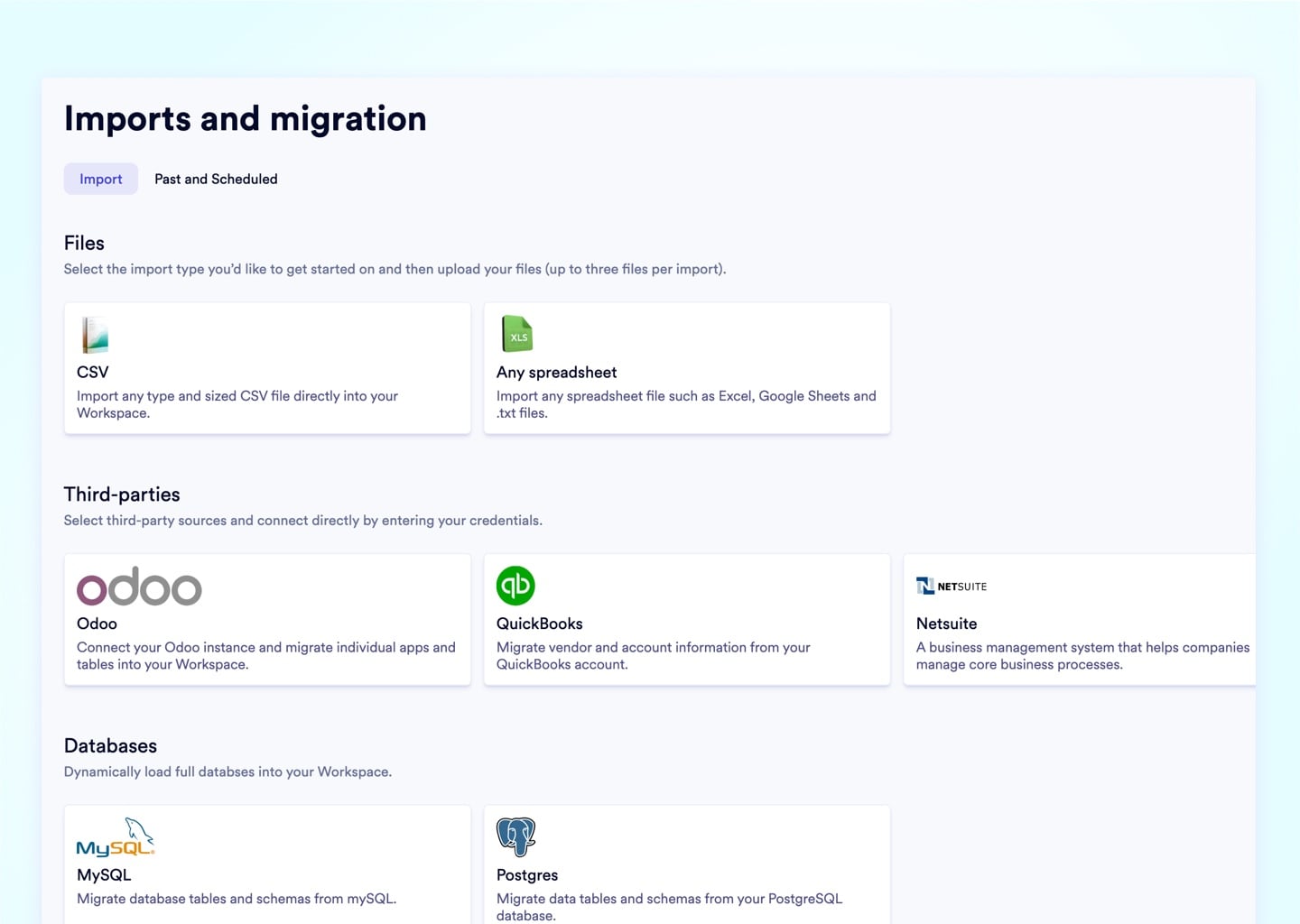
Import Bank Transaction History From JPM One, Plaid, or Any CSV Export - AI Matches It on Arrival
Naologic migrates your financial history alongside your operations data - connecting live bank feeds via Plaid, parsing complex JPM One proprietary exports with a dedicated one-click tool, or ingesting any bank's standard CSV through the flexible file mapper. Once imported, Intelligent transaction matching with AI automatically pairs historical bank transactions against outstanding invoices, clearing your reconciliation backlog without a single manual match.
Core Capabilities
What the AI Actually Does - Beyond Generic Column Matching
Generic AI mappers match columns by name and destroy the parent-child links that make manufacturing data structurally valid. Naologic's migration engine reads BOMs, routings, and location hierarchies as relational objects with dependencies that must be preserved intact.
Multi-Level BOM Mapping Without Collapse
The AI preserves parent-child hierarchies across unlimited assembly levels - sub-assemblies, phantoms, and co-products all link to the correct parent BOM record on the first import run. No flattened structures. No orphaned components.
Pre-Import Cleansing With Every Change Flagged
AI auto-standardizes units of measure, date formats, and currency fields before execution - and every modification surfaces in the staging area for review before committing. Nothing is silently altered, dropped, or overwritten without your team's explicit approval.
Schema-Matched Live Preview on Your Actual File
Upload your real source file and run a full simulation against the destination schema before committing a single record. The preview returns exact error counts, null-value warnings, and relational constraint violations in real time - not after go-live.
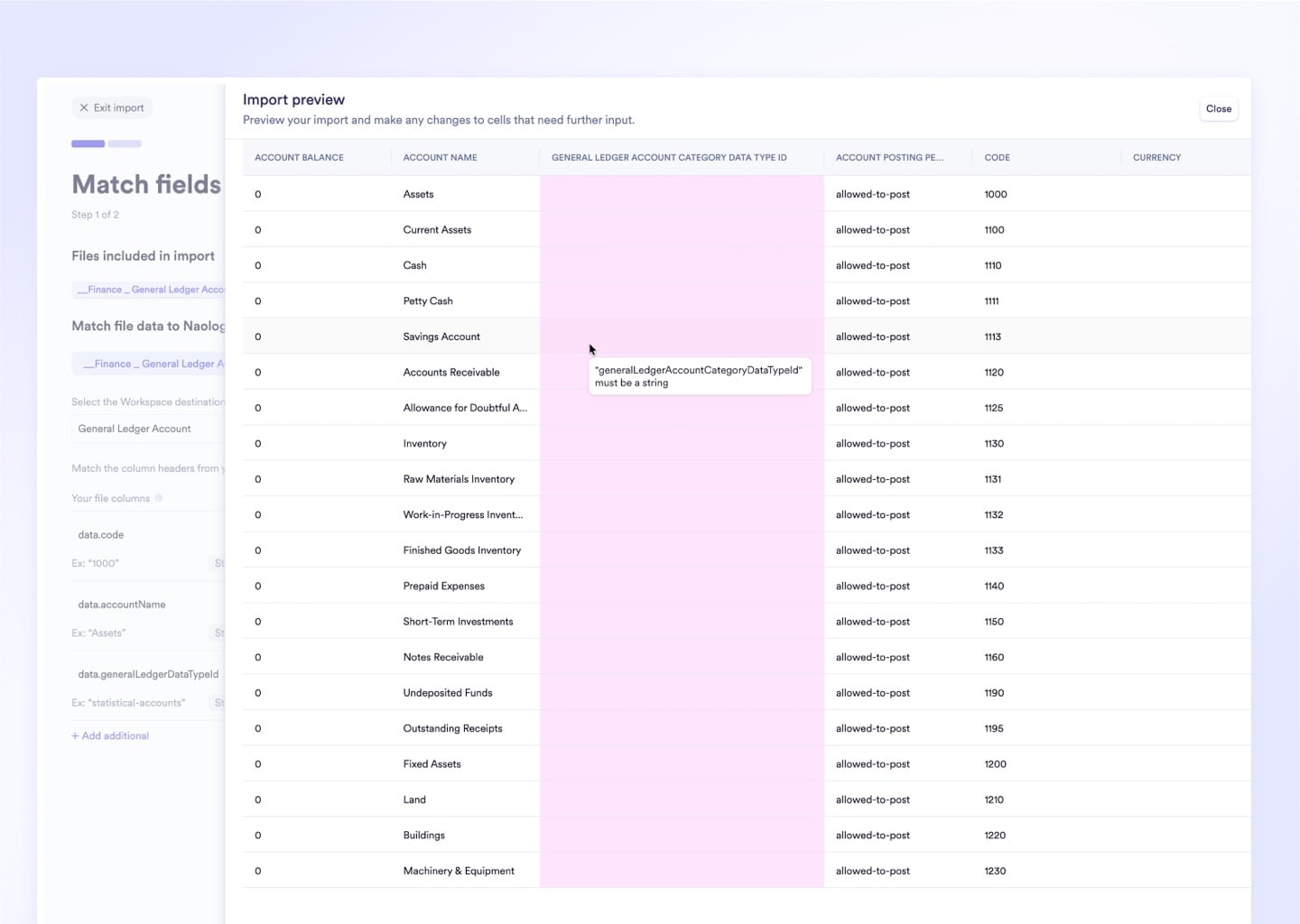
Multi-Format, Multi-Source Ingestion in One Session
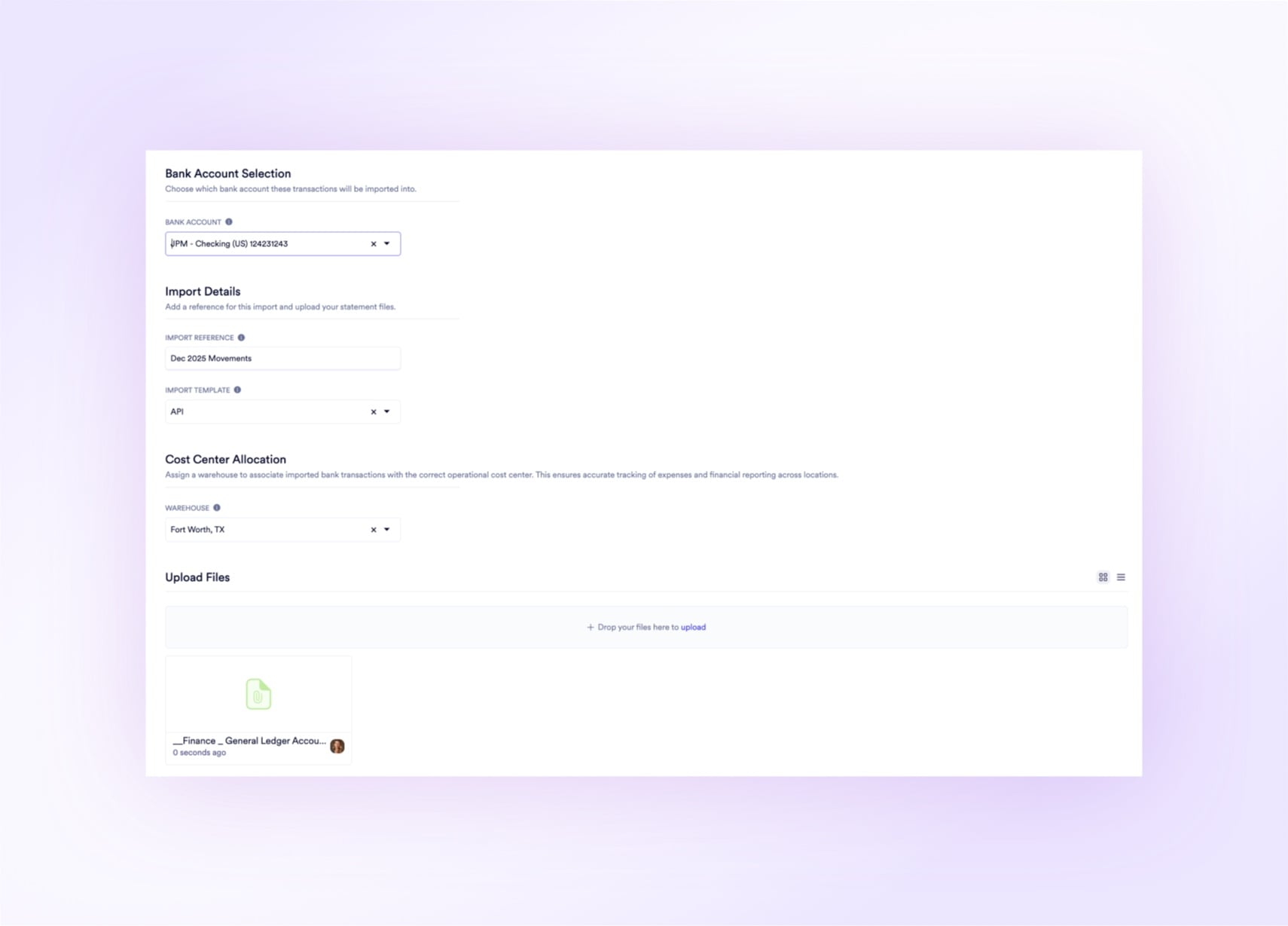
Combine CSVs, XLSX exports, MySQL, and PostgreSQL databases in a single migration run. Supports direct connectors to Odoo, QuickBooks, and NetSuite simultaneously - map data from multiple sources to a unified Naologic schema without running separate import jobs.
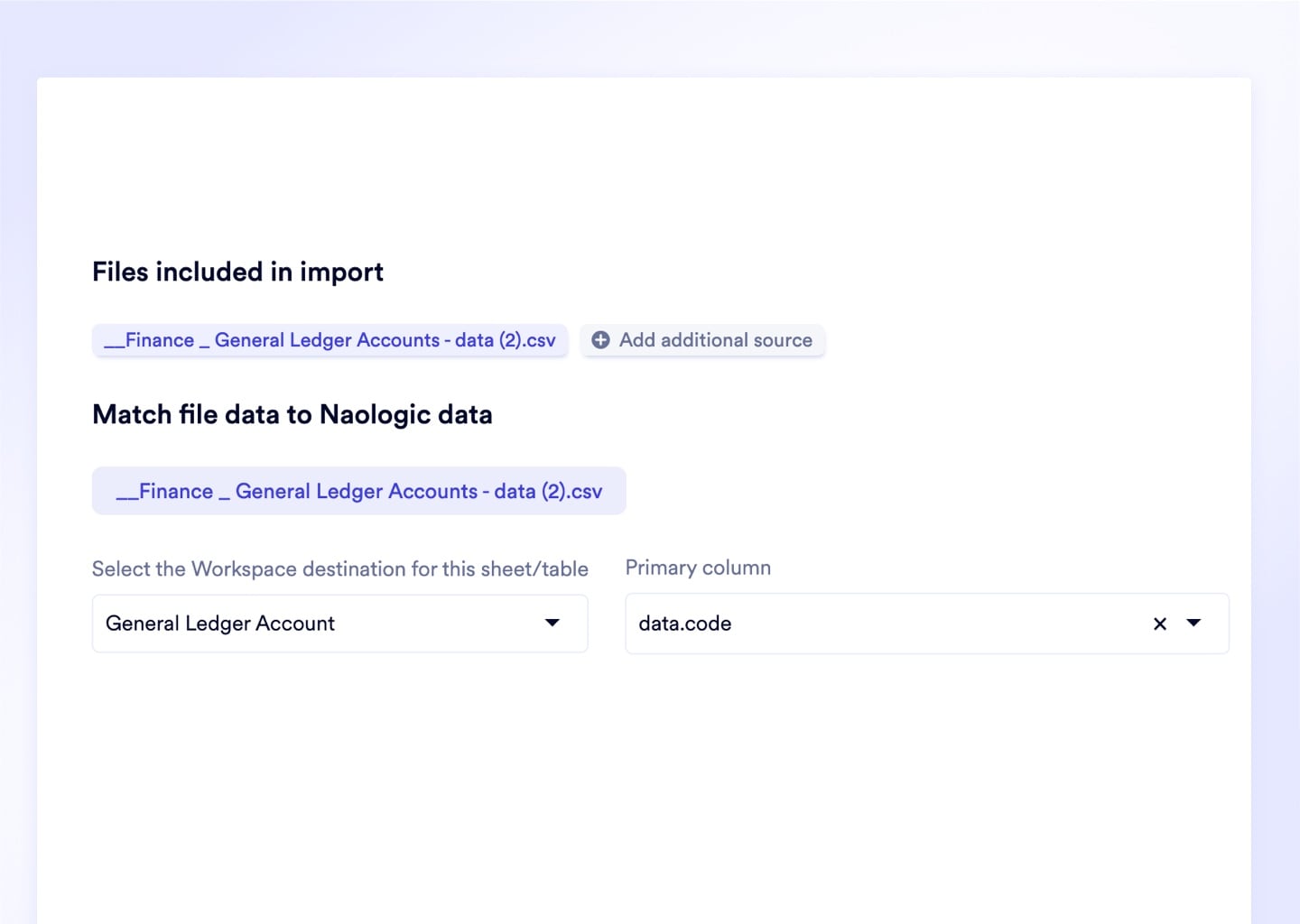
Pre-Built Extraction Connectors for the ERPs and Banks Manufacturers Are Leaving
Naologic ships custom extraction connectors for the six manufacturing ERPs and banking platforms IT teams migrate away from most often - each handling proprietary field naming, nested relational IDs, and source-specific schema quirks natively. Authenticate via OAuth or REST API directly through the migration wizard, or upload your export files for on-premise legacy deployments where direct API access is restricted.







Pre-Validation Produces Clean Data the First Time
These figures reflect outcomes from completed Naologic migrations across discrete manufacturers, job shops, and process manufacturers - not projected industry benchmarks.
Three Tools for IT Teams With Custom Migration Requirements. When pre-built connectors aren't enough - use Naologic's open REST API, sandboxed Developer Workbench, and scoped authentication tokens to build, test, and validate bespoke migration logic without touching the live database.
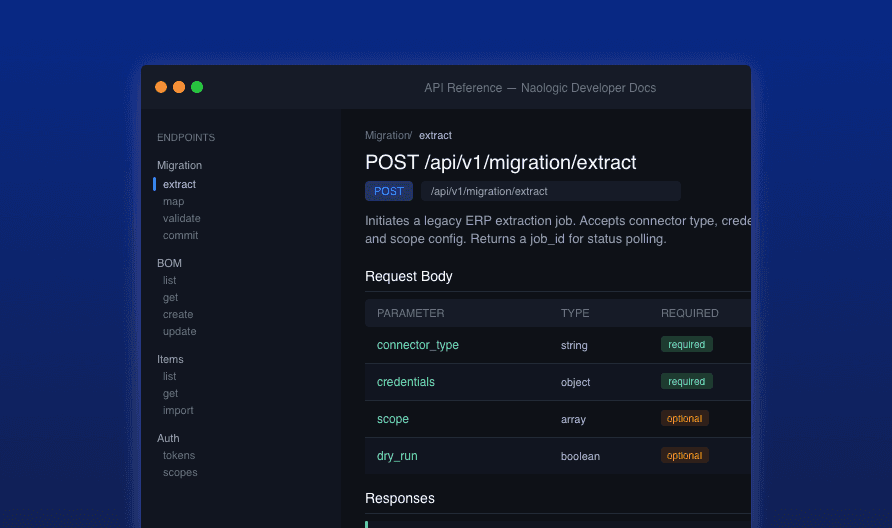
Build Bespoke Connectors on an Open REST API. Auto-generated Swagger documentation covers every endpoint, parameter, and authentication flow your developers need to map proprietary item codes, bridge a homegrown MES, or extract from any system without a pre-built connector.
View API Docs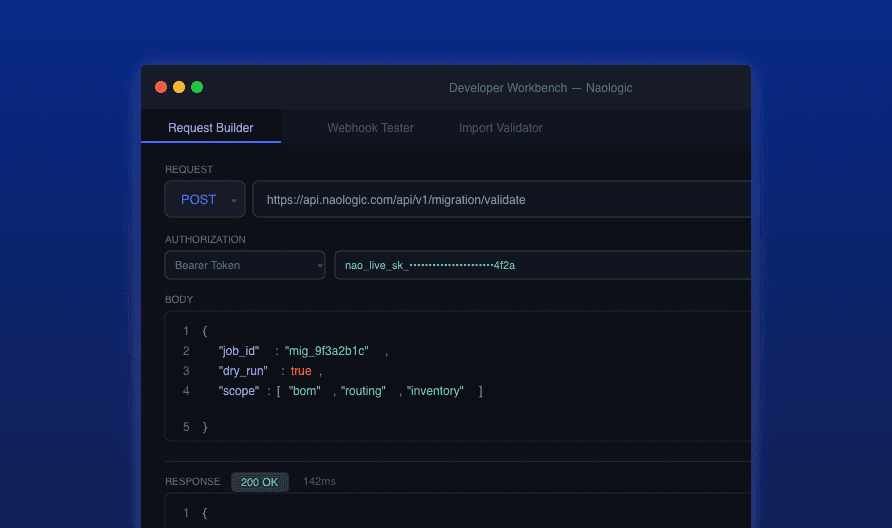
Test Every Script in a Sandboxed Workbench First. The Developer Workbench is a native terminal environment inside Naologic - execute GET/POST requests against workspace endpoints, inspect raw JSON payloads, and validate webhook logic before deploying anything to production.
Open Workbench Docs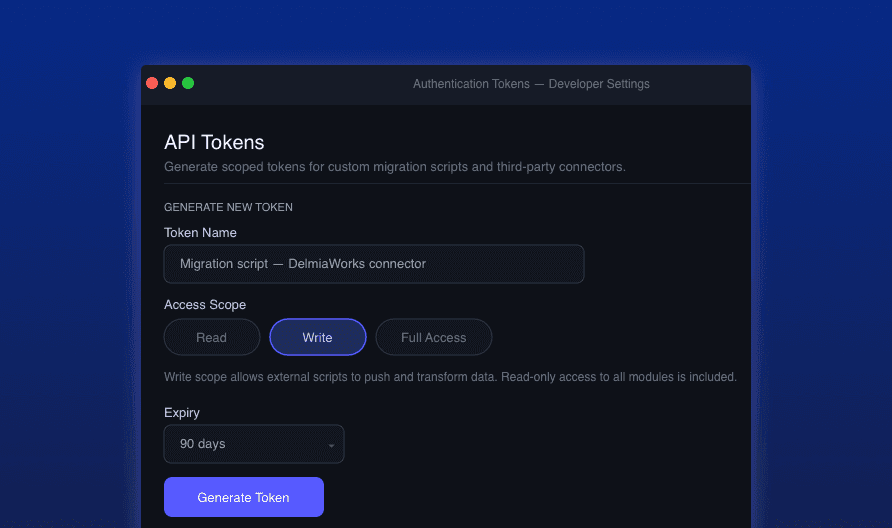
Generate Read, Write, or Full Access Tokens in Seconds. Scoped Bearer tokens give your team precise access control over every custom migration script and third-party connection - restrict external scripts to read-only during staging, then promote to write access at go-live.
Learn About Auth Tokens
"Our GlobalShop database had 12 years of nested BOMs - over 14,000 assembly records with complex parent-child links. We expected 6 months of consulting work and an $80,000 bill. Naologic extracted, mapped, and validated everything in 18 days at zero cost. Not one broken relational link at go-live."