







Query Live Factory Data. Write Bulk Updates Back.

Your planners already know how to use a spreadsheet — now give that interface direct read/write access to a live manufacturing database, powered by AI agents that understand BOMs, routings, and WIP. Every grid you build is live. Every update commits instantly.

Card 1
Card 2
Card 3
Card 4
Card 5
PearsonmuRataPipelineTIRDirectMedSupplieseDevizeEnviromericaMarktool

4 Ways the Export-to-Excel Workflow Destroys Operational Accuracy

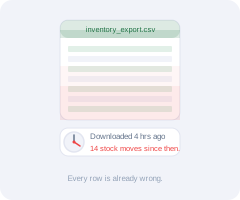
The moment your team downloads a CSV, the data is operationally dead — inventory levels, capacity counts, and cost figures no longer match the system of record. Every decision made in that spreadsheet is a decision made on yesterday's numbers.
No image

Your CSV aged 4 hours on download

No image

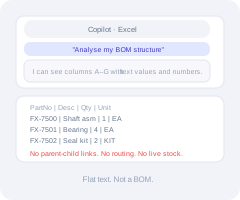
Copilot sees text - not your BOM

No image

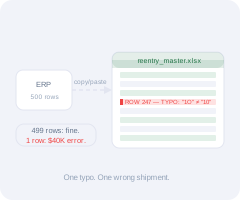
Manual re-entry: 500 rows, one error

No image

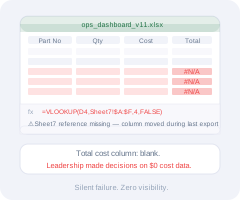
One broken VLOOKUP, zero visibility
Spreadsheet Mode + Visual Report Mode

Excel Flexibility. Live Database. No Exports.

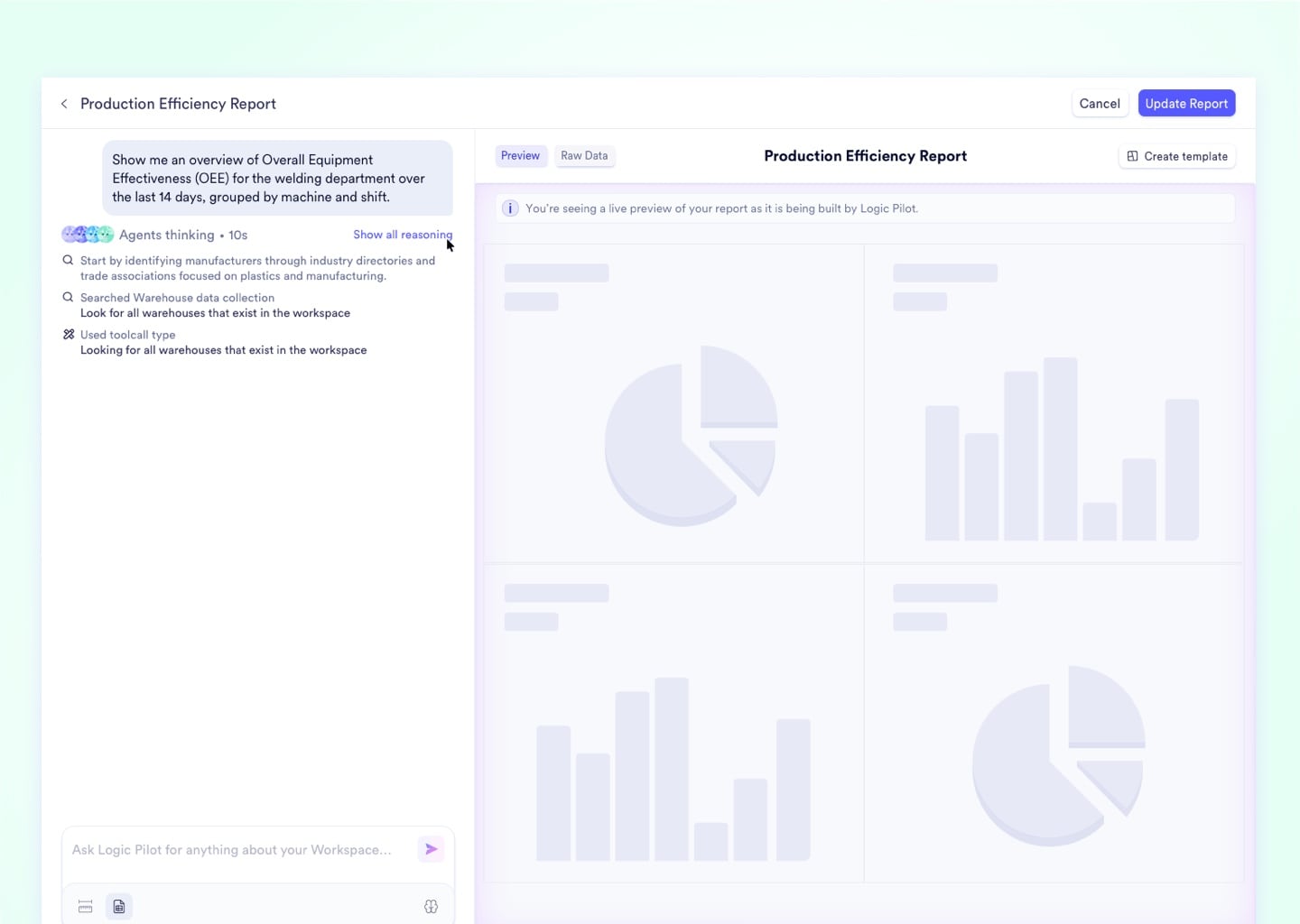
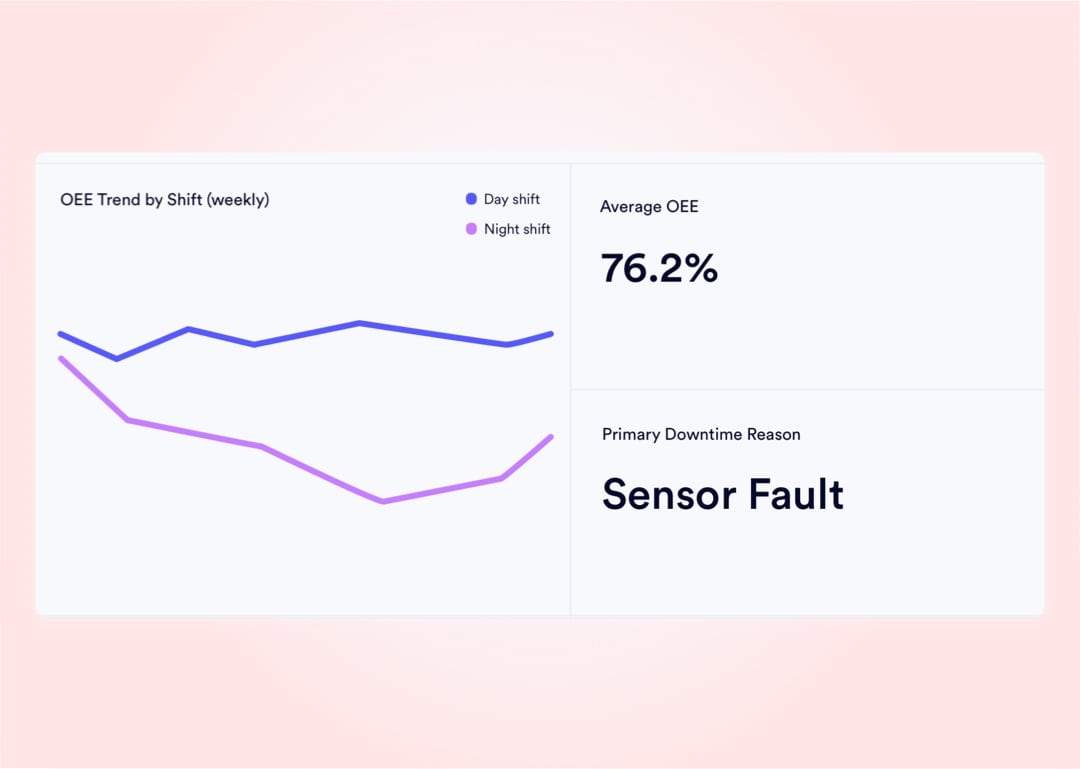
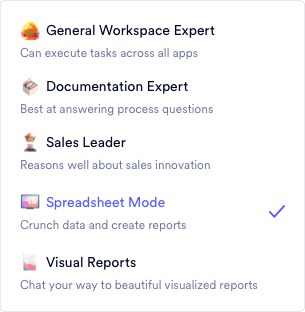
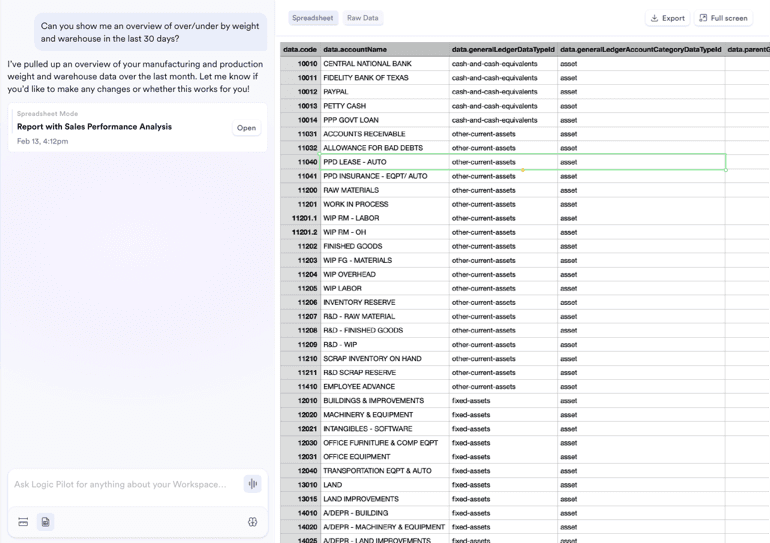
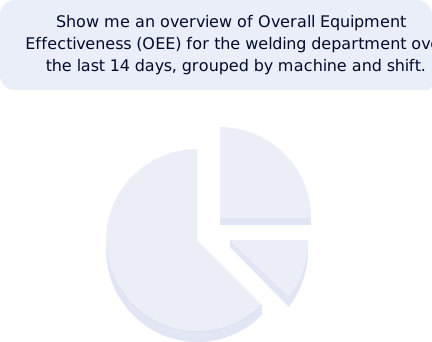
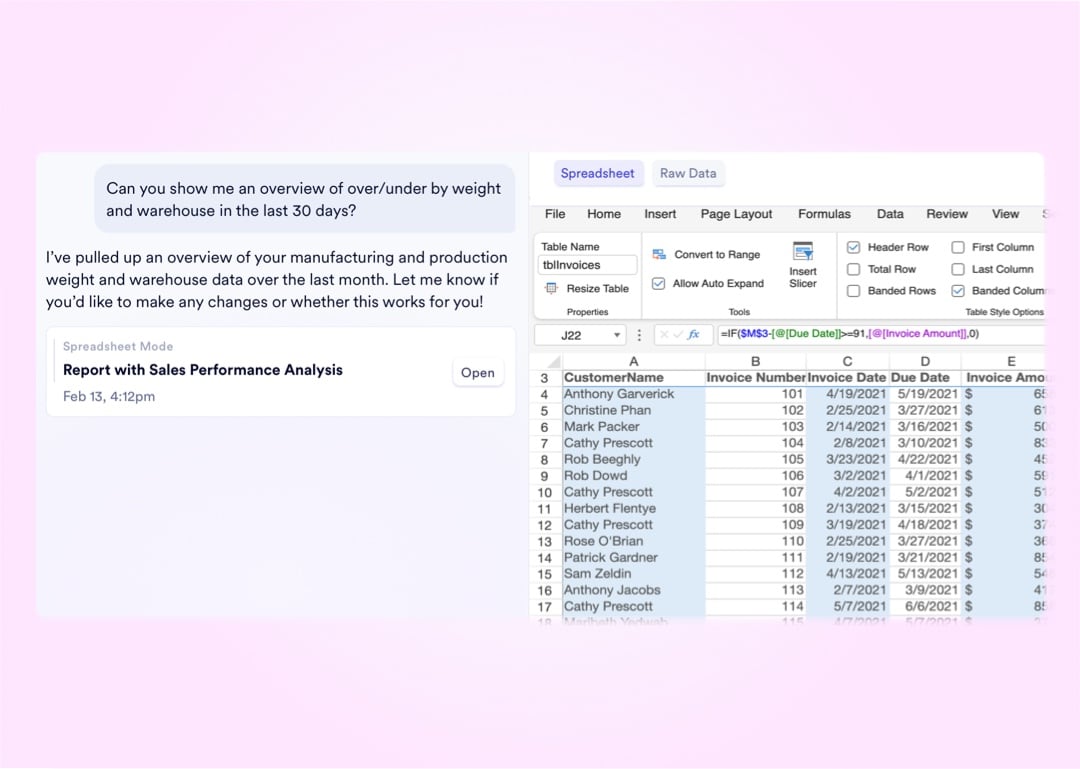
Tell the AI what grid you need - Spreadsheet Mode builds, formats, and populates a native spreadsheet right in the workspace using live manufacturing data, while Visual Report Mode transforms that same data into board-ready charts from a library of over 100 visualization types. Your planners get full Excel-style manipulation without exporting a single CSV, and when the model is right, AI agents write the bulk updates directly back to the live database with one click.

See How It Works
Spreadsheet Mode
Visual Report Mode
Natural Language Builder
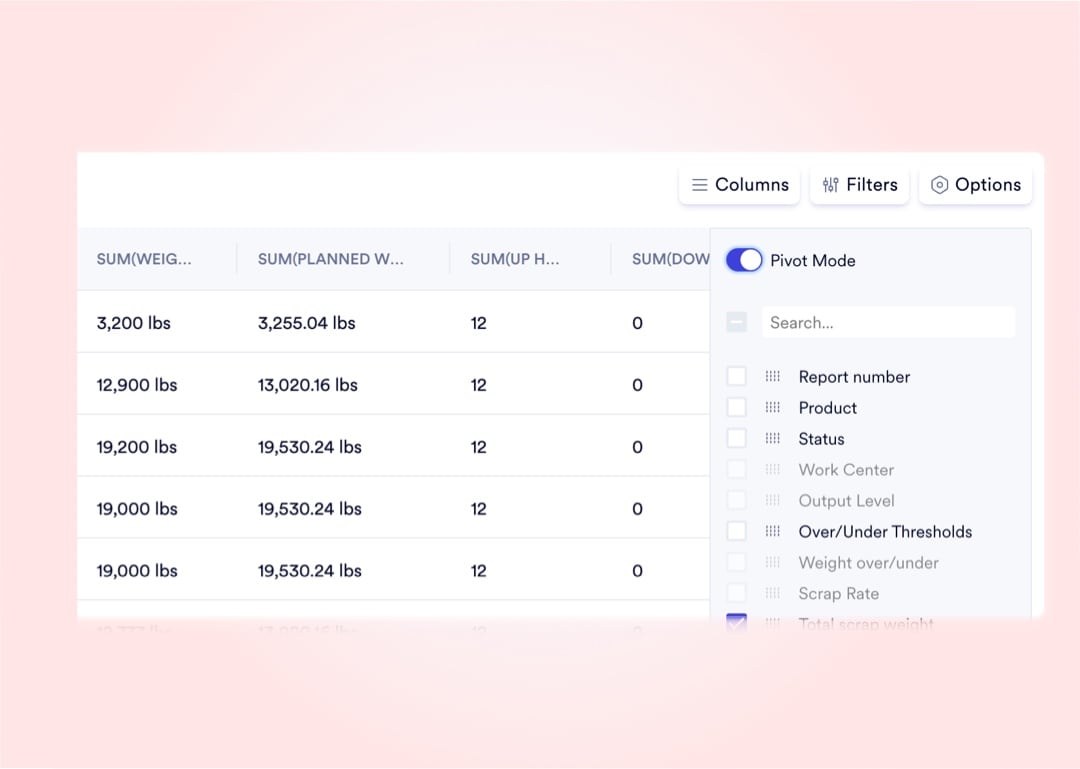
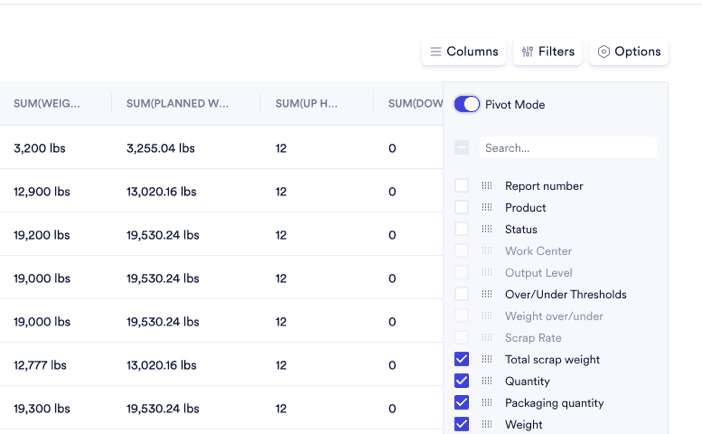
Pivot Mode
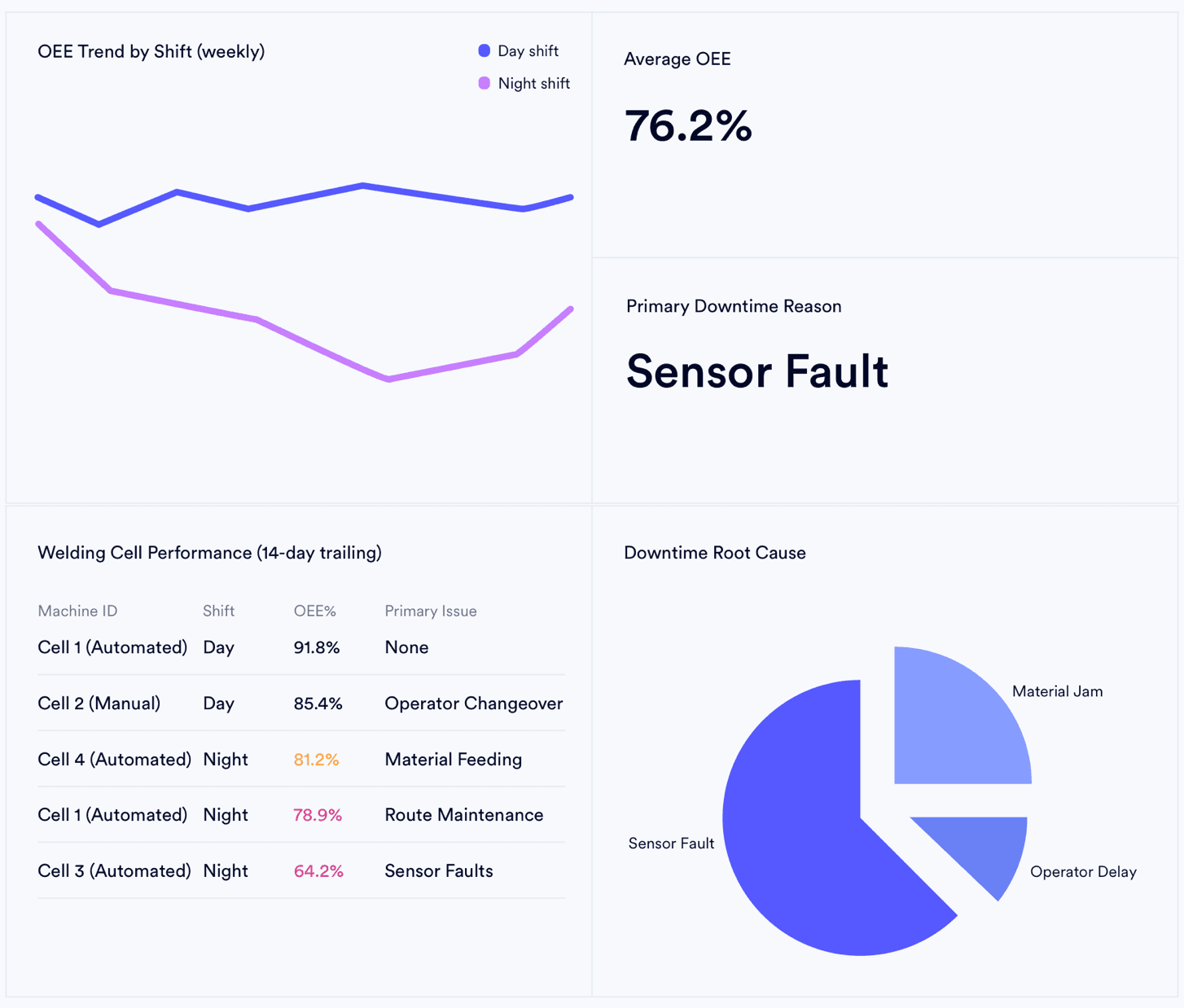
Live Dashboard

4-Step Workflow

From Plain-Text Prompt to Database Write-Back

Native workspace grids connect directly to your live manufacturing database - no middleware, no sync delay. Ask a question, model the scenario, confirm the output, and push the change back in a single session.

1

Open Any Module as a Live Manipulable Grid

Your entire workspace - Sales Orders, WIP inventory, purchase commitments, work center capacity - is natively available as a high-performance interactive grid. Drag, resize, reorder, and filter any column without exporting a single row.

2

Prompt the AI in Plain English

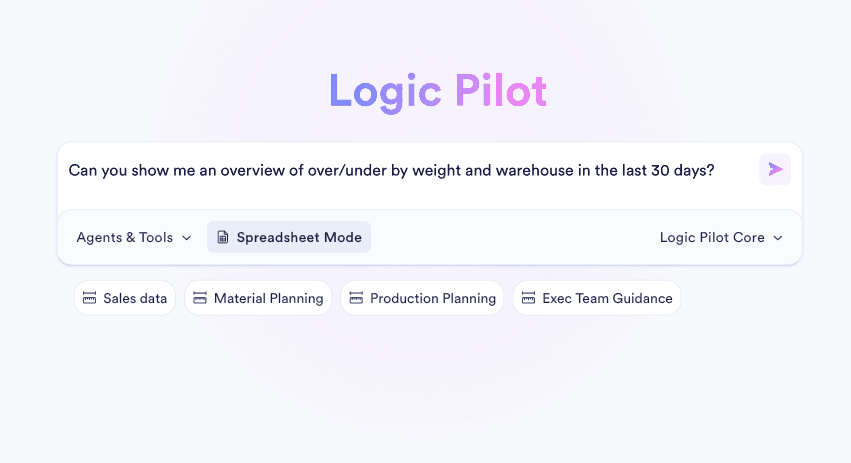
Type your request: "Group open production orders by work center and flag jobs behind schedule by more than 2 days." The AI parses the full relational context of your live database - BOMs, routings, WIP counts - and builds the exact view in seconds.

3

Pivot, Scenario-Model, or Switch to Visual Report Mode

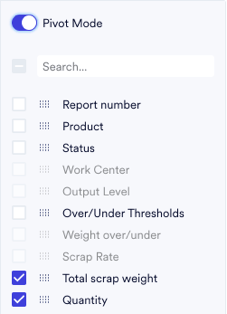
Toggle Pivot Mode for cross-tabulated analysis across millions of rows, or switch to Visual Report mode to render the same data as a board-ready chart from 100+ visualization types. Run what-if scenarios directly on live capacity and cost data.

4

Write Bulk Updates Back to the Live Database - One Click

When the model confirms the right decision, click Commit. The AI writes bulk changes - revised reorder points, updated master schedule quantities, new pricing tiers - directly back to the core database. Zero manual re-entry, zero double-entry risk.

Upload media for "Open Any Module as a Live Manipulable Grid"

4-Step Workflow

From Plain-Text Prompt to Database Write-Back

Native workspace grids connect directly to your live manufacturing database - no middleware, no sync delay. Ask a question, model the scenario, confirm the output, and push the change back in a single session.

1

Open Any Module as a Live Manipulable Grid

Your entire workspace - Sales Orders, WIP inventory, purchase commitments, work center capacity - is natively available as a high-performance interactive grid. Drag, resize, reorder, and filter any column without exporting a single row.

2

Prompt the AI in Plain English

Type your request: "Group open production orders by work center and flag jobs behind schedule by more than 2 days." The AI parses the full relational context of your live database - BOMs, routings, WIP counts - and builds the exact view in seconds.

3

Pivot, Scenario-Model, or Switch to Visual Report Mode

Toggle Pivot Mode for cross-tabulated analysis across millions of rows, or switch to Visual Report mode to render the same data as a board-ready chart from 100+ visualization types. Run what-if scenarios directly on live capacity and cost data.

4

Write Bulk Updates Back to the Live Database - One Click

When the model confirms the right decision, click Commit. The AI writes bulk changes - revised reorder points, updated master schedule quantities, new pricing tiers - directly back to the core database. Zero manual re-entry, zero double-entry risk.

Upload media for "Open Any Module as a Live Manipulable Grid"

5 AI-Native Capabilities Built Into Every Workspace

Query, model, and act on live manufacturing data without a single export.

4 Native Grid Capabilities That Replace Manual Data Manipulation

Every data table across the entire workspace is built on a high-performance interactive grid. These four capabilities give power users direct operational control over live data - no export, no IT ticket, no specialist required.

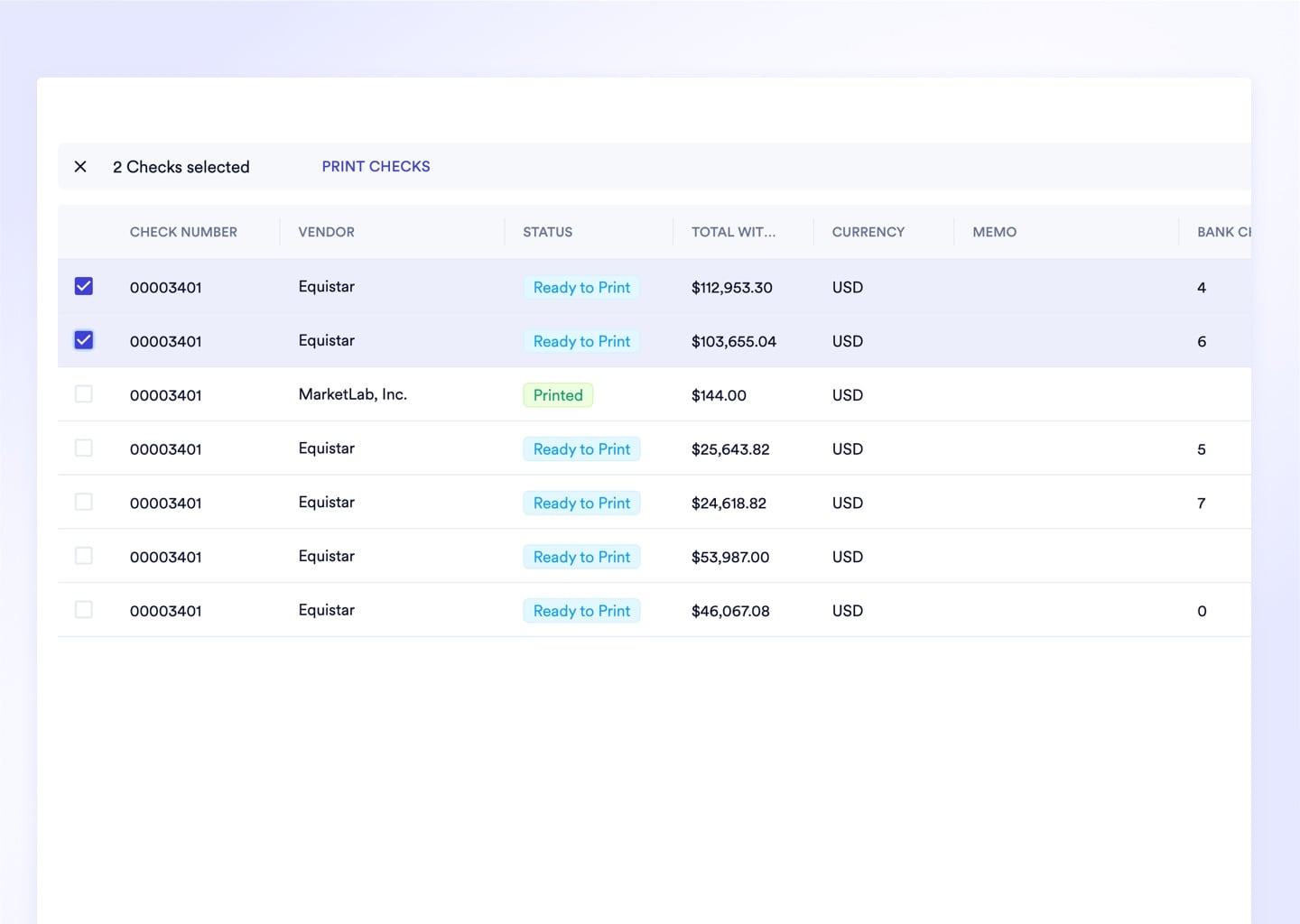
Interactive Tables With Persistent Column Memory

Drag, resize, reorder, and filter any column directly on screen - the system memorizes your exact layout preferences per user profile for every future session. Legacy grids that reset overnight waste an estimated 5 minutes per analyst per login just rearranging columns.
Upload media

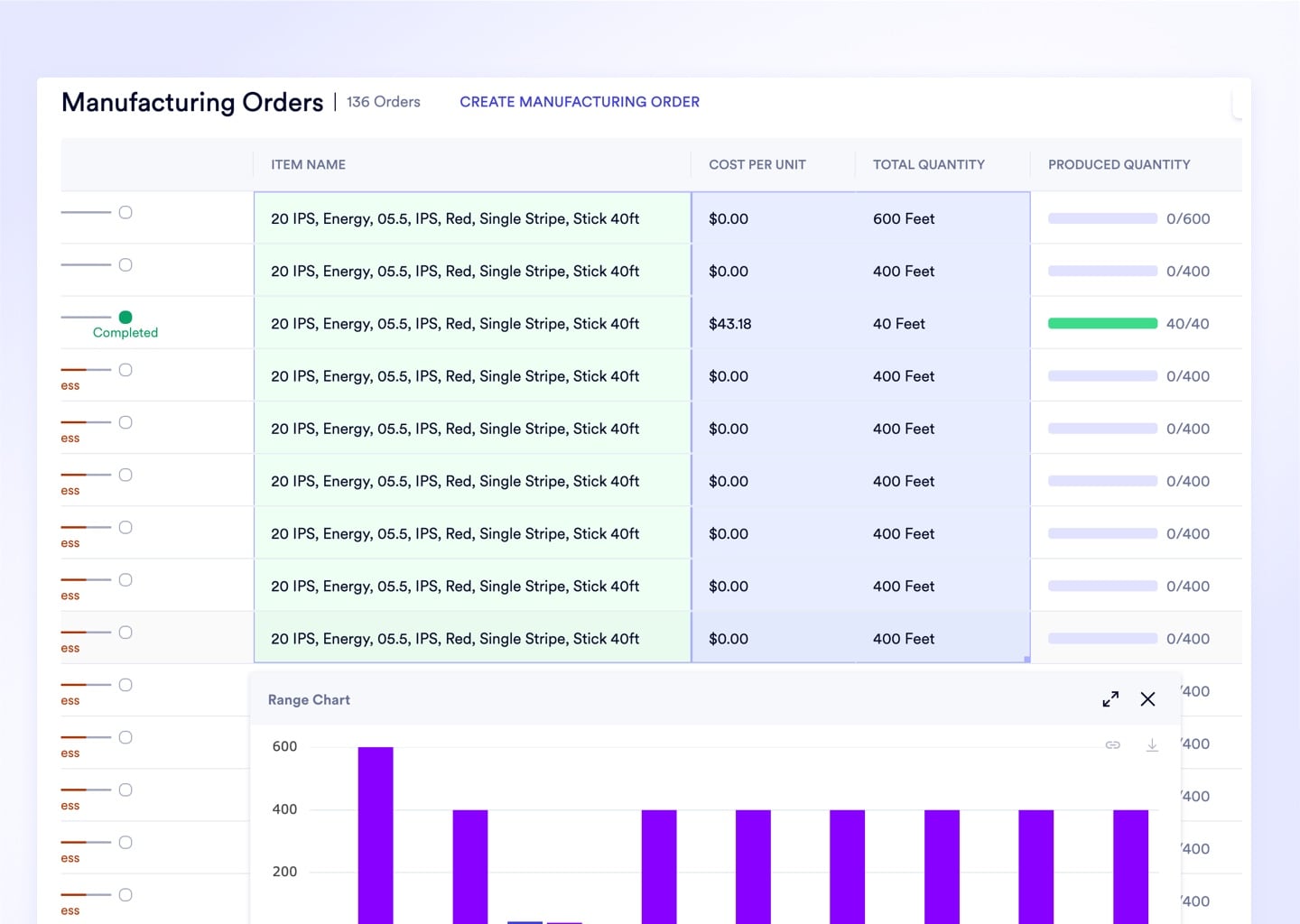
Dynamic Visualizations From Highlighted Cell Selections

Highlight any set of cells and the footer instantly computes the sum, count, and average of your selection. Right-click to render a bar or pie chart from exactly the data you have highlighted - zero chart-builder configuration required.
Upload media

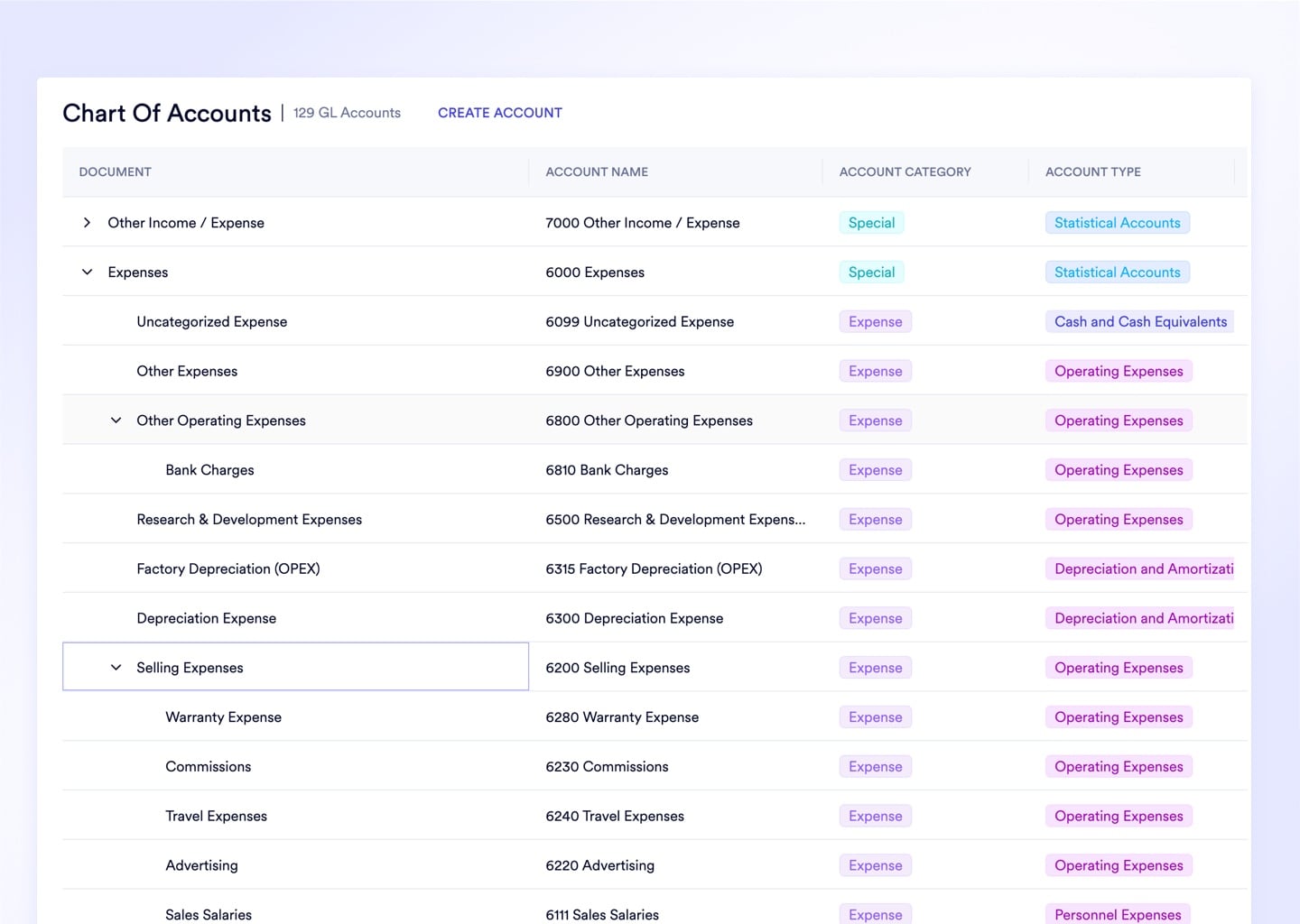
Row Groups Collapse 10,000 Orders Into Readable Category Totals

Drag any column header into the Group By zone to instantly collapse a flat list into hierarchical category buckets with aggregated totals. Group all sales orders by customer or all inventory by status in under 3 seconds.
Upload media

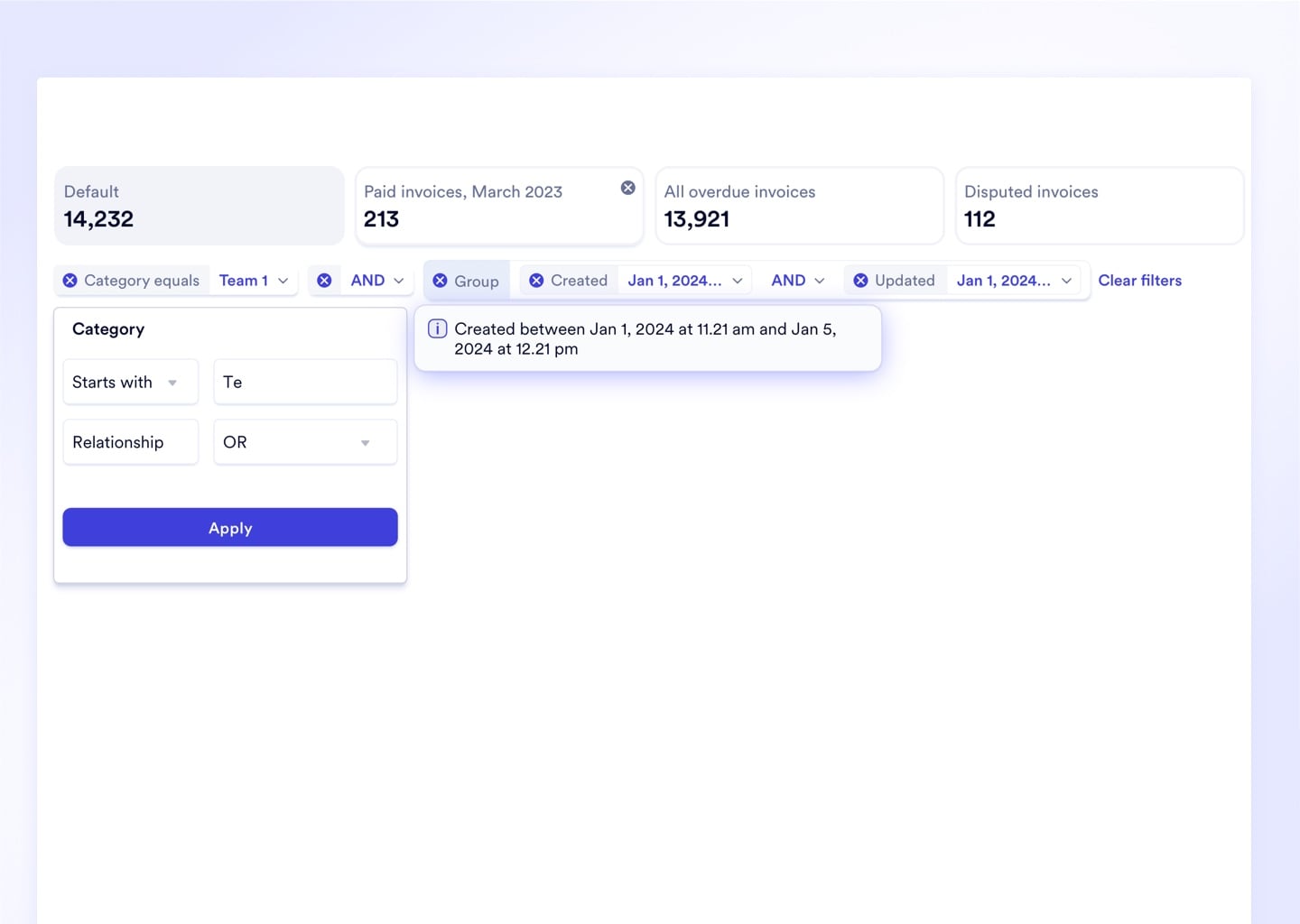
Advanced Filtering Chains AND/OR Conditions Across Multiple Columns

Build multi-condition queries like "All open POs over $10k AND past due AND from Vendor X" directly in the filter panel - no SQL, no IT ticket. Precise data isolation runs instantly across millions of rows.
Upload media
Complete Feature Set

Every Grid and Reporting Capability Included - No Extra BI Seat License
Spreadsheet and Grid
Spreadsheet Mode
Interactive Tables
Pivot Tables
Row Groups
Table Column Nesting
Advanced Filtering
Intelligent Column Memory
Visual Reporting
Visual Report Mode
Over 100 Visualization Types
Dynamic Visualizations From Live Table Data
Natural Language Report Builder
Report Builder
Custom Report Templates
System Report Templates
Dashboard Management
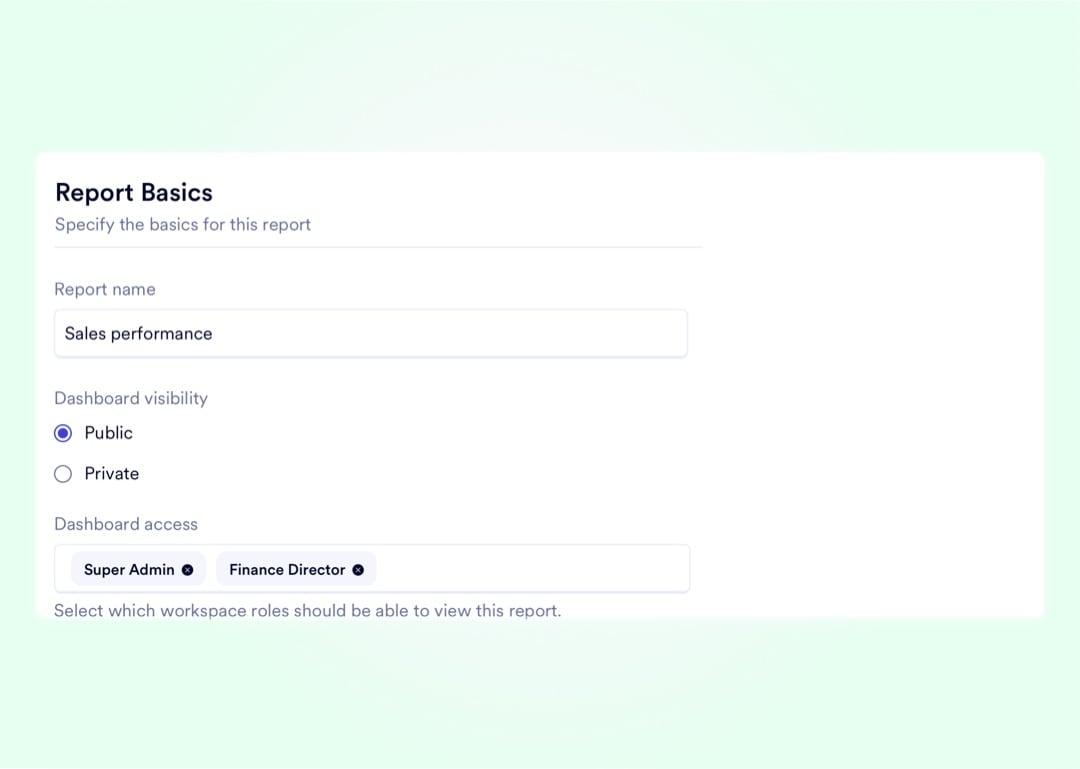
Private Dashboards
Public Dashboards
Table Exports
PDF Generation

Live Bi-Directional Sync. Every grid in your workspace reads from and writes back to the same live relational database - AI bulk updates commit instantly with no CSV roundtrip, no middleware, no batch delay.

ERP Modules
Shop Floor Data
Inventory & WIP
Sales & CRM
Finance & AP
Workspace API
Live Webhooks
N
SAP
Integration Hub
naologic
Data Pipeline
AI Orchestration
Pivots
Spreadsheet
Visual Report
Bulk Write-Back
Proof

Hundreds of Visualization Types. 0 SQL Required. 1 Database.

Every capability below is built natively into the Naologic workspace - no third-party BI subscription, no data warehouse setup, no IT configuration. Your data, your queries, your live system of record.

1000+
distinct visualization types in the native reporting library - bar, scatter, heatmap, Sankey, radar, waterfall, and 90+ additional chart formats available at configuration
0
lines of SQL needed to query your entire manufacturing data lake - the Natural Language Report Builder translates plain-text prompts into secure SQL automatically
1-click
to commit AI-generated bulk updates back to the live database - revised pricing, new reorder points, updated master schedule quantities - with a full audit trail
24/7
live-updating dashboards - every chart, every KPI card, and every grid reflects your database in real time, not last night's batch export
Context-Aware AI

Unlike Copilot, This AI Knows Your BOMs, Routings, and Open WIP

Generic AI tools operate on whatever CSV you upload — Copilot has no knowledge of your multi-level BOM constraints, routing sequences, or the open WIP jobs consuming your most bottlenecked work center. Naologic's AI agents are permanently connected to your live relational database, so every recommendation is bounded by real manufacturing constraints.

AI That Refuses to Recommend a Physically Impossible Schedule

A context-blind AI will produce a schedule that looks perfect on paper but ignores that Work Center 4 is down for maintenance and the resin for Job 2047 hasn't cleared receiving inspection. Naologic's AI reads the same routing cards, inspection records, and live inventory counts your planner uses every morning.

AI recommendations are constrained by live BOM, routing, and WIP data - no hallucinations against impossible physical states.

One-Click Write-Back Closes the Loop Between Model and System of Record

Manually re-keying a model back into the ERP — bulk pricing updates, revised reorder points, new schedule quantities across 500 rows - is where one missed keystroke cascades into weeks of reconciliation. Naologic AI agents execute those bulk commits directly against the live database with a single confirmation click.

All write-back actions require standard user-role permissions. Every change is logged, timestamped, and fully reversible from the audit trail.
Replace Your Reporting Stack. Book a Demo.

In 30 minutes, we will show a Production Planner querying real-time capacity data, building a pivot scenario with natural language, and writing the schedule update back to the live database - without leaving the screen.

Replace Tableau, Power BI, and Excel Reporting

Naologic's native reporting module replaces standalone BI tools - with AI query capability, 100+ visualization types, and live dashboards included at no extra seat cost.

See all reporting features

Free Migration From GlobalShop, JobBOSS, or NetSuite

Move off your legacy ERP with a dedicated extraction toolkit. White-glove migration services are fully included - no consulting fees, no separate engagement.

See migration options